-
try this
knoppix 5.1
select "utilities" from main menuu>kandy mobile phone >SHOW> terminal>file>open >storage media> your usb
which may mount the usb then you can access it normally via the desktop.
sometimes works also for floppy disk that cant be seen/opened
Similar Threads
-
By g6con in forum Hardware & Booting
Replies: 2
Last Post: 08-30-2005, 10:49 PM
-
Replies: 3
Last Post: 02-13-2005, 06:13 PM
-
By jcostello in forum Hardware & Booting
Replies: 1
Last Post: 04-24-2004, 01:33 AM
-
By staverts in forum Hardware & Booting
Replies: 0
Last Post: 07-28-2003, 06:48 AM
-
By -=NTL=- in forum General Support
Replies: 1
Last Post: 06-22-2003, 06:18 PM
 Posting Permissions
- You may not post new threads
- You may not post replies
- You may not post attachments
- You may not edit your posts
-
Forum Rules


Dell Poweredge R630 2x Xeon E5-2680 v3 2.5ghz 24-Cores / 64gb / Raid / 2x 1Tb
$374.99

Dell EMC PowerEdge R440 Xeon silver 4215 2.5GHz 16 GB ram 2x 550W PSU No HDD
$275.00

Dell EMC VxRail E560F 10-SFF 2*Gold 6230R 2.1GHz No RAM HBA330 iDrac Ent Server
$349.99
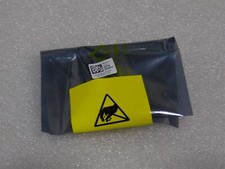
NEW DELL TRUSTED PLATFORM MODULE TPM 2.0 POWEREDGE R730 SERVER M48YR RXW6R K98XH
$225.00

Dell EMC PowerEdge R740 8 Bay Server w/ 32GB RAM 2x GOLD 6132 2x 1600W PSU H730p
$499.88

Dell Poweredge R730xd 12LFF 2*2660v4 4*1Gbe h730 2x 750W Server CTO
$308.00

Dell PowerEdge C4130 1U AI GPU Server | 2x E5-2680 v3 | 32gb Ram | 2x 1600W
$409.99

Dell PowerEdge R730XD 28 Core Server 2X Xeon E5-2680 V4 H730 32GB RAM No HDD
$381.93

Dell Poweredge R630 2x Xeon E5-2680 v3 2.5ghz 24-Core | HBA330 | No RAM or HDD
$169.99
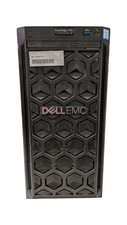
Dell PowerEdge T140 Xeon E-2224 @ 3.40GHz, 8GB Ram, NO HDD's, NO OS
$399.99



 Reply With Quote