

I have a brand new Dell Latitude D820, with an nVidia Quadro NVS 110M / GeForce Go 7300 graphics card in it. When I boot into Knoppix (v5.1.1, Jan 4 2007 release), the screen is stretched (the LCD on the laptop is 15.4" widescreen), and I need the screen to not stretch, but to display at the desired resolution.
When using the cheat code screen=1280x800 or screen=1920x1200 (with "knoppix " preceding, of course) (and both of these should be supported resolutions), the screen resolution upon loading fluxbox (my WM of choice) seems to revert always back to 1024x768, stretched.
The nv driver loads fine upon boot (at least, it seems to). I tried the boot cheatcode "xmodule=nv" along with the above screen cheatcodes, but to no avail.
I am up for remastering the CD if needs be, to include the proper driver, but I'm not sure where to get this or if I will have to recompile anything ...
Does anyone know how I can effect the desired screen resolution, not stretched??
Best,
Fred
 Posting Permissions


🔀 Juniper Networks EX2300-C-12P 12× Gigabit PoE+ • 2× 10G SFP+ Compact Switch ⚡
$119.00

Juniper EX2300 12-Port Gigabit PoE+ Managed Network Switch P/N: EX2300-C-12P
$149.99

Juniper Networks EX2300-48P 48-Port Gigabit PoE Managed Ethernet Switch
$79.99

Juniper Networks EX3400-24T 24-Port Ethernet Switch w/Power Cord
$174.99

Juniper SRX320 8-Port Security Services Gateway Appliance w/ AC Adapter
$59.99

Juniper EX2300-C 12 Port Compact Gigabit Switch EX2300-C-12p
$99.99

Juniper EX2300-C-12P POE+ Switch 12 x 1GbE & 2 SFP+ 10G uplinks
$149.99
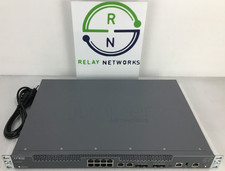
Juniper NFX250-S2 Network Services Platform
$199.89
Juniper EX Series EX2300-C-12P - switch - 12 ports - managed
$304.00
Juniper QFX5100-96S-AFI FP+/SFP PORTS 8QSFP+ PORTS REDUNDANT FANS 2x PS
$249.95


 Reply With Quote