

I have a brand new Dell Latitude D820, with an nVidia Quadro NVS 110M / GeForce Go 7300 graphics card in it. When I boot into Knoppix (v5.1.1, Jan 4 2007 release), the screen is stretched (the LCD on the laptop is 15.4" widescreen), and I need the screen to not stretch, but to display at the desired resolution.
When using the cheat code screen=1280x800 or screen=1920x1200 (with "knoppix " preceding, of course) (and both of these should be supported resolutions), the screen resolution upon loading fluxbox (my WM of choice) seems to revert always back to 1024x768, stretched.
The nv driver loads fine upon boot (at least, it seems to). I tried the boot cheatcode "xmodule=nv" along with the above screen cheatcodes, but to no avail.
I am up for remastering the CD if needs be, to include the proper driver, but I'm not sure where to get this or if I will have to recompile anything ...
Does anyone know how I can effect the desired screen resolution, not stretched??
Best,
Fred
 Posting Permissions


NEW Kingston 8GB DDR4 2666MHz Desktop RAM KCP426NS8/8 PC4-21300
$30.00
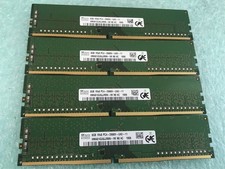
SK hynix 32GB(4 x 8GB) HMA81GU6JJR8N-VK PC4-2666V DDR4 Desktop RAM - CR337A
$89.95
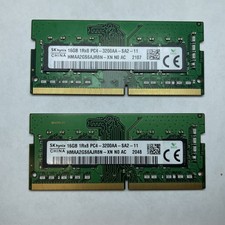
Lot of 2 SK Hynix HMAA2GS6AJR8N-XN 16GB DDR4 PC4-3200AA 1Rx8 Laptop SODIMM RAM
$354.99

16GB (2x8GB) Kingston HyperX blu KHX1600C10D3B1/8G PC3-12800U DDR3 1600
$27.99

DDR4 Laptop RAM 4GB 8GB 16GB 32GB 2400 2666 3200 Samsung Hynix
$66.00

Samsung W03J0009150379F87A 64GB (2x32GB) RAM DDR4 2400MHz CRC0Y
$179.99

A-Tech 8GB DDR3 1600 PC3-12800 Laptop SODIMM 204-Pin Memory RAM PC3L DDR3L 1x 8G
$21.68

RAMAXEL Lenovo 32GB LPDDR5X CAMM2 7500MHz Laptop RAM | UNTESTED
$445.00
Apple iPad 11th Generation 10.9" 128GB (Wi‑Fi + 5G) Blue
$220.00
Teamgroup/Crucial Desktop Memory RAM 32GB (4x8GB) DDR3 1600MHz PC3-12800
$130.00


 Reply With Quote