

On an external 160G USB mobile drive /dev/sda using Knoppix I have successfully created and formatted
/dev/sda1 4G 83 ext2
/dev/sda2 4G b FAT32
/dev/sda3 8G b FAT32
/dev/sda4 144G b FAT32
and when starting up Windows these are all seen; drivenames can be modified using Disk Manager and they persist.
On an external 4G USB stick /dev/sdb I have likewise successfully created and formatted
/dev/sdb1 600M 83 ext2
/dev/sdb2 40M b FAT32
/dev/sdb4 3G b FAT32
but on starting up Windows these are NOT recognised. According to Disk Manager the partition /dev/sdb1 has been given the drive letter K: even though an ext2 partition is not accessible to Windows!! and according to Disk Manager /dev/sdb2 and /dev/sdb4 can be neither formatted nor named, because they have not been enabled.
Can anybody *please* either (i) explain the inconsistency in outcome drive v. stick; or (ii) tell me how to get the stick partitions recognised in Windows; or preferably both (i) and (ii)?
Thank you.
Fergus
 Posting Permissions


Intel Core i7-3770K 3.5 GHz Processor
$39.00
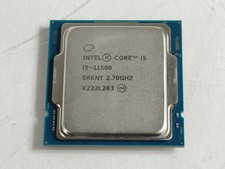
Intel Core i5-11500 2.70 GHz LGA 1200 Desktop CPU Processor SRKNY
$94.99

Corsair RM750e 750W Fully Modular 80 Plus Gold ATX 3.1 PSU Certified Refurbished
$44.99

GAMING COMBO: ASUS Prime H470M-PLUS MOTHERBOARD + i5-10600KF CPU + 16GB DDR4
$229.95
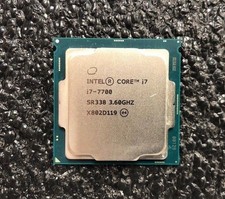
Intel Core i7-7700 Kaby Lake Quad-Core 3.6 GHz Processor LGA 1151
$39.99

Intel i7-8700 Coffee Lake 3.2GHz 6-Core Max Turbo 4.6GHz Processor
$69.99

Intel Core i7-7700T 2.9GHz 8MB Socket LGA1151 Quad Core Processor SR339
$39.99

Intel 4th Gen Core i7-4790 SR1QF 3.60GHz (Turbo 4.00GHz) 8M 4-Core LGA-1150 CPU
$39.99
i9 13900K + Z790 F-Gaming + Rog Ryujin 2
$599.99
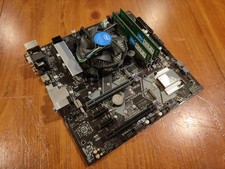
COMBO: ASUS Prime H370M-PLUS MOTHERBOARD + i5-9400F CPU /w Heatsink + 16GB DDR4
$169.95


 Reply With Quote