-
NTFS, GRUB, NTLDR, not MBR, etc.,
Hi,
I'm seeking a proper boot loader for my very specific purpose. and I'd like whether
I can use Knoppix system. Can I get some information ?
The preriquisite is as follows:
It must be installed in NTFS file system, NOT MBR.
It must not destroy MBR.
It must be chain loaded from NTLDR. so It must have ability to recognize NTFS.
I must load some Linux kernel in NTFS from the boot loader. (vmlinz + initrd.gz)
Does your project fit my needs ? I try to use GRUB + NTFS patch, and put some related
stuffs(stage1, stage2, ...) into C:\boot directory, edit c:\boot.ini to see grub.
Tt works well for a while. but I found that it can not work well in some system,
Panasonic CF-T2, for example. I'm very curious. because both machine use NTFS filesystem,
one can work well, the other can't. I suspect that NTFS patch has some bug.
Regards,
- Sakamoto
-
Senior Member
registered user
Grub on NTFS works but is kinda temperamental ! (eg does not always see files in subdirectories, etc-) OTOH, grub is mostly useful on machines which you reinstall often, or with a lot of operating systems, as its maintenance only implies editing a config file (menu.lst). If you want a simple dual boot, I suggest you install linux to its own partition, let lilo install to the start of that partiion (e.g. /dev/hda2, *not* mbr), then copy the initial sector of said partiion to your NTFS drive (via diskette, USB key, or ntfs3g support in latest knoppix), and plug it into boot.ini. As usual, google is your friend!
-
Hello sakamoto motoharu,
You should investigate Wingrub, (Grub for Windows) WINGRB0206.EXE from http://sourceforge.net/projects/grub4dos
WinGrub web forums, http://sourceforge.net/forum/?group_id=104188
I have a hobby if trying out various bootloaders and I have WinGrub in one of my computers, it works fine for me. It seems to match your criteria.
I had only one problem with it, I found I could not use it to boot a Linux installation with Grub when the other Grub it has to chainload uses the 'savedefault' command. As long as that command is commented out (disabled), Wingrub works very well, I have been using it for quite a while now.
The documentatioin for WinGrub is a bit sketchy. I have made my own webpage about how I set up Wingrub, that might help you. Here is the link, http://users.bigpond.net.au/hermanzone/p9.html
If you are using Vista, EasyBCD would probably be better, http://neosmart.net/dl.php?id=1
Regards, Herman 
Similar Threads
-
By jdrnyc in forum MS Windows & New to Linux
Replies: 6
Last Post: 06-30-2010, 03:31 PM
-
By CaptainChunk in forum MS Windows & New to Linux
Replies: 1
Last Post: 05-01-2009, 01:31 AM
-
By Mr.Joecat in forum Hardware & Booting
Replies: 3
Last Post: 12-07-2005, 04:19 PM
-
By Rey Flores in forum Hardware & Booting
Replies: 3
Last Post: 10-18-2005, 09:18 PM
-
By sandricionut in forum Hardware & Booting
Replies: 2
Last Post: 08-11-2005, 03:28 PM
 Posting Permissions
- You may not post new threads
- You may not post replies
- You may not post attachments
- You may not edit your posts
-
Forum Rules

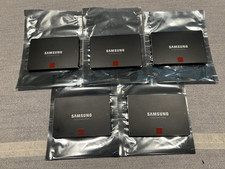
Samsung 850 Pro Series 2TB 2.5inch SATA3 6Gbp Internal SSD MZ-7KE2T0 5 Available
$189.00
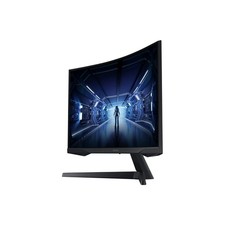
SAMSUNG LC34G55TWDNXZA 34" Odyssey G55T WQHD 165Hz 1ms(MPRT) HDR Curved Gaming
$127.00
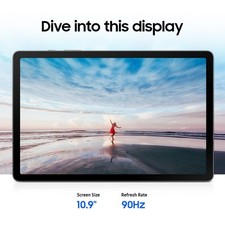
Samsung Galaxy Tab S10 Lite 10.9" 128GB Silver Wi-Fi SM-X400NZSAXAR
$206.00

Samsung Galaxy View Tablet 18.4 SM-T670/677A Digitizer 100% Original Oem
$152.99
Samsung 850 PRO 1TB SATA3 2.5" Internal Solid State Drive SSD 5 Available
$99.00

Samsung DVI to DVI Cable 6 ft Digital Video Interface Audio Video NEW
$30.89

Kids Case for Samsung Galaxy Tab A9+/A9 plus 11 Inch 2023 Case, with Strap, Shoc
$27.99

Samsung SCXSTP000, SCX-STP000 (Swingline Staple Cartridge - 3 Refills)
$57.99

Samsung Chomrebook XE350XBA-K02US LCD Screen FHD Display 15.6" XE350XBA-K03US
$51.77

Samsung 24" S3 Essential IPS 100Hz Monitor | Sealed | Fast shipping
$55.00



 Reply With Quote