

On an external 160G USB mobile drive /dev/sda using Knoppix I have successfully created and formatted
/dev/sda1 4G 83 ext2
/dev/sda2 4G b FAT32
/dev/sda3 8G b FAT32
/dev/sda4 144G b FAT32
and when starting up Windows these are all seen; drivenames can be modified using Disk Manager and they persist.
On an external 4G USB stick /dev/sdb I have likewise successfully created and formatted
/dev/sdb1 600M 83 ext2
/dev/sdb2 40M b FAT32
/dev/sdb4 3G b FAT32
but on starting up Windows these are NOT recognised. According to Disk Manager the partition /dev/sdb1 has been given the drive letter K: even though an ext2 partition is not accessible to Windows!! and according to Disk Manager /dev/sdb2 and /dev/sdb4 can be neither formatted nor named, because they have not been enabled.
Can anybody *please* either (i) explain the inconsistency in outcome drive v. stick; or (ii) tell me how to get the stick partitions recognised in Windows; or preferably both (i) and (ii)?
Thank you.
Fergus
 Posting Permissions


Seagate Exos 7E8 4TB 3.5" SAS ST4000NM0025
$22.00

Seagate Exos X16 ST10000NM010G 10TB 7200RPM SAS 12Gb/s 3.5" 512e/4Kn HDD
$199.00

Western Digital HUS726T4TAL5204 4TB 7.2K SAS 12Gb/s 3.5" 512e HDD NetApp X375A
$69.00

Seagate 14TB Exos X14 7200RPM SATA 6Gb/s 256MB 3.5" Enterprise HDD ST14000NM0408
$354.99

Hitachi / HGST Travelstar HTS541010B7E610 1TB 2.5" SATA III HDD
$29.99

Seagate ST6000NM0115 6TB 256MB 7200RPM 3.5" SATA 6.0Gb/s Enterprise Hard Drive
$159.99

HGST HUS724040ALA640 4TB 7200 RPM SATA 3.5" Internal Desktop Drive 100% Health
$78.00

Seagate Enterprise Capacity 2TB 2.5in SATA Internal HDD ST2000NX0403
$60.00
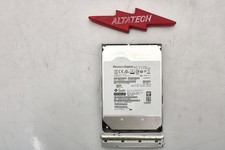
Sun Oracle 7357761 14TB 7.2K 3.5 12G SAS-3 HDD Hard Disc Drive w/ Coral Bracket
$249.99

HUS726060ALA640 HGST Ultrastar 6TB SATA 6Gbps 7.2K 3.5" Hard Drive OF21860
$129.99


 Reply With Quote