-
USB harddrives /pendrives
after installing my knoppix to hardrive I am unable to veiw my usb drives. They appear on the desktop, but when i try to open my usb harddrive I get error
Could not mount Device
Thereported error was
Mount wrong fs type, bad option, bad superblock
on /dev/sda1,
missing codepage or other erro[/b]r
when i type dmesg
I get at the bottom
FAT : Unrecognized mount option "uid=knoppix" or missing value
then when i plug my pen drive inn and try to open it I get the error
Feature only available in HAL
;
-
see http://www.knoppix.net/forum/viewtopic.php?t=26972 more basic stuff - the second post for more info
Try in a terminal as "root" say: mkdir /media/sda1 (if it does not exist - check your media directory first!)
then say: mount /dev/sda -t vfat /media/sda1 (and see if it mounts)
You may have to modify fstab in /etc/fstab by adding a new line with the device you want to mount
eg:
# Added by root
/dev/sda1 /media/sda1 vfat noauto,users,exec 0 0
for Live CD only - then save your config in "start - knoppix - configure - save knoppix configuration" so it boots with the changes the next time you use knoppix -- - at the boot prompt press F2 and type knoppix myconfig=scan to load your configuration file on hard disk.
Read the cheetcodes
-
USB harddrives /pendrives
That Works fine but I can't change the Read Write mode for the mounted drives
-
Go back and read the notes at the bottom section of the post referenced in the last post (above0
1. BEFORE you mount a drive set the read and write check box in the properties/device tab then mount the drive.
If you mounted a drive in a terminal you still need to un-mount then remount with the new settings or set the variables in fstab or mtab in your /etc/ folder for the changes to take effect
further you can create and assign a group name to have such permissions to devices and special functions from SETTINGS - USERS & GROUPS in root.
Your best ally is to read the info & manpages for instructions.
-
Thanks
Got that working
But what happened to the simple right context menu Change read/write mode. Nothing happens anymore
When i plug unplug the device it doesn't disapear on the desktop
is there a way to make them read/write always. usb listed as rw in mtab. and i even tried adding the rw param in fstab, but nothing happens
-
I don't know the answer to that?
However I suspect (in my case anyway) because the drive was formatted in Windows as a DOS partition the problems emanate from UNIX reading the blocks from zero instead of the offset created when windows formatted the drive.
see my other post for a brief description about FAT drives created in windows vs. UNIX.
I have another USB formatted in ext2 to test that theory but have not had the time yet.
If you find the answer please share your results.
Peace & Prosperity,
JC
Similar Threads
-
By BORTKOMMEN in forum Hardware & Booting
Replies: 2
Last Post: 11-30-2007, 09:06 PM
-
By abeverley in forum Hardware & Booting
Replies: 1
Last Post: 09-20-2005, 08:15 PM
-
By robk in forum Hardware & Booting
Replies: 2
Last Post: 10-05-2003, 10:15 PM
-
By chief in forum General Support
Replies: 0
Last Post: 09-22-2003, 08:48 PM
-
By Profound_Darkness in forum General Support
Replies: 11
Last Post: 06-01-2003, 07:35 PM
 Posting Permissions
- You may not post new threads
- You may not post replies
- You may not post attachments
- You may not edit your posts
-
Forum Rules


Genuine Apple OEM A2164 30W USB-C AC Power Adapter with USB-C Cable, Very Good
$20.59

OEM Apple Data Migration Toolkit for A1706 A1707 MacBook Pro PN 076-00236
$499.99
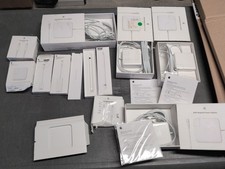
Lot Of Apple Cords And Accessories All OEM Genuine Apple Pencil, Magsafe Power
$109.99

Genuine Apple Power Adapter Extension Cable 6FT White OEM MacBook MK122LL/A
$10.99

OEM 45w T-Tip Power Adapter charger for Apple macbook air 2012-2017 A1436 A1466
$19.99

Genuine OEM Apple Power Adapter Extension Cable for MacBook Pro Air
$8.99

Genuine OEM Apple 60W MagSafe Power Adapter A1344 ~ FREE S/H
$12.99

OEM Genuine For Apple MacBook Air Magsafe 2 45W Power Adapter Charger A1436 NEW
$26.79
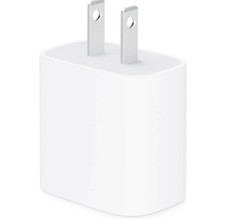
apple oem 20w charger usb-c power adapter
$9.99
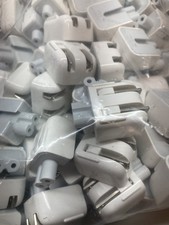
Genuine/OEM Apple Duckhead Two-Prong Plug - MagSafe AC Wall Adapter - Set of 25
$32.29



 Reply With Quote