-
Right click on the desktop icon and select "mount". What happens?
Right click on the desktop icon again, and select "change read/write mode", it should ask you if you want to make the disk writeable. What happens?
Try writing something (even 'touch something') at /media/<partition>. What happens?
Similar Threads
-
By Dash_Riprock in forum General Support
Replies: 2
Last Post: 10-13-2006, 09:43 PM
-
By FabienO in forum General Support
Replies: 3
Last Post: 10-27-2005, 07:40 AM
-
By irsirius in forum General Support
Replies: 1
Last Post: 06-22-2005, 10:08 PM
-
By Amdmhz in forum Networking
Replies: 1
Last Post: 10-18-2004, 05:41 AM
-
By nightfrost in forum General Support
Replies: 3
Last Post: 08-14-2004, 08:07 PM
 Posting Permissions
- You may not post new threads
- You may not post replies
- You may not post attachments
- You may not edit your posts
-
Forum Rules


Samsung 2.5" 870 EVO SSD SATA III 250GB 500GB 1TB Internet Solid State Drive Lot
$100.00
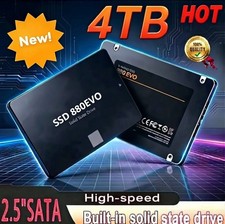
SSD 880EVO SATA III 2.5 4TB INTERNAL SOLID STATE DRIVE
$189.99

Netac 2TB 1TB 512GB 256GB Internal SSD 2.5inch SATAIII Solid State Drive lot
$549.00
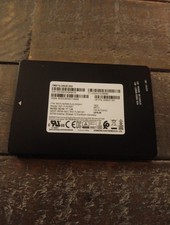
HP Samsung PM871b 2.5 SATA SSD 256GB Solid state drive
$29.99

Crucial MX500 1TB 2.5" SATA III Internal SSD CT1000MX500SSD1
$99.99

2 PACK 128 GB SSD M.2 2280 SATA Solid State Drive Major Brands, Samsung, LiteON
$28.00

Crucial MX500 250GB 2.5" SATA III SSD - Preowned
$29.00

Fanxiang 256GB 512GB 1TB 2TB 4TB SSD Lot 2.5'' SATA Internal Solid State Drive
$42.99

Samsung 860 EVO 250GB, SATA III, 2.5" Internal Solid State Drive - Black...
$30.00

Samsung 860 EVO 250GB SSD MZ-76E250 2.5" SATA III Solid State Drive -
$39.99



 Reply With Quote