-
Brand new to Linux/knoppix
OK right now I am downloading the most recent version of the Knoppix iso.
I plan on running it from a cd, before trying to partition a drive.
I have Windows XP.
I want to know if the iso will burn directly to a cd that will automatically boot up my system, if it is in the drawer and boot the system.
OR do I have to enter the set up screen each time and set it to boot from the drive?
Do I have to add any files to the cd/iso disc to do this?
I am sorry I don't know much about this, I just started looking into it today.
I wanted to do this about 8 years ago, but people told me it was stupid to get into linux.
Thanks for supporting a linux newbie.
-
Knoppix is self booting, so just download the EN.iso make sure you get the en because some are de - deutch and other languages. Just download the ISO burn it to a cd, and its self booting. Just reboot and set the bios to boot from CD first and it will run completely from the CD, hope this helps. You should still have access to HD and stuff while you are booted from the CD.
Have fun, and enjoy
Trey
-
Administrator
Site Admin-
Re: Brand new to Linux/knoppix

Originally Posted by
danjr
I have Windows XP.
I want to know if the iso will burn directly to a cd that will automatically boot up my system, if it is in the drawer and boot the system.
The above information is incorrect. See the downloading faq. XP by itself, without 3rd party software, will not burn an ISO properly, that is, it will not burn it in a form that boot. You'll likely just end up with the iso file on a CD, which is not what you want. The downloading faq gives you the information that you need.
---
Verifying of md5 checksum and burning a CD at slow speed are important.
-
I managed to burn the ISO with Nero.
It booted up fine without having to go to the set up screen. Just had to hit enter.
The load time seemed quite long.
Also my DVD - drives don't seem to register.
Is there some way I can have a save file that will enable faster startup?
At this point I just want to try play with linux before I jump into it too far and too fast.
Thanks for the pointers guys!
-
Sorry about not using search, I have no clue about the proper terminologies used here, so I have no idea what to look for!
-
Administrator
Site Admin-
Originally Posted by
danjr
The load time seemed quite long.
Hard to know what this means without any real data. See this thread for a discussion of someone who was taking over 5 minutes to boot. I spoted that and pointed out the issue of the importance of doing a low speed burn. After they burnt properly the CD booted much faster. Better to spend a little more time burning once that to wait out slow or even failed boots every time that you boot.
-
Well I guess I was expecting the system to boot in no time.
I will have to launch it again and see how long it takes.
I'll play around with it some more and try learn as much as I can before I come back.
-
Senior Member
registered user
Because the OS is being booted from optical discs, it will take a longer time to boot and applications will start up slower than if KNOPPIX was installed on the hard drive or even if you have a "poorman" install on the hard drive.
On many computers, adding the words "dma" to the boot line, ie type:
knoppix dma
will speed up the CD/DVD drive access.
Also, if your PC has an Intel SATA hard drive controller (many newer Dell PCs, for example) you may experience a VERY LONG (5 minutes with the computer just sitting there and no progress appears on the screen) delay with KNOPPIX 5.1.x version. This is especially true if you have no SATA drives connected to your controller.
The Linux kernel version used in 5.1.x has a bug in the SATA (no drive found) timeout routine that makes it a VERY long boot.
If this sounds like your problem, the solution is to either go back to KNOPPIX version 5.0.1 or to wait for the next 5.2 version to be published. This bug has been fixed in the newer versions of the Linux kernel.
-
Administrator
Site Admin-
Originally Posted by
cbagger01
.....On many computers, adding the words "dma" to the boot line, ie type:
knoppix dma
will speed up the CD/DVD drive access.
dma is either on or off by default. Klaus has changed this several times in recent releases. I think but an not certain that it is once again on by default in 5.1.x. If that's correct then nodma may help some older systems that can't us dma to boot the CD, but the dma opption has no extra effect.
---
Verifying of md5 checksum and burning a CD at slow speed are important.
Similar Threads
-
By llwyd in forum MS Windows & New to Linux
Replies: 0
Last Post: 01-26-2005, 05:19 PM
-
By kn2user in forum The Lounge
Replies: 11
Last Post: 12-20-2004, 06:43 PM
-
By SCribbl3r in forum Networking
Replies: 2
Last Post: 09-06-2004, 02:00 AM
-
By Virulent in forum General Support
Replies: 5
Last Post: 06-24-2004, 05:53 AM
-
By Mutant in forum General Support
Replies: 3
Last Post: 03-27-2003, 08:42 PM
 Posting Permissions
- You may not post new threads
- You may not post replies
- You may not post attachments
- You may not edit your posts
-
Forum Rules

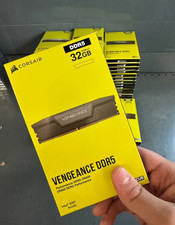
Corsair Vengeance DDR5 32GB (2x16GB) 6000MHz Desktop RAM Kit – New Sealed
$349.95

DDR4 Laptop RAM 4GB 8GB 16GB 32GB 2400 2666 3200 Samsung Hynix
$66.00

RAMAXEL Lenovo 32GB LPDDR5X CAMM2 7500MHz Laptop RAM | UNTESTED
$445.00
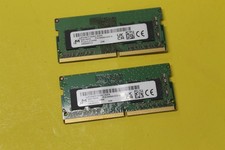
NEW Micron 16GB (2 x 8GB) PC4-3200AA DDR4-3200 SODIMM Ram MTA4ATF1G64HZ-3F2FA
$54.97

NEW Kingston 8GB DDR4 2666MHz Desktop RAM KCP426NS8/8 PC4-21300
$26.00

Crucial DDR3L 16GB 2 x 8GB 1600 MHz PC3L-12800 Laptop RAM Sodimm Memory 1.35V
$41.00

Kingston 16GB (SO-DIMM) (DDR4 SDRAM) Memory (KCP432SD8/16) DDR4-2666V
$155.00
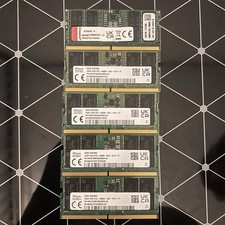
16gb ddr5 4800mhz Sodimm Laptop ram Sk Hinyx & Kingston
$149.00

Samsung 16GB DDR4 2666MHz PC4-21300 SODIMM RAM M471A2K43CB1-CTD Tested Working
$70.99
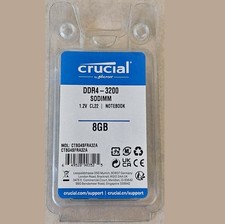
Crucial 8GB 3200MHz PC4-25600 Laptop DDR4 260-Pin SODIMM Memory (CT8G4SFRA32A)
$64.99



 Reply With Quote