

 Reply With Quote
You need
linux-headers-2.6.19_2.6.19-10.00.Custom_i386.deb
which is provided with the DVD (but not the CD).
If you want to send me your e-mail address in a forum Private Message I could e-mail it to you


I am remastering a copy of the LIVE CD 5.1 of knoppix and need to install a SCSI driver.
I downloaded and untared the 2.6.19 source that matches the "uname -a" output and have done the following (i really do not want to replace the kernel but want to generate the proper .h files needed for driver install.
cd /usr/src/linux
cp /boot/config.xxxxx .config
make oldconfig
make menuconfig
make
then reran the scsi driver install, however it is complaining that the running kernel version is different than the headers generated.....
Any ideas
You need
linux-headers-2.6.19_2.6.19-10.00.Custom_i386.deb
which is provided with the DVD (but not the CD).
If you want to send me your e-mail address in a forum Private Message I could e-mail it to you
I don't understand why is it so difficult to find linux-headers file to Knoppix. Perhaps you would like to use my newer kernel http://linux.ilmainen.net/suomiknoppix/linux-2.6.21/ which has much more modules than original Knoppix's kernel. There's also linux-headers file for that kernel. You can also use my minirt.gz, but please change the welcome message which in my case is in finnish language. This kernel is used in SuomiKnoppix and in Musix GNU/Linux distributions.Originally Posted by JohnnyH
-tapsa-
Is there any other way to get the headers than either extracting them from the kernel source (and having all sorts of problems) or downloading and creating an entire DVD?
tr -
would you be willing to write up a howto for putting a new kernel and extra modules on knoppix?
or even just translate the remaster document on you website? ( I don't read finnish, but it looks like it has useful info...)
Thanks
Yes, I have planned to do a howto but there's been so many changed in Knoppix and in Debian during last years so that it would be outdated almost at the moment I get it ready. That'äs also the reason I have not translated my remastering guide in english.
But compiling new kernel and extra modules...I think it's better that I do that and give ready .deb packages which can be installed by 'dpkg -i deb_package'. If you want to try my new 2.6.21.5 kernel with aufs (another unionfs which replaced unionfs in Knoppix starting from 5.0 release). Here it is:http://linux.ilmainen.net/suomiknoppix/linux-2.6.21.5/. The files you need are linux-kernel and cloop module.(perhaps linux-headers to compile your own extra modules).
After installing new kernel (dpkg -i linux-image*) and cloop (dpkg -i cloop-module*), copy aufs module ( /lib/modules/2.6.21.5/kernel/fs//aufs/aufs.ko)
and cloop module (/lib/modules/2.6.21.5/extra/cloop.ko) to /KNOPPIX/modules directory in your remastering partition. Then copy new kernel (/boot/vmlinuz-2.6.21.5) to /boot/isolinux/ and rename it to 'linux'.
You need also updated minirt.gz file. Perhaps you could try my file in the same directory as linux-image is. You can gunzip (gunzip minirt.gz) it, mount it somewhere e.g to /mntt.(mount -o loop minirt /mnt) and replace my linuxrc with original file from Knoppix 5.1 (as far as I can remember I have changed only welcome message to 'Finnish Knoppix CD is loading...'. Then unmount /mnt (umount /mnt), gzip minirt back to minirt.gz /gzip -9 minirt) and copy to /boot/isolinux directory.
-tapsa-
 Posting Permissions

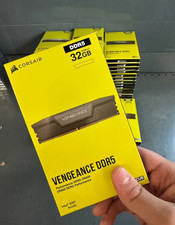
Corsair Vengeance DDR5 32GB (2x16GB) 6000MHz Desktop RAM Kit – New Sealed
$349.95

DDR4 Laptop RAM 4GB 8GB 16GB 32GB 2400 2666 3200 Samsung Hynix
$66.00

RAMAXEL Lenovo 32GB LPDDR5X CAMM2 7500MHz Laptop RAM | UNTESTED
$445.00

NEW Kingston 8GB DDR4 2666MHz Desktop RAM KCP426NS8/8 PC4-21300
$26.00
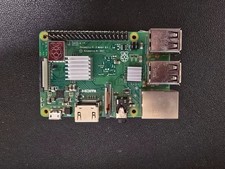
Raspberry Pi 3 Model B+ 1GB RAM WiFi Bluetooth Quad-Core SBC w Power Supply
$19.99

Crucial DDR3L 16GB 2 x 8GB 1600 MHz PC3L-12800 Laptop RAM Sodimm Memory 1.35V
$41.00

A-Tech 8GB DDR3 1600 PC3-12800 Laptop SODIMM 204-Pin Memory RAM PC3L DDR3L 1x 8G
$21.68
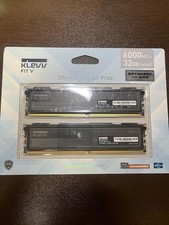
KLEVV FIT V DDR5 32GB (16GB x 2) 6000MT/s Desktop RAM - Brand New
$354.00

Micron MTC40F2046S1RC48BA1 DDR5 64GB (1x64GB) 4800MHz RDIMM ECC Server Memory
$2999.99

Lot Of 50 8GB DDR4 RAM PC4-2666V-UA2 DIMM Desktop Memory Mixed Brands TESTED
$1750.00