-
Administrator
Site Admin-
Re: newbie - internet with cable modem on ethernet

Originally Posted by
net2surfin
My cable modem has built in monitor that can be viewed via any browser by typing its IP : 192.168.100.1. I don't know if it has a router (I check it on manuals and found nothing about router), but the modem do have DHCP for ten client, range from 192.168.100.20 (is this mean it has router function?). However, I cannot use DHCP, the cable company (my broadband provider) has strictly define static IP in order to avoid IP conflict with other user and faster connection.
By the way, I try with GPRS connection and succeeded

so it must be my modem trouble or something weird happening...
Yes, the support for 10 users in the 192.168.xxx.xxx range would be what I'm refering to as a router. Google search for NAT router to learn lots more. However, the statement that your cable company configuration conflicts with the router function does not make sense. A NAT router shows up as one public IP address to the cable company, and would get the IP address that you are assigned, All users on your side of the router would get private IP addresses in the 192.168.xxx.xxx range that your cable company can't even see. The router takes care of making sure that all user's traffice gets to the right user, this is well understood technology and there should be no conflict berween computers on your system or between your computers and any other internet users. Yes, there is a very very small delay introduced in having the router do NAT, but it's minimal and insignificant in comaprison to other network delays, and quite acceptable to you for the security it offers (the real delays happen after someone hacks your system because you were not protected by a NAT router). If you can't enable the router in you modem I would still urge you to buy another independent home router. They are now quite inexpensive, will look like one user to your ISP, and will give you a much safer Internet experience. I would not connect my computer to the Internet wothout a NAT router.
Without a router I'm at a loss to know why Knoppix doesn't get DHCP setup from the ISP, although they may expect you to hard code the assigned IP address into your system. If that's the case you should be able to do it with natcardconfig, but if you get a router (or enable the one in your modem), then you can assign the router the public IP address and allow it to give out private non-routable IP addresses to any system when it boots by DHCP.
Similar Threads
-
By dan_haifa in forum Networking
Replies: 0
Last Post: 11-21-2005, 11:18 PM
-
By pybass in forum Networking
Replies: 4
Last Post: 07-18-2005, 10:17 PM
-
By moift in forum Networking
Replies: 3
Last Post: 05-18-2004, 01:34 PM
-
By kibkid in forum Networking
Replies: 5
Last Post: 05-04-2004, 01:41 PM
-
By slicksps in forum Hdd Install / Debian / Apt
Replies: 3
Last Post: 11-09-2003, 02:49 AM
 Posting Permissions
- You may not post new threads
- You may not post replies
- You may not post attachments
- You may not edit your posts
-
Forum Rules


TP-Link 5-Port Gigabit Unmanaged Ethernet Switch Network Expansion TL-SG105
$19.95

5Ports Gigabit Network Switch w/ 4 PoE+ Ports Total 52W each port 30W Plug&Play
$31.99
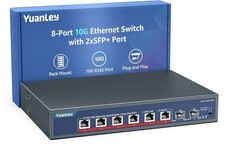
YuanLey 8-Port 10G Ethernet Switch, 6 x 10Gbps RJ45 Ports, 2X 10Gbe SFP+ Ports
$149.99

Cisco Catalyst 2960-48TT-L 48-Port Fast Ethernet Managed Rackmount Switch
$46.99

TP-LINK TL-SG108 8-Port Gigabit Unmanaged Desktop Switch RJ-45 New in Box
$23.99

Netgear PROSAFE 8-Port 10 Gigabit/Multi-Gigabit Ethernet Switch XS508M
$229.99

Linksys 8-Port Managed Gigabit PoE+ Switch 110W w/ 2 Uplink Gigabit - LGS310MPC
$49.02

Arista DCS-7010T-48-R 48P 1GbE 4P 10GbE SFP+ RA Switch with rack mounts
$69.00

NETGEAR 5-Port Gigabit Ethernet Unmanaged Switch (Gs305) - Desktop Quiet Fanless
$22.00

10-Port Gigabit PoE Network Switch with 8 PoE+ Ports with 2 Combo SFP Slots 125W
$39.99



 Reply With Quote