-
Senior Member
registered user
Re: newbie - internet with cable modem on ethernet

Originally Posted by
net2surfin
I have burn and successfully boot knoppix 5.1 dvd.
But one big question is how to configure internet connection?

I using motorola SB5101 cable modem, connected via NVidia NForce ethernet card
Manually (static) IP:
IP address: 202.169.231.103
subnet: 255.255.255.0
gateway: 202.169.231.1
DNS1: 202.169.224.3
DNS2: 202.169.224.4
Konqueror always stuck, even modem web interface (192.168.100.1) wont read.
Thanks for help, I really appreciate it
If your network interface is not "up" and running, you will not be able to load even local web pages from your cable modem.
And if your network settings are incorrect, you will not be able to load even local web pages because network traffic to your cable modem's internal web page will be sent to your internet gateway instead of to your local subnetwork.
Open a terminal window and type:
sudo su
ifconfig -a
This should tell you if your network interface is UP and ACTIVE, and it will tell you the in-use IP ADDRESS and other information.
If your interface is not up, try running the "netcardconfig" utility and enter your network settings.
If "netcardconfig" cannot find your network card (usually referred to as ETH0), then you do not have the correct network card driver loaded for your computer.
Finally, if you are not using an ETHERNET port and an ETHERNET cable to connect your router, you are then using a USB port and USB cable as an alternative. In this case, you must manually load the USB cable modem network driver.
Open a terminal window and type EXACTLY, including UPPER and lower case letters:
sudo su
modprobe CDCEther
and then run "netcardconfig" again.
Good luck.
Similar Threads
-
By dan_haifa in forum Networking
Replies: 0
Last Post: 11-21-2005, 11:18 PM
-
By pybass in forum Networking
Replies: 4
Last Post: 07-18-2005, 10:17 PM
-
By moift in forum Networking
Replies: 3
Last Post: 05-18-2004, 01:34 PM
-
By kibkid in forum Networking
Replies: 5
Last Post: 05-04-2004, 01:41 PM
-
By slicksps in forum Hdd Install / Debian / Apt
Replies: 3
Last Post: 11-09-2003, 02:49 AM
 Posting Permissions
- You may not post new threads
- You may not post replies
- You may not post attachments
- You may not edit your posts
-
Forum Rules


Dell Poweredge R720 8SFF 2.5" 2x Xeon E5-2680 v2 2.8GHz 20-Cores 64gb 4x Trays
$259.99

Dell EMC PowerEdge R440 Xeon silver 4215 2.5GHz 16 GB ram 2x 550W PSU No HDD
$275.00

Dell PowerEdge R730XD Server 2x E5-2695 V4 = 36 Cores H730p 32GB RAM 4x trays
$649.99

Dell PowerEdge R530 2x E5-2630v4 H330 iDRAC8 Port Card Riser No PSU/RAM/HDD
$99.99

Dell Poweredge R720 8SFF 2.5" x Xeon E5-2680 v2 2.8GHz 20-Cores 128gb 4x Trays
$349.99

Dell PowerEdge R620 2x Xeon E5-2630 v2 3.1GHz 2.5" 4-BAY 32GB RAM No OS 2x 495w
$174.95

Dell Poweredge R630 2x Xeon E5-2680 v3 2.5ghz 24-Cores / 64gb / Raid / 2x 1Tb
$374.99
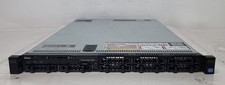
Dell PowerEdge R620 Dual Intel Xeon E5-2640 v2 @2.00GHz 192GB RAM No HDD H710P
$250.00

Dell R640 Diskless Servers 2x Gold 18-Cores 6254 3.10GHz CPU, 32gb RAM, No Raid
$699.00

Dell PowerVault DL2200 2x Xeon E5620 24GB RAM H700 2x500GB SAS RAID1
$230.00



 Reply With Quote