

 Reply With Quote
I don't see why it should not work. Have you tried it?


Hi,
I love knoppix DVD, however, i want to make a persistent home otherwise my work is almost useless. The problem is atm is that i have both my hard drives seperately partitioned with NTFS
Partitioning is not an option, using the latest (5.1.1) knoppix dvd, is it possible to have a persistent home in a NTFS hard drive? Pretty much not as a partition but just as a folder/file.
i read it possible on older knoppixs, what about current?
I don't see why it should not work. Have you tried it?
Will the hard drive be formatted? If it wont I'm up for it.
I have a similar situation. I bought the smallest, cheapest USB drive possible (I assume you probably have available USB ports, given that you have a DVD drive). The path is:Originally Posted by Laos
K -> Knoppix -> configure -> save consistent image (It might be persistent - I'm reading from my notes). Go with the default size of 100M. I had weird grief with any other size.
You leave the USB key in the port until you shutdown AND the drive is sync'd and unmounted.
To boot, you put the DVD in the drive, the USB in the port, and re-boot. Then use the cheatcode knoppix home=scan.
Cheers!
i tried to do this on a NTFS partition, it finishes, i shutdown and reboot etc. and use the cheatcode but i wont detect the knoppix persistent home image
i see the image on the hard drive too!
I also tried manually with home=/dev/sda2
P.S. would the fact i start knoppix with two cheat codes cause a problem?
boot: knoppix home=scan xmodule=vesa
thats my boot command
Are you saying you created the image on your NTFS partition? I haven't tried to make my HD writable (by default, it's read only), but I have heard that it can be dangerous. That's why I suggested the USB key. Also, I've used three and more cheat codes without a problem, other than typos. I have never used an xmodule cheat, however.
I've heard rumors of ways to do this with a CD, however atm i cannot grab a 4 gig USB unit.
I just bought a 256M USB drive. The default size of 100M seemed to work best for me anyway.
if anyone can think of why it doesnt work let me know, thanks
Which "it" are you referring to?
Try it out! Your existing partition will not be formatted. The persistent home only creates a file on a partition of your choice, size of your choice. If this gives you problems, post more information: what did you try, what happened ...
 Posting Permissions


RAM-HOL-SAM52CPU RAM USB-C Powered Dock Samsung Tab Active4 Pro & Tab Active Pro
$81.99
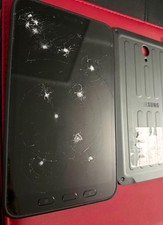
Samsung Galaxy Tab A SM-T280 Digitizer Battery Back Cover EB-BX306GBY
$150.00

Samsung 2.5" 870 EVO SSD SATA III 250GB 500GB 1TB Internet Solid State Drive Lot
$90.00
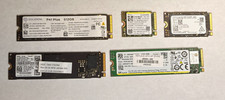
LOT OF 5 512GB PCIe NVMe SSD M.2 SATA NVME MIXED LOTS Major Brands
$250.00

RAM-HOL-SAM60CPU RAM USB-C Powered Dock for Samsung Tab Active5 - 3 - 2
$81.99
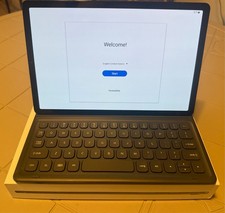
Samsung Galaxy Tab S5e 10.5 Screen 128GB Storage and a Samsung KEY BOARD
$150.00

RAM-GDS-SKIN-SAM54-NG-1 RAM Mounts IntelliSkin® Next Gen for Samsung Tab Active4
$93.99

Samsung SCXSTP000, SCX-STP000 (Swingline Staple Cartridge - 3 Refills)
$57.99
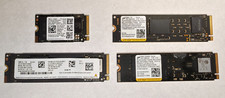
Lot of (4) 1TB NVME SSD M.2 2280 Samsung Micron Used
$399.00

Samsung 24" S3 Essential IPS 100Hz Monitor | Sealed | Fast shipping
$50.00