-
I want to mount my HDD
Hello!
This is my firt time i try Knoppix, and i don't know how do mount my HDD.
Can anybody help me, i have an FAT32-partition i think it should work with this.
thanks, mike
-
Senior Member
registered user
Re: Mounting Hard drive
Mike,
If you startup into kde you should see a link to your hard drive on the desktop. - probably hda1. Just click on it and it will be mounted. You will have to right click on it again and change read/write mode if you want to wirte in addition to read the drive.
Similar Threads
-
By nemof in forum Hardware & Booting
Replies: 0
Last Post: 05-07-2004, 02:37 PM
-
By Superstoned in forum Hdd Install / Debian / Apt
Replies: 0
Last Post: 09-16-2003, 09:13 PM
-
By charles in forum Hdd Install / Debian / Apt
Replies: 1
Last Post: 06-30-2003, 12:56 AM
-
By lindleyrl in forum General Support
Replies: 0
Last Post: 03-09-2003, 06:14 PM
-
By beaky in forum General Support
Replies: 3
Last Post: 03-07-2003, 01:34 PM
 Posting Permissions
- You may not post new threads
- You may not post replies
- You may not post attachments
- You may not edit your posts
-
Forum Rules


185--Sonnet Crescendo G3 PPCG3-375-5-K-06 G3 Add-On Card for Vintage Mac
$90.00

VINTAGE Apple Mac OS X Computer Monitor
$250.00

Vintage Apple iMac G4 15" Lamp 700MHz 512MB Mac OS X 10.4.6 W/ Pro Speakers
$300.00

Vintage 1998 iMac G3 M4984 Mac OS + Keyboard Working but Needs Some Repair Read
$295.00

Apple Macintosh Plus 1MB M0001A Vintage Computer **TURNS ON **
$99.99
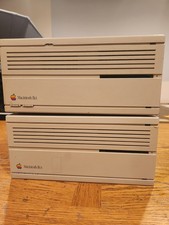
2X Vintage Apple Macintosh Desktop Computers - IIcx/IIci - Parts Repair Untested
$129.00

Apple Macintosh Plus 1MB M0001A Vintage Computer Boots Up / Floppy Disk Stuck
$99.99
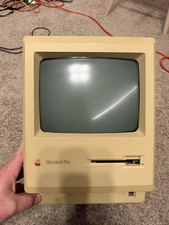
Apple Macintosh Plus 1MB M0001A Vintage Computer - Works
$169.99

Vintage Apple PowerBook 15” G4 “Aluminum” (1.25GHz/2gb/150gb/Tiger) 2
$109.99

Apple Macintosh DuoDock Duo Dock M7779 & Powerbook 230 Vintage Mac RARE Vintage
$249.00



 Reply With Quote