-
Senior Member
registered user
Re: Mounting Hard drive
Mike,
If you startup into kde you should see a link to your hard drive on the desktop. - probably hda1. Just click on it and it will be mounted. You will have to right click on it again and change read/write mode if you want to wirte in addition to read the drive.
Similar Threads
-
By nemof in forum Hardware & Booting
Replies: 0
Last Post: 05-07-2004, 02:37 PM
-
By Superstoned in forum Hdd Install / Debian / Apt
Replies: 0
Last Post: 09-16-2003, 09:13 PM
-
By charles in forum Hdd Install / Debian / Apt
Replies: 1
Last Post: 06-30-2003, 12:56 AM
-
By lindleyrl in forum General Support
Replies: 0
Last Post: 03-09-2003, 06:14 PM
-
By beaky in forum General Support
Replies: 3
Last Post: 03-07-2003, 01:34 PM
 Posting Permissions
- You may not post new threads
- You may not post replies
- You may not post attachments
- You may not edit your posts
-
Forum Rules


Intel Core i5-12500T SRL5W 2GHz 18MB 6 Core Socket LGA1700 Desktop CPU Processor
$114.99
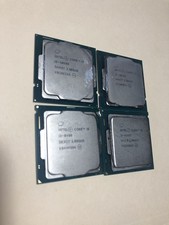
(LOT OF 4) Intel Core i5 Processors Different Gens
$249.99

INTEL CORE I9-10940X X-SERIES PROCESSOR | 3.30GHZ | SRGSH
$179.99

Lenovo ThinkCentre M920s SFF Barebones PC Motherboard PSU DVD No CPU RAM SSD
$27.99

Intel Core I7-7700 SR338 3.60 Ghz Processor
$39.99

Intel Core i7-3770K 3.5 GHz Processor
$39.00

Intel Xeon E3-1230 v3 SR153 3.3GHz Quad Core LGA 1150 CPU Processor
$14.49

Intel Core i7-7700K SR33A 4.20GHz 4-Core LGA1151 CPU Processor
$62.95

Intel 6th Gen Core i7-6700K 4.0GHz (Turbo 4.2GHz) 4-Core LGA1151 CPU SR2L0
$38.00
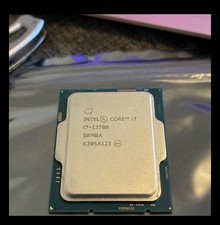
USED - Intel Core i7-13700 SRMBA 2.10GHz 30M 16-Core Socket 1700 CPU Processor
$250.00



 Reply With Quote