

 Reply With Quote
can no one help me with this?


Hello,
Can anyone help me customize a bootable Knoppix cd that autoloads "vmware player" and The virtual image i want to autoload is windows xp pro.
loads/starts a virtual image inside of Knoppix?
Can pay for help!
contact me by pm
best regards,
Johan
can no one help me with this?
OK, in response to your specific request I'll answer as far as I can and as far as I understand your 'autoload' requirements.Originally Posted by divisionmd
Step [1] installing vmware player
You install vmware player as chroot during the remastering in accordance with the standard procedures linked elsewhere in this forum. You could use the installation script that I append for guidance, with paths adjusted as necessary.
As described in http://www.knoppix.net/forum/viewtop...145&highlight= you would have to run /usr/bin/vmware-config.pl once the system is up.
Step [2] autoload vmware player ?
I don't know whether you could auto-run /usr/bin/vmware-config.pl via e.g. a script in /etc/init.d symbolically linked from /etc/rcS.d - I haven't had the time or motivation to try it. I expect that /usr/bin/vmware would need the X-system to be up anyway, then you could bring it up in a couple of mouse-clicks.
Step [3] autoload windows xp pro virtual image ?
Sorry, I don't understand this, and I don't have xp pro anyway. I suspect you may need to get 'inside' VMware Player to do this - I haven't looked to see if/how it could be done.
FWIW I just put together this script to load vmware player into the ramdisk of a live DVD - this would save remastering the compressed KNOPPIX file - at the price of using more ram (mine showed to be using ~500MB). But I expect you would anyway need to put the files in the root of the DVD image.
You need the Knoppix 5.1.1 DVD anyway to give you the linux-headers-2.6.19_2.6.19-10.00.Custom_i386.deb
[Edited 14:18 GMT]Code:#!/bin/bash # # Script to install VM Player in Live-CD-running Knoppix 5.1.1 ramdisk # # JohnnyH 28-6-2007 PLAYER=VMware-player-2.0.0-45731.i386.tar.gz # or whatever issue DEBpath=/media/hda3/DEBPROGS ROOTDIR=/ramdisk # change to / for an installed system echo "README: replace /media/hda3/DEBPROGS/ by your path to VMware-player-2.0.0-45731.i386.tar.gz" echo "and linux-headers-2.6.19_2.6.19-10.00.Custom_i386.deb" ; echo "" wd=$(pwd) dpkg -i -E $DEBpath/linux-headers-2.6.19_2.6.19-10.00.Custom_i386.deb echo "REM Knoppix 5.1.1 has gcc-4.1 ; a symbolic link gcc may save you a question ;) " ; echo "" cd /usr/bin ; ln -s gcc-4.1 gcc ; echo "" cp -i $DEBpath/$PLAYER $ROOTDIR cd $ROOTDIR tar zfvx $PLAYER cd vmware-player-distrib echo "" ; echo "Make a note that your C header files are in $ROOTDIR/usr.src.linux-headers-2.6.19/include" echo "as, when running first-time in ramdisk, vmware-install.pl will ask you where they are ..." ; echo "" read -p "... <Enter> to continue when ready" ; echo "" perl vmware-install.pl cd $ROOTDIR rm -r vmware-player-distrib cd $wd
I think what would work would be to remaster a knoppix CD with vmware player installed on the OS, so that it doesn't have to be reinstalled each time you boot.
I think he also wants to add an image of windows XP to the CD, so that when it boots, he can run windows XP in vmplayer.
I have been thinking of doing the same thing.
 Posting Permissions


Dell EMC PowerEdge R740 8 Bay Server w/ 32GB RAM 2x GOLD 6132 2x 1600W PSU H730p
$499.88

Dell Poweredge R630 2x Xeon E5-2680 v3 2.5ghz 24-Cores / 64gb / Raid / 2x 1Tb
$374.99

Dell EMC PowerEdge R440 Xeon silver 4215 2.5GHz 16 GB ram 2x 550W PSU No HDD
$275.00

New Dell PowerEdge Server R360 Xeon E-2488 3.2G 16GB RAM 4X800GB SSD 6x600GB SAS
$3890.00

Dell Poweredge R730xd 12LFF 2*2660v4 4*1Gbe h730 2x 750W Server CTO
$308.00

Dell PowerEdge R730XD 28 Core Server 2X Xeon E5-2680 V4 H730 32GB RAM No HDD
$381.93

Dell PowerEdge C4130 1U AI GPU Server | 2x E5-2680 v3 | 32gb Ram | 2x 1600W
$409.99

Dell Poweredge R810 4x Xeon X7560 2.26ghz 32-Cores | 256GB | 3x Trays | H700
$289.99
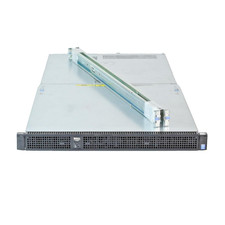
Dell Poweredge C4130 2x LGA2011-3 1U 4x GPU Rackmount Server CTO (NO CPU/NO RAM)
$299.95
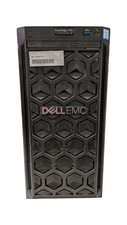
Dell PowerEdge T140 Xeon E-2224 @ 3.40GHz, 8GB Ram, NO HDD's, NO OS
$399.99