

 Reply With Quote
It should be the same as for burning the CD ISO. See the downloading faq for details.


I assume that I w first want to select "Disc image or saved project".
Then I am asked to open a file. The types files I can select are as follows:
CD-ROM (IS0) Compilation (*.nri)
CD-ROM (MP3) Compilation (*.nr3)
CD-ROM (WMA) Compilation (*.nrw)
Audio CD Compilation (*.nra)
Mixed Mode CD Compilation (*.nrm)
CD EXTRA Compilation (*.nre)
Video CD Compilation (*.nrv)
Video CD Compilation (*.nrv)
DVD-Video Compilation (*.nrd)
CD-ROM Boot Compilation (*.nrb)
CD-ROM (EFI Boot) Compilation (*.nrs)
CD-ROM (Hybrid) Compilation (*.nrh)
CD-ROM (UDF) Compilation (*.nru)
CD-ROM (UDF/ISO) Compilation(*.nrc)
CD Image (*.nrg)
HFS CD Compilation (*.nhf)
All Nero Compilations and Images [Default file setting]
Image files (*.nrg,*.iso,*.cue)
All Files (*.*)
I am all sort of new to this and I don't know which file type I should use to make this burn. Can some kind person please help me?
Bob
It should be the same as for burning the CD ISO. See the downloading faq for details.
---
Verifying of md5 checksum and burning a CD at slow speed are important.
Looked at downloading faq for Nero 5. I have v5.5. The directions for the faq describe the software as if it had drop-down menus. This software has no drop-down menus. You can choose a recorder. I chose the DVD image recorder. Then you can choose a data disc. From there you can choose a "data disc" or a "bootable data disc".
Next you can choose to burn a music disc. Under that you can choose an "MP3 Disc" or a "WMA Disc".
Then one can burn a DVD-Video file.
Then there is an option to copy an entire disc.
Lastly, a person can burn a "Disc Image". Maybe that's what I want to do. I was hoping someone could tell me how so I wouldn't have to waste a DVD.
Thanks So Much,
Bob C.
Now if I go to the "CD Recorder" I have the same file options for the CD as I have listed above. If I were going to burn a CD image of the downloaded ISO file, I guess I would choose the
CD-ROM (ISO) Compilation (*.nri)
filetype. Please look back at the different filetypes I can choose. There is no
DVD (ISO) Compilation (*.xxx)
filetype. Is this what I should be looking for?
Bob
It's been a long time since I've used 5.x, I'm on 6.x now as it came with my DVD burner. I would certainly expect that if 5.x can burn data DVDs then it could burn one from an ISO. And yes, normal, real nero 5.x does have the drop down menu feature. If you're using one of the crippled Nero-for-dummies interfaces (Nero express or Nero smart start), you may or may not have the ability to burn an ISO file.
---
Verifying of md5 checksum and burning a CD at slow speed are important.
 Posting Permissions

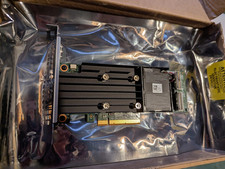
Dell PERC H755 8GB NV 12Gb/s Pci-e RAID controller card 29XMF Full Height
$899.00

9300-8i LSI SAS3008 8-Port 12Gb PCIe IT mode ZFS FreeNAS unRAID 2*SFF-8643 US
$49.50

CalDigit VR minin 2 Portable Raid Storage On The Go
$75.00

Broadcom 9600-24i Tri-Mode RAID Controller 4.0 NVMe SAS SATA NEW 05-50111-01003
$639.69

Broadcom LSI 9305-16i 12Gbps SAS-3 PCIe x8 HBA 16-Ports Raid Controller
$64.99

OWC Mercury Elite Pro 2 Bay RAID Enclosure with USB 3.2 for Dual 3.5 inch HDDs
$87.99

LSI 9260-8i 512MB SAS SATA 8-port PCI-E 6Gb RAID Controller Card US
$29.88
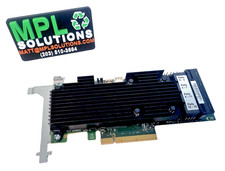
LSI Oracle 9361-16i 16-Port 12Gb SAS PCIe RAID Controller 7332895
$77.97
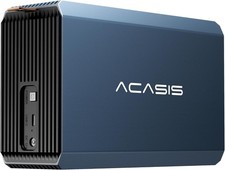
2-Bay RAID Enclosure for 2.5/3.5" SATA HDD/SSD External Hard Drive, USB 3
$59.99
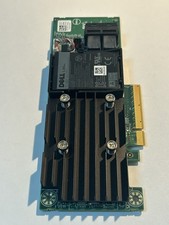
Dell 01M71J PERC H740P 12Gbps PCI-E SAS RAID Controller 1M71J
$70.00