-
Junior Member
registered user
How to remastering CD with commercial application?
Hi,
I am planning to remastering a CD with softwares you cannot automatically get them using apt-get. For example, if I want to remastering a CD with a commercial application with installation CD, Where should I install the software that I can remaster it?
Thanks
Frank
-
Senior Member
registered user
" ... a commercial application with installation CD ..."
1] I doubt if you will find many such in the Linux world...but anyway if you do have any you need:-
- as a first step, to learn and *practise* how to install it in a 'normal, generic' Linux system (out of scope of this Knoppix Forum)
- as a second step , to implement this in a remaster (search the Forum for links to remastering instructions and 'learn by doing  ' ).
' ).
2] If you have Windows programs in mind you need:-
- as a first step, to find out if the program will run under WINE. If this is what you need, again that is out of scope of this Forum and you need to research WINE with help of e.g. Google and practise it in a 'normal, generic' Linux system (out of scope of this Knoppix Forum). You are likely to need to copy all your installation files from the CD into the Linux-hosted WINE system.
- *If* this is OK so far then install the program under WINE running in ramdisk of your booted-up Knoppix live CD or DVD (if you don't have more than 1 removable media drive first copy the installation CD to the host system hard drive) and tarball and save to e.g. hard drive the hidden .wine folder in your /home/knoppix folder.
By this time you will know if you didn't already how to work with hidden files and tarballs - such tutorials are out of scope of this forum.
If you are remastering a CD, unless you have removed a lot of other programs you will need to put the remaster on a DVD to provide space for the .wine tarball. Then when you boot this remaster as live, unpack the tarball to put .wine in /home/knoppix .
BTW when I tried the persistent home system, many releases ago, it could not cope with incorporating a WINE system - hence the seperate tarball.
Oh also BTW: the WINE (from winehq) shipped in Knoppix 5.1.1 didn't work for me; I purge and replace it with WINE from Debian Etch.
-
Junior Member
registered user
Thanks for the help.
I do not need to run wine. My comercial application is linux version. To make sure that I need to install the software in ramdisk and then remastering it, is it right?
Thanks
Frank
-
Senior Member
registered user

Originally Posted by
JohnnyH
"
Oh also BTW: the WINE (from winehq) shipped in Knoppix 5.1.1 didn't work for me; I purge and replace it with WINE from Debian Etch.
Or even better, Wine from Ubuntu Feisty http://www.winehq.org/site/download-deb. Winetools package is removed when installing Feisty's Wine package, but you don't need it. My Wine version is:
-tapsa-
-
Senior Member
registered user
Originally Posted by
dtzxdtzx1
... I do not need to run wine. My comercial application is linux version. To make sure that I need to install the software in ramdisk and then remastering it, is it right? ...
Yes, it's a good idea to try this first. If you get problems, that may result from some incompatibility between the ramdisk unionfs set-up and the configuration of the commercial software, then you may like to practise on a 'normal' system as a fall-back. This is only a suggestion because of the additional complexities of re-mastering .
Similar Threads
-
By w5uc in forum MS Windows & New to Linux
Replies: 29
Last Post: 04-25-2005, 10:23 PM
-
By rrfish72 in forum General Support
Replies: 6
Last Post: 08-04-2004, 10:45 AM
-
By vader in forum The Lounge
Replies: 1
Last Post: 07-05-2004, 08:52 PM
-
By kuser123 in forum Ideas
Replies: 1
Last Post: 06-16-2004, 04:07 PM
-
By PrOCesSkIlL in forum Customising & Remastering
Replies: 29
Last Post: 04-02-2004, 01:32 AM
 Posting Permissions
- You may not post new threads
- You may not post replies
- You may not post attachments
- You may not edit your posts
-
Forum Rules

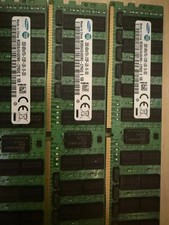
lot of 3 Samsung 32GB DDR4 4DRx4 PC4-2133P (M386A4G40DM0-CPB0Q) not working
$150.00

Samsung 32GB (1x32GB) PC4-17000 (DDR4-2133) LRDIMM Memory (M386A4G40DM0-CPB0Q)
$120.00

2 in 1 USB 3.0 Card Reader Micro TF card Reader usb adapter High Speed Cardreder
$3.99
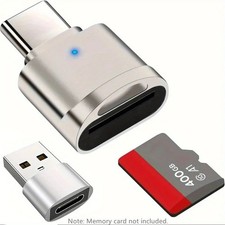
2 Pack USB C SD TF Card Reader Adapter Zinc Alloy USB-C to USB for iPhone 15-17
$3.35

Kingston 32GB 64GB 128GB 256GB USB 3.0 Flash Drive Thumb Memory Stick Pen lot
$285.90
Samsung (21x16GB) 336GB 1Rx8 PC4-3200AA, PC4-2666V Laptop Memory DDR4
$1499.00

Samsung 96GB LPCAMM2 PC5 9600 FE1 E1 LPDDR5X CAMM2 M561K6LC3CL1-CCV DDR5 Memory
$2150.00
MICRON MTA36ASF8G72PZ-3G2E1TI 64GB DDR4 PC4-3200AA RDIMM ECC
$600.00
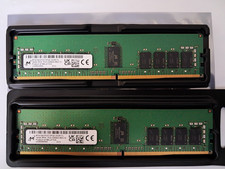
Micron 32GB (16GB x 2) PC4-25600 DDR4-3200MHz ECC RDIMM Memory (sku 0054)
$199.00

1/ 10/ 100pcs USB 2.0 2GB, 4GB ,8GB ,16GB ,32GB ,64GB 128GB USB Flash Drives Lot
$234.00



 Reply With Quote