

 Reply With Quote
I did this with a hard drive as well and get the same result,
ext format, which is best for linux
although it automatically detects, using home= cheatcode DOES NOT work when it does auto detect.


Hi,
I have Knoppix 5.1 on USB Key. When I boot the key, I select the 2nd option:
SYSTEM: Add as persistent writable system area.
Everything works great, it saves every changes and new stuff on my USB Key (Persistent mode).
The next time I boot from the key, I get a message:
Knoppix.img was not cleanly unmounted.
Then it fixes a bunch of inodes, block and whatever else.
I don't notice anything wrong in Knoppix. It's just drives me nuts that is does that everytime I boot.
Is there something I can configure to help Knoppix to cleanly Unmount?
Thanks,
Marc.
I did this with a hard drive as well and get the same result,
ext format, which is best for linux
although it automatically detects, using home= cheatcode DOES NOT work when it does auto detect.
Hi,
I have the same experience, except that I cannot seem to get my files to persist. I've followed two different sets of directions to install Knoppix 5.1.1 to a USB drive (http://www.tuxmachines.org/node/14738?page=1 and http://www.pendrivelinux.com/2007/02...1-using-linux/). The procedures are essentially the same; one is a command line process and the other is a GUI process. I also completed the steps for persisting files to the USB.
Knoppix 5.1.1 boots nicely from my USB, I get the Knoppix configuration menu of different options Home, System, Overwrite, Init. One issue is that I do not understand the implications of these different options and haven't found any documentation on them yet (still looking).
Based upon LAF's post, I tried using only the SYSTEM option. I opened the console and created a file. Then I rebooted. After selecting "SYSTEM" in the configuration menus.
So, my questions are: What should I select at the Knoppix Configuration Menu? Where should I create my files to persist them?
Oh, one more thing. When I look at the properties of /dev/sba2 (the 2nd partition on the USB drive) by right clicking on the icon from the desktop, and look at the Device tab, the "Read only" box was checked. That doesn't seem right. Is this why files don't persist there?
I would appreciate any pointers folks can offer.
Many thanks,
Peter
 Posting Permissions


SFP TO RJ45 TRANSCEIVER SFP MODULE COPPER SFP OPTICAL PORT TO RJ45 ETHERNET PORT
$7.99

Dell Intel X710-DA2 5N7Y5 Dual-Port 10GbE SFP+ PCIe 3.0 x8 Network Adapter
$27.50

NEW Sealed Cisco SFP-10G-LR 10GBASE-LR SFP+ 1310nm 10km *US Shipping*
$24.00

Cisco Meraki MA-SFP-1GB-SX Network Tranceiver Module
$89.00

Genuine Cisco SFP-10G-SR 0-2415-03 10 Gigabit Transceiver
$5.40

HP 560SFP+ 10GB 2-port PCIe NIC Ethernet ADAPTER 669279-001 w/ (2) 10GB SFP+
$16.99
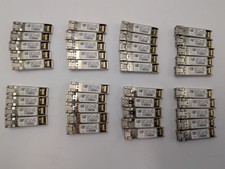
Lot of 39 Used & Tested Cisco SFP-10G-LRM 10G Base SFP Transceivers 10-2456-02
$349.99
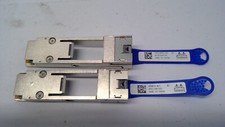
Mellanox 655874-B21 655902-001 QSFP to SFP+ Adapter Kit MAM1Q00A-QSA 00D9678
$13.99

HPE 560SFP 2x 10Gb SFP+ PCIe Both Profile Network Card 669279-001 665247-001
$14.90

SFP QSFP Transceivers Programmer allows to corning and (re)programming sfp code
$108.09