

 Reply With Quote
At least I found an answer to my second question.
Running
# poweroff -f
works just fine even though it will complain about unmounting a CD that doesn't exist.


Hi!
Is there an easy way to configure/modify the knoppix-terminal server files in order to let the clients booting from it have the sshd started automatically?
I would like to use this system for remote administration (and distributing image files with nfs and partition image). Clients will get started up with a wake-on-LAN signal which makes them try network boot first.
When booting the knoppix system remotely the sshd needs to be started so that I can reach them afterwards. Telnet would also be OK...
And... shutting down a network-booted knoppix system will still lead to a "remove-CD" request. Can I get rid of this so the system will shut down immediately?
Regards,
Marcus Lantto,
Stockholm, SE
At least I found an answer to my second question.
Running
# poweroff -f
works just fine even though it will complain about unmounting a CD that doesn't exist.
OK... I've worked this out on my own now. I wanted to share the experience with the rest of you if there's someone who have a similar problem:
After starting the terminal server, some changes have to be applied to the file
linuxrc
which is included in the image
miniroot.gz
And a script file called
pass
has to be created.
Instructions (tested on Knoppix 3.2 but may work on earlier or later versions too):
1. Start the terminal server with settings that are the most suitable for your network/system(s).
2. Open a shell and write
# su root (This isn't nessecary if you're already root!!)
# cd /tftpboot
# cp miniroot.gz miniroot.backup
# gzip -d miniroot.gz
# mkdir mr
# mount -o loop miniroot mr
# cd mr
3. Now we can change the startup script:
# emacs linuxrc
In my file, I've inserted two lines at about line 429. It shouldn't be too critical where they are. However, it works if the two lines are inserted just before these lines:
--------------------
if [ -n "$SECURE" -a -f /etc/inittab.secure ]; then
rm -f /etc/inittab
mv -f /etc/inittab.secure /etc/inittab
fi
# Extremely important, init crashes on shutdown if this is only a link
--------------------
The lines that should be inserted look like this:
/pass
/etc/init.d/ssh start
This will run the password change script and start the ssh daemon.
4. The password change script
The file "pass" doesn't exist so we have to create it. This will perform a password change for root automatically, i.e. the interactive part is thrown away.
# emacs pass
The file should look like this:
--------------------------
#!/usr/bin/expect
set password secret
spawn passwd root
expect {
-re "password:" {sleep 1; send "$password\r"; exp_continue}
-re "password:" {sleep 1; send "$password\r";}
}
---------------------------
The password for root will be set to "secret". You are strongly encouraged to use one of your own, especially if you are on a public network!!!
When finished editing the file, set the mode so it will become executable:
# chmod 755 pass
5. Done!! We just have to fix a compressed image file again:
# cd ..
# umount mr
# gzip -c miniroot > miniroot.gz
Answer yes if you get any questions about overwriting miniroot.gz
6. Try it out!!
Marcus Lantto,
Stockholm, SE
References:
http://www.dit.gov.bt/~takeshi/mater...utopasswd.html
(The password change script.)
If you have many different computers that are to be started on the network and then maybe removed again, there could be problems with insufficient address space, especially on the 192.168.0.0/24 network.
This is because of the lease time on IP-addresses. If this shows to be a problem, you could try to clear the dhcp leases file (when there are no clients on the network!!).
# rm /var/lib/dhcp3/dhcpd.leases
This will hopefully reset the address space and make all the addresses available again.
When contacting a client on the network through ssh and you don't know the IP-address:
# ping 192.168.0.255
This is the net broadcast address for 192.168.0.0/24 and should be replaced with the broadcast address for your network.
Interrupt with CTRL+C and have a look at the arp table:
# arp
or, if you know the MAC address of the client, here's an example:
# arp | grep 10:09:6B:2D:76:36
(Make sure you use CAPITAL letters in the MAC-address.)
This should produce a line where the IP can be read in the first column.
I like it only 3 posts and you answered your own questions and put up a how-to.
[edit]
And there's a fourth while I'm posting great job Marcus!!
[/edit]
Indeed, nice job Marcus. Now if someone can just figure out how to get clients to boot from the knoppix terminal server on a hard drive install.
I've actually been trying to figure if there is a way to get sshd running while booting from a stock knoppix cd without remastering so as to easily start up a headless server. I got it down this weekend and will be posting a howto shortly.
Again good job.
Adam
 Posting Permissions


Netac DDR4 32GB 16GB DDR4 3200MHz UDIMM C16 Desktop Internal Memory RAM Kit
$99.99

Corsair Vengeance LPX 32GB (2x16GB) DDR4 3200MHz CL16 CMK32GX4M2E3200C16
$169.99

A-Tech 8GB DDR3 1600 PC3-12800 Laptop SODIMM 204-Pin Memory RAM PC3L DDR3L 1x 8G
$21.68

RAMAXEL Lenovo 32GB LPDDR5X CAMM2 7500MHz Laptop RAM | UNTESTED
$445.00

Major Brand 16GB (2x8GB) PC3-12800U DDR3-1600MHz DDR3-12800 DESKTOP RAM NON-ECC
$29.99

DDR4 Laptop RAM 4GB 8GB 16GB 32GB 2400 2666 3200 Samsung Hynix
$30.00

Samsung 8GB DDR4 SO-DIMM PC4-3200AA 260-Pin RAM M471A1G44BB0-CWE Module
$29.25
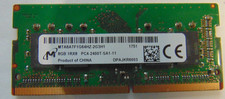
Micron 8GB DDR4 PC4-2400T-SA1-11 / 1Rx8 SODIMM Laptop Memory RAM
$28.00
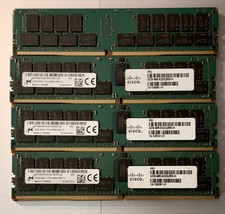
(LOT of 10) Samsung 32GB 2Rx4 PC4-2666V-RB2-12 DDR4 Cisco Server RAM Tested 100%
$1299.99

SMART(Micron)SafeStor 32GB(1X32GB) 1RX4 NN4-3200AA(DDR4) HPE Server Memory
$159.98
