-
Ok, I used gpart to write the partition table. I do have more icons on the desktop: sda1, which is the Hidden Dell partition, I'm able to mount and get in to, and sda3 I'm also able to get in to. sda2, which is the one I want to mount and open, I still can't get in to. When I try to mount, I get:
Could not mount device.
The reported error was:
Failed to read last sector (478431764): Invalid argument
Perhaps the volume is a RAID/LDM but it wasn't setup yet, or the
wrong device was used, or the partition table is incorrect.
Failed to startup volume: Invalid argument
Failed to mount '/dev/sda2': Invalid argument
The device '/dev/sda2' doesn't have a valid NTFS.
Maybe you selected the wrong device? Or the whole disk instead of a
partition (e.g. /dev/hda, not /dev/hda1)? Or the other way around?
Is there any thing else I can do?
Thanks
Similar Threads
-
By fogsy in forum MS Windows & New to Linux
Replies: 3
Last Post: 10-22-2009, 09:24 PM
-
By Bachatero in forum MS Windows & New to Linux
Replies: 0
Last Post: 02-14-2008, 10:27 PM
-
By Plala in forum MS Windows & New to Linux
Replies: 6
Last Post: 06-11-2007, 06:15 PM
-
By stevelw in forum Laptops
Replies: 16
Last Post: 07-16-2005, 04:57 PM
-
By scrat in forum MS Windows & New to Linux
Replies: 1
Last Post: 08-06-2004, 04:24 PM
 Posting Permissions
- You may not post new threads
- You may not post replies
- You may not post attachments
- You may not edit your posts
-
Forum Rules


Samsung DVI to DVI Cable 6 ft Digital Video Interface Audio Video NEW
$30.89
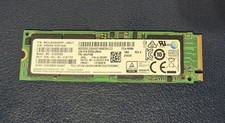
Samsung PM961 256GB,Internal (MZ-VLW2560) NVMe
$28.90
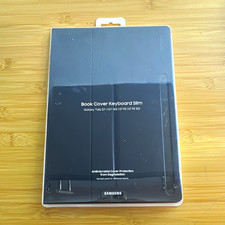
Samsung Book Cover Keyboard Slim EF-DT730 Black
$80.00
Samsung Galaxy Tab A11 Plus
$185.00

Kids Case for Samsung Galaxy Tab A9+/A9 plus 11 Inch 2023 Case, with Strap, Shoc
$27.99

Samsung JC95-01514A Cover-Side Roller T2 Compatible
$39.00

Samsung JC93-01078A Transfer Roller T2
$89.00

Samsung PC4-2666V 16GB 2Rx8 RAM DDR4 2666MHz M471A2K43CB1-CTD
$59.99
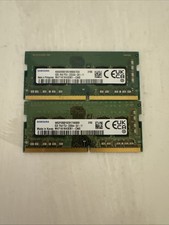
Samsung 16 Gb Ddr 4-3200 Laptop Memory
$50.00

QTY 100 Samsung Galaxy Tab Active 4 Pro 10.1” Case, Black
$500.00



 Reply With Quote