

 Reply With Quote
I don't think there's any code for that. Given that you know it doesn't work, why not disconnect the drive?


Hi there, Im trying to revive an old computer that doesn't have a working hard drive.. Since Knoppix is the best liveCD out there, i thought i'd use it.. Its booting up fine and working well. But because my hard drive is not working, it keeps making a weird noise inside the box, and freezes the liveCD session.
Is there any cheat so that KNOPPIX ignores the fact that i have a hard drive on my system?
Thanks in advance!
I don't think there's any code for that. Given that you know it doesn't work, why not disconnect the drive?
---
Verifying of md5 checksum and burning a CD at slow speed are important.
I could do.. But would the LiveCD still boot up?
for example, UBUNTU didnt like it when i didn't have the hard drive....
Many people use Knoppix with no drive at all. It does not need one. Assuming that you don't have a BIOS problem that needs the hard drive (unlikely, but I would take the hard drive out of the boot order just to be sure) then you should have no problem. Less power, less noise, less things to go up in smoke, and if it's a laptop longer battery life too.Originally Posted by Scorpio123
---
Verifying of md5 checksum and burning a CD at slow speed are important.
Awesome, i'll give that a try!! With its saving config capabilities its the best alternative to spending money on a new hard drive for such an old piece of junk!
Thanks for the reply!!
I don't know how old your old piece of junk is, it might be a lot newer than some of the systems that I still run. In fact, that it can run Knoppix without a hard drive swap file confirms that it is. But yea, it's generally a bad idea to upgrade old hardware. And depending on the age you might even find new hard drives will not work with it (many older systems had serious limitations on the size of hard drive they will support). But, if you don't have a spare you may be able to scrounge on old hard drive for it at some point. Until then Knoppix should be fine without a hard drive.
---
Verifying of md5 checksum and burning a CD at slow speed are important.
well to be honest it isn't that old... Got it about 7-8 years ago.. Its a Pentium 4 1.7Ghz, 256MB RAM.. But it hasn't been used for a LONG time, so its working even worse than it should hehehe.
But im only using it as a temporary PC until i can find an AC adaptor for my HP dv1000..
Thanks again for the help dude!
 Posting Permissions

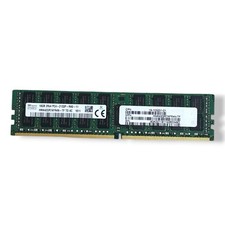
SK hynix 16GB 2Rx4 PC4-2133P-RA0-10 Server Memory Ram HMA42GR7MFR4N-TF
$57.99

1/ 10/ 100pcs USB 2.0 2GB, 4GB ,8GB ,16GB ,32GB ,64GB 128GB USB Flash Drives Lot
$448.20
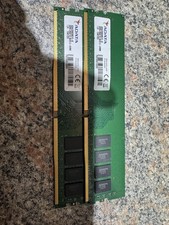
ADATA DDR4 RAM 2666MHZ 16GB (2x8) TESTED WORKING
$50.00

Micro SD Adapter To SD HC SDHC Memory Card Adapter Reader NEW
$1.39

Kingston 32GB 64GB 128GB 256GB USB 3.0 Flash Drive Thumb Memory Stick Pen lot
$285.90

Kingston 32GB 2Rx4 PC4-2400T-RB1-11 ECC REG Server Memory HP24D4R7D4MAM-32
$140.00
Lot 4 Samsung 64gb PC4-25600 2Rx4 DDR4-3200AA ECC RDIMM Reg Server Memory RAM
$2649.00

A-Tech 8GB DDR3 1600 PC3-12800 Laptop SODIMM 204-Pin Memory RAM PC3L DDR3L 1x 8G
$21.68

SMART(Micron)SafeStor 32GB(1X32GB) 1RX4 NN4-3200AA(DDR4) HPE Server Memory
$159.98
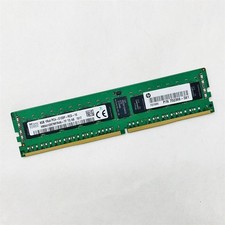
SK Hynix 8GB 1RX4 PC4-2133P-RC0-10 Registered Server RAM HMA41GR7MFR4N-TF TD AB
$34.99