-
for those without bootable cd
For the people struggeling to get knoppix to boot, try: http://btmgr.sourceforge.net/
It's a bootmanager (bootloader?) that is capable of booting from most cd drives, independant from the bios.
(certain disk/drive combinations meight require giving the boot command twice)
Perhaps an option to include it on an easy-reachable directory on knoppix (arrive at non-cd-bootable windows machine, get the tool from knoppix-cd, install it on a floppy/hdd, boot knoppix)
-
Senior Member
registered user
Re: for those without bootable cd

Originally Posted by
Anonymous
For the people struggeling to get knoppix to boot, try:
http://btmgr.sourceforge.net/
It's a bootmanager (bootloader?) that is capable of booting from most cd drives, independant from the bios.
So, are you talking about a bootloader which manages a dual boot? Or are you talking about a way to boot from the CDROM without a boot disk on machines that can't boot CDs? If its not the dual boot, you have just answered my prayers!
Thanx
-
Senior Member
registered user
That looks very interesting, esp as my laptop wont boot from cdrom anymore 
of course you can always
dd if=/cdrom/KNOPPIX/boot.img of=/dev/fd0
to make a boot floppy that will then boot the Knoppix cd, but that boot manager will eliminate that step 
-
Senior Member
registered user
Originally Posted by
eadz
of course you can always
dd if=/cdrom/KNOPPIX/boot.img of=/dev/fd0
to make a boot floppy that will then boot the Knoppix cd, but that boot manager will eliminate that step
Yes, but I thought this would give me a boot floppy with more space on it to save my work. I went to btmgr.sourceforge.net and it claimed to only use 30KB on the boot disk and to find just about any bootable device. Well it boted my cdrom drive where is wasn't bootable before, but it filled the boot disk with tons of gibberish leaving little room for data.
I want to be able to use KNOPPIX on some old machines where the harddisks are unreliable, so we boot from disk, run off cd and save to the same disk. I used rawrite to create a boot disk from boot-en.img, but this leaves only about 50KB on the disk for data!
Regards
-
Senior Member
registered user
Originally Posted by
eadz
of course you can always
dd if=/cdrom/KNOPPIX/boot.img of=/dev/fd0
to make a boot floppy that will then boot the Knoppix cd, but that boot manager will eliminate that step
Yes, but I thought this would give me a boot floppy with more space on it to save my work. I went to btmgr.sourceforge.net and it claimed to only use 30KB on the boot disk and to find just about any bootable device. Well it boted my cdrom drive where is wasn't bootable before, but it filled the boot disk with tons of gibberish leaving little room for data.
I want to be able to use KNOPPIX on some old machines where the harddisks are unreliable, so we boot from disk, run off cd and save to the same disk. I used rawrite to create a boot disk from boot-en.img, but this leaves only about 50KB on the disk for data!
Regards
-
Yes, but I thought this would give me a boot floppy with more space on it to save my work. I went to btmgr.sourceforge.net and it claimed to only use 30KB on the boot disk and to find just about any bootable device. Well it boted my cdrom drive where is wasn't bootable before, but it filled the boot disk with tons of gibberish leaving little room for data.
I want to be able to use KNOPPIX on some old machines where the harddisks are unreliable, so we boot from disk, run off cd and save to the same disk. I used rawrite to create a boot disk from boot-en.img, but this leaves only about 50KB on the disk for data!
Regards
If you want more data on a floppy - why don't you just put in another blank floppy?? After all, the boot diskette is just to get the CD-Rom running after that you don't need it!
regards
rob
-
Senior Member
registered user
Yes, but I thought this would give me a boot
If you want more data on a floppy - why don't you just put in another blank floppy?? After all, the boot diskette is just to get the CD-Rom running after that you don't need it!
regards
rob
OK, this is what my students are doing now. Its annoying with 11 students each juggling 3 disks (1 CD and 2 floppies). It's workable but what about next semester when I have a total of 53 kids in 3 classes?
I'd much rather have it down to 1 cd and 1 floppy per student!
Next year, with new machines finally, I'll just knx-hdinstall KNOPPIX on each machine thereby obviating all 3 disks. This will also allow me to install SDK for linux 1.4.1 (javac, et al) from www.sun.com for my new AP Computer Science class!
Regards
-
Senior Member
registered user
--Forgive me for saying this, but I find it hard to believe that you are actually a "Teacher and Professor [of] Applied Math and CompSci".
--You don't *have* to save to the boot floppy. Swap it out after the CD boots Ok.
--To initialize a floppy:
' dd if=/dev/zero of=/dev/fd0 bs=1440k count=1 '
' mkdosfs /dev/fd0 '
' mkdir /mnt/floppy '
' mount /dev/fd0 /mnt/floppy '
' cd /mnt/floppy '
--Then write your data files to /mnt/floppy. 
Originally Posted by
A. Jorge Garcia
Originally Posted by
eadz
of course you can always
dd if=/cdrom/KNOPPIX/boot.img of=/dev/fd0
to make a boot floppy that will then boot the Knoppix cd, but that boot manager will eliminate that step
Yes, but I thought this would give me a boot floppy with more space on it to save my work. I went to btmgr.sourceforge.net and it claimed to only use 30KB on the boot disk and to find just about any bootable device. Well it boted my cdrom drive where is wasn't bootable before, but it filled the boot disk with tons of gibberish leaving little room for data.
I want to be able to use KNOPPIX on some old machines where the harddisks are unreliable, so we boot from disk, run off cd and save to the same disk. I used rawrite to create a boot disk from boot-en.img, but this leaves only about 50KB on the disk for data!
Regards
-
Senior Member
registered user
Originally Posted by
Dave_Bechtel
--Forgive me for saying this, but I find it hard to believe that you are actually a "Teacher and Professor [of] Applied Math and CompSci"
Believe what you wish. Why don't you just check my website?
http://calcpage.tripod.com
If that doesn't convince you, please note that I only recently moved my email and website addresses from
[email protected]
http://members.aol.com/calcpage
because aol cannot filter out all the junk mail I was getting...
Anyway, go on yahoo and search those addresses and you will see that I've been actively supporting, on the web, the Advanced Placement Calculus and Computer Science programs of the College Board for at least a decade now!
As to the floppy problem, I have no problem using another floppy other than the boot disk to save my *.cc files. I just would like to have less disks to cart around from school to school, from class to class .....
Regards
Similar Threads
-
By widget in forum General Support
Replies: 4
Last Post: 11-18-2004, 10:47 AM
-
By Benbread in forum General Support
Replies: 12
Last Post: 04-11-2004, 02:22 AM
-
By Scythe in forum Customising & Remastering
Replies: 3
Last Post: 07-13-2003, 07:09 PM
-
By infoMafia in forum Ideas
Replies: 0
Last Post: 04-03-2003, 06:00 PM
-
By o_corn in forum Customising & Remastering
Replies: 5
Last Post: 03-10-2003, 10:30 PM
 Posting Permissions
- You may not post new threads
- You may not post replies
- You may not post attachments
- You may not edit your posts
-
Forum Rules


16GB KIT (2x8GB) DDR3 Gamer Desktop RAM PC3 MIXED BRANDS VIPER VENGEANCE FURY
$10.00

Netac DDR4 32GB 16GB DDR4 3200MHz UDIMM C16 Desktop Internal Memory RAM Kit
$199.99

Samsung 32GB DDR4-2666V-2Rx4-RB2-12 RAM M393A4K40CB2-CTD6Q
$169.00

A-Tech 8GB DDR3 1600 PC3-12800 Laptop SODIMM 204-Pin Memory RAM PC3L DDR3L 1x 8G
$21.68

Major Brand 16GB (2x8GB) PC3-12800U DDR3-1600MHz DDR3-12800 DESKTOP RAM NON-ECC
$29.99
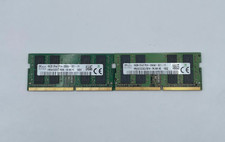
Lof ot 2 SK Hynix 16GB DDR4 2666MHz PC4-21300 2Rx8 SODIMM RAM HMA82GS6CJR8N-VK
$334.99

G.SKILL FLARE X5 64GB (2 x 32GB) 6000 MT/s DDR5 (AMD EXPO + INTEL XMP) *CL30*
$785.00

Samsung 16GB LPCAMM2 PC5 7500 DDR5 LPDDR5X CAMM2 M561K1LC4DM0-CCTGM RAM Memory
$189.00
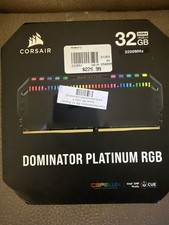
Corsair Dominator Platinum RGB 32GB (2x16GB) 3200MHz
$380.00
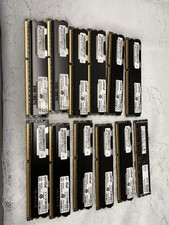
Lot of 12 Crucial Server Memory 16GB (1x16GB) RAM DDR3 .
$169.00



 Reply With Quote