-
Junior Member
registered user
Adding second hard drive
I am installing Knoppix on a 10GB and want to use a 60GB drive to store my files and make backups from some other PCs.
What is the best way to add second hard drive?
-
Senior Member
registered user
Re: Adding second hard drive

Originally Posted by
kjkostuk
I am installing Knoppix on a 10GB and want to use a 60GB drive to store my files and make backups from some other PCs.
What is the best way to add second hard drive?
There's only one way to add a second drive install it and boot the computer. 
What question are you asking is it how would you have linux use the second drive after it is installed or how to partition for use as backup for the other PCs?? A little more information is required.
-
Senior Member
registered user
It really depends on what the other computers are running (and whether you want one big partition).
The important things to remember are
Linux can write and read just about any file system except ntfs (write is experimental and I'd not trust it with backups!)
Windows can't read any kind of Linux partition without 3rd party add ons.
So, fat32 is a good choice for mixed systems (but doesn't understand file permissions) while ext3 would be a good choice for a Linux system (or where the Windows boxen didn't need direct access).
-
Junior Member
registered user
Re: Adding second hard drive
Originally Posted by
Stephen
What question are you asking is it how would you have linux use the second drive after it is installed or how to partition for use as backup for the other PCs?? A little more information is required.
You are right I need to be more clear.
I have Knoppix running on hda with 2 partitions - Linux and Linux swap.
I want to add a 60GB drive to store MP3 files and make backups. What is the best way to format and then mount the new drive so I can see the files from both the knoppix server and my Windows PC. My plan is to use Samba for r/w access to the 60GB drive. I don't think a FAT32 format is necessary, because I haven't needed to use that approach before under my existing setup.
-
Senior Member
registered user
Re: Adding second hard drive
Originally Posted by
kjkostuk
You are right I need to be more clear.
I have Knoppix running on hda with 2 partitions - Linux and Linux swap.
I want to add a 60GB drive to store MP3 files and make backups. What is the best way to format and then mount the new drive so I can see the files from both the knoppix server and my Windows PC. My plan is to use Samba for r/w access to the 60GB drive. I don't think a FAT32 format is necessary, because I haven't needed to use that approach before under my existing setup.
Even if you needed the fat it is a simple process just install the drive and boot. Once you boot to your linux system run either fdisk or cfdisk to set your partitions on the new drive (you may have to re-boot to have changes take effect depends on the IDE controller) Then use mkfs to create your file system (mkfs then tab in console will show available fs creation types) you will most likely want to use either ext3 or reiser to save the long fsck with a drive that size.
If you have not made a mount point for the drive make it with mkdir then mount it and the drive is now available for use. Then edit the /etc/fstab for the entry for the new drive and next time you re-boot the drive will be there. After you have mounted the drive you should be able to access it with samba as you already do with your existing partition.
note: I usually have a partition /music for my mp3's an /extra just to install a new OS for testing and one for /storage or /backup whatever I feel like calling it. You may want to do something like this yourself.
All commands would be as root in a console and assuming you have the drive set to the proper master/slave config needed to install.
Similar Threads
-
By Ezor in forum General Support
Replies: 3
Last Post: 12-14-2004, 01:59 AM
-
By Bodhi in forum General Support
Replies: 3
Last Post: 12-11-2004, 02:19 AM
-
By kidsatacrux in forum MS Windows & New to Linux
Replies: 19
Last Post: 08-03-2004, 07:41 AM
-
By captain in forum The Lounge
Replies: 1
Last Post: 05-20-2004, 06:19 PM
-
By shaun in forum Hdd Install / Debian / Apt
Replies: 4
Last Post: 06-26-2003, 10:52 PM
 Posting Permissions
- You may not post new threads
- You may not post replies
- You may not post attachments
- You may not edit your posts
-
Forum Rules


IBM System X3850-X5 Server w/4x Intel Xeon E7-4870 CPU , 512 GB DDR3 RAM,NO HDD
$1599.99

IBM 7915 AC1 M4 E27R704 Server Intel 2650V2 32GB RAM NO HDD w/ 2x 750w PSU
$225.00

Unused IBM 09P0037 MAINBOARD For RS/6000 7044-170 P-Series
$375.00

IBM QRadar xx29 2x Xeon E5-2650v4 2x 900W PSU M5120 12x 3.5" Bay Server No RAM
$179.99

IBM Power 8 S822L Server 8247-22L POWER8 Enterprise 256GB RAM 2x 00KV626 CPU
$999.99

IBM SYSTEM X3500 M3 SERVER 7380AC1 TOWER Server XEON E5620 8GB RAID SEE NOTES
$110.30

IBM System x3550 M3 1U Server 2x Xeon E5645, 192GB RAM, 2x 300GB HDD (7944-AC1)
$150.00
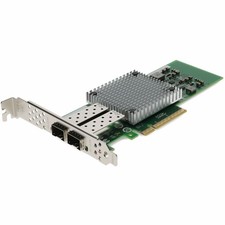
AddOn IBM 42C1800 Comparable 10Gbs Dual Open SFP+ Port Network Interface Card
$383.99

IBM ADP Server Type 7870 AC1 NO HDD | 128GB RAM PC3L | 2 x Xeon E5620
$199.99

IBM EMC 091-000-091 17 Inch Rackmount LCD Keyboard KVM Console 03N7012
$109.99



 Reply With Quote