

 Reply With Quote
Depends- are your partitions and mount points the same? Just keep this in mind: When you change something like /etc/fstab before you do anything back it up- you can always restore it that way if you hose something up.


I have an fstab file from a Mandrake installation that works well, and always had trouble with my Knoppix one. I like Knoppix better than Mandrake, but is it a problem to keep my Madrake fstab, or will that shag things?
Thanks
Depends- are your partitions and mount points the same? Just keep this in mind: When you change something like /etc/fstab before you do anything back it up- you can always restore it that way if you hose something up.
The partitions are the same, but the mount points were never right under Knoppix, which is why I want to use the MAndrake FSTAB file. Is that all there is to it though, or is there another file that describes the drives?Originally Posted by rickenbacherus
You can mount any of your drives to any mount point you like, example:
mount /dev/hda1 /mnt/stupid
As long as you have a mount point named 'stupid' it will mount there. Let's say your fstab looks like this:
# /etc/fstab: filesystem table.
#
# filesystem mountpoint type options dump pass
/dev/hda1 / ext3 defaults,errors=remount-ro 0 1
/dev/hda2 none swap sw 0 0
proc /proc proc defaults 0 0
/dev/fd0 /floppy vfat defaults,user,noauto,showexec,umask=022 0 0
/dev/cdrom /cdrom iso9660 defaults,ro,user,noexec,auto 0 0
The first part '/dev/hda1' for example is the block device or filesystem you want to mount. The second part- '/' is the mount point that fstab will mount /dev/hda1 to.
Another example: '/dev/cdrom' is the block device- '/cdrom' is the mount point but if '/cdrom' doesn't exist then it can't be mounted there right?
Do this:
The screen output lists your mount points. You can make mount points if you need to like this:Code:cd /mnt ls
Now do this:Code:# mkdir /mnt/cdrom
You should see your new mount point listed. If you need some help getting /etc/fstab to work post it. Also post your mount points. Just copying over your fstab from another distro likely won't work- you'll still have to make some adjustments but it's not that hard once you get the idea of mount points.Code:cd /mnt ls
My fstab looks like:
# /etc/fstab: filesystem table.
#
# filesystem mountpoint type options dump pass
/dev/hda1 / ext3 defaults,errors=remount-ro 0 1
/dev/hda3 none swap sw 0 0
/dev/hda2 /music ext3 defaults 2 1
/dev/hda4 /home/rob/stuff ext3 defaults 2 1
proc /proc proc defaults 0 0
/dev/fd0 /floppy vfat defaults,user,noauto,showexec,umask=022 0 0
/dev/cdrom /cdrom iso9660 defaults,ro,user,noexec,noauto 0 0
Do this:
Post the output.Code:cd /mnt ls
knoppix@Milo:~$ cd /mnt
knoppix@Milo:mnt$ ls
hda1 hda2 hda3 hda6 sda
Tortoise-
Now we know that you have the mount points:
hda1 hda2 hda3 hda6 sda
Your fstab needs to use these mount points. If you need different mount points then make them like so:
cd /mnt
mkdir cdrom
I just used cdrom as an example but surely you'll want a mount point named cdrom right? You can make any mount point you want.
After creating /mnt/cdrom do this:
ls
You should now have these mount points:
hda1 hda2 hda3 hda6 sda cdrom
Post your fstab if you need more help.
Ok, so I understand how to create mountpoints now, but as far as I can see they are just directories which point to a physical drive or something like one.
How do I know what my real drives are called ie, I can create mountpoint for my two cdrws, but unless they point to the real things, they won't work - is there a command to tellme what linux is calling my different drives so that I can hook them up?
I am having the same trouble with my usb floppy, which I also cannot find!
Thanks for the help,
dmesg | less
If you have cdr or cdrw drives then you'll need to use SCSI emulation. Since you booted the Knoppix cd and installed I'm sure it is already set up that way. Do this:I can create mountpoint for my two cdrws, but unless they point to the real things, they won't work - is there a command to tellme what linux is calling my different drives so that I can hook them up?
cat /proc/scsi/scsi
Now you should see your cdrw drives. Actually you'll see everything on the SCSI BUS.
0,0,0 - CDRW
0,1,0 - DVD
(Those are just examples- your mileage may vary) You can call your drives anything you like which makes things alot easier. Here's how:
ln -s /dev/scd0 /dev/cdrw
Translated literally ln link -s symbolicly/dev/scd0 the actual name of your cdrw /dev/cdrw the name of your new symbolic link.
Now for the test to see what /dev/cdrw really points to do this:
ls -al /dev/cdrw
It should now indicate that /dev/dvdrw is actually nothing more than a symbolic link to the actual device of /dev/scd0
OK USB floppy should be 1,0,0 on the SCSI bus. Do this:I am having the same trouble with my usb floppy, which I also cannot find!
Thanks for the help,
cat /proc/scsi/scsi
-OR-
cdrecord -scanbus
to be certain.
Then do this:
ln -s /dev/sda1 /dev/floppy
Again then:
ls -al /dev/floppy
Should tell you that /dev/floppy is really just a symbolic link (a representation if you will) of /dev/sda1
Make sense?
 Posting Permissions


16GB KIT (2x8GB) DDR3 Gamer Desktop RAM PC3 MIXED BRANDS VIPER VENGEANCE FURY
$10.00

Netac DDR4 32GB 16GB DDR4 3200MHz UDIMM C16 Desktop Internal Memory RAM Kit
$99.99

A-Tech 8GB DDR3 1600 PC3-12800 Laptop SODIMM 204-Pin Memory RAM PC3L DDR3L 1x 8G
$21.68

MINT Micron Cisco 32GB PC4-2400T DDR4 2Rx4 RDIMM RAM MTA36ASF4G72PZ-2G3 LOT
$159.99

Major Brand 16GB (2x8GB) PC3-12800U DDR3-1600MHz DDR3-12800 DESKTOP RAM NON-ECC
$29.99

G.SKILL FLARE X5 64GB (2 x 32GB) 6000 MT/s DDR5 (AMD EXPO + INTEL XMP) *CL30*
$785.00

DDR4 Laptop RAM 4GB 8GB 16GB 32GB 2400 2666 3200 Samsung Hynix
$66.00
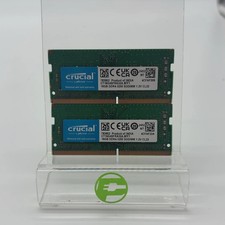
Crucial Laptop Ram 32GB (2x16GB) RAM DDR4 3200MHz CT16G4SFRA32A
$119.99

Corsair Vengeance DDR3 8GB 16GB 32GB 1866MHz PC3-14900 Desktop RAM Memory DIMM
$85.00

Crucial DDR3L 16GB 2 x 8GB 1600 MHz PC3L-12800 Laptop RAM Sodimm Memory 1.35V
$41.00