

I followed the directions in Knowing Knoppix to create a persistent home directory on a USB key, but am now unable to make it work. It seems my USB key is being mounted read-only (as /media/sdb1), so that when I tell knoppix home=/dev/sdb1/knoppix.img, the knoppix.img seems to be mounted read-only, which makes it not work as a persistent home directory. Is there some way to fix this? A kernel argument? Or is there something I need to do to get the USB key mounted as R/W?
When I click on the device icon in kde, it shows as owner: rw, group: r and others: r, with no execute permissions
But the *device* is marked as read only. Is there anything I can do about this? I can set it to R/W after boot, of course, but that seems to be too late.
When I look at the output of mount, I see a unionfs that has /ramdisk and /KNOPPIX in it, but nothing about my knoppix.img.
Any help would be much appreciated.
thanks,
R
P.S. My title was wrong, btw. The problem isn't that the persistent home directory (persistent hd) is not readable, the problem is that it's not writable making it, well, not persistent.
 Posting Permissions


Refurbished Working 1960's Heathkit EC-1 Educational Electronic Analog Computer
$2999.99

Vintage George A Philbrick Researches Tube Analog Computer Module Serial 005503
$109.99

1969 EAI TR-20 Analog Computer Programming PACE Philbrick Electronic Associates
$36.00

Vintage Donner Scientific Analog Computer Patch Cords Banana Plugs & Resistor
$70.00

Vintage 1970’s Analogic MP2110 10-Bit A/D Converter Computer Circuit Board
$24.99

Vintage Goodyear Electronic GEDA Analog Computer Plug -- Extremely Rare
$179.00

Vintage Analog Computing Magazines For Atari Computer Owners No 11-20 Acceptable
$75.00

Extron RGB-160XI Analog Computer Video 60-378-01
$127.06
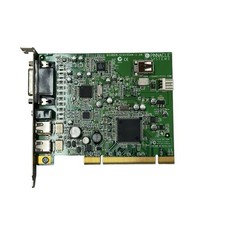
Pinnacle Systems GmbH BigBen-51015544-1.2A PCI Video Capture Card
$26.21

NOB VINTAGE Earthlink MailStation Standard 120 - Email Appliance
$29.99


 Reply With Quote