-
If HAL won't talk to dbus
Greetings from Guelph.
I have been using Linux for a year now (Knoppix 4.0.1 live cd, then Kanotix hd install and OpenSUSE) and decided to take the plunge and install Knoppix to my HD.
I found that when I tried to open a hardware device like a cd writer or a dvd writer the system said it was missing HAl (Hardware Abstraction Layer), even though I verified it was installed and running, it was just not being detected by the dbus program.
To fix this try the following:
apt-get update && apt-get upgrade and then, after that finishes,
apt-get dist upgrade.
Then apt-get remove hal dbus and when that finishes do
apt-get install hal dbus.
Now they communicate and all hardware devices such as cd and dvd drives can be accessed.
I actually saw this advice somewhere else on the forum but I cannot find it again, but thank you for recommending it whoever you are!
Good luck!
-
hello!! this may be old but the advice given helped me with my problem of hal not communicating with dbus.
however, there's a small catch for some people who recently faced this problem. kdebluetooth seems to be a pain. somehow, while removing hal and dbus, kdebluetooth got into the fray and derails efforts. though i managed it by removing kdelock-knoppix first, then kdebluetooth, then reinstalling kdelock-knoppix. anyway, i failed the last one because kdelock-knoppix no longer has installation candidate.
still... it works.
-
I was having problems with this when in the GUI I could not mount a cd or dvd. Kept giving me an error about HAL. So I tried the steps detailed here and now my GUI is gone, replaced with something very grey and plain looking which I can only assume is some default debian GUI??? From terminal I "init 3"... then "xdm" it get me the same grey tired looking GUI. Any idea what happened?
-
Senior Member
registered user
..So I tried the steps detailed here and now my GUI is gone....
Ah, the advice you found dated Thu Feb 01, 2007 2:10 am was valid for his (4.0.1 or maybe 5.1.x ?) Knoppix before Debian 'Etch' was formally released as Debian 'stable', thus rendering obsolete many of the URL definitions in the Knoppix /etc/apt/sources.list file .
Your easiest way to restore your system from whatever is its present condition might be to re-install, although you might be able to rescue it from a console, updating your /etc/apt/sources.list as described in the forums e.g.
http://www.knoppix.net/forum/viewtopic.php?t=27800 Posted: Mon Aug 13, 2007 8:30 am
and so on.
This thread
http://www.knoppix.net/forum/viewtop...759&highlight=
discusses some aspects of media management and hal, dbus which may help your original problem.
But really, for a much easier life, have you tried installing 'proper' Debian ? Please see
http://www.knoppix.net/wiki/HD_Insta...g_not_to_do_it
 Posting Permissions
- You may not post new threads
- You may not post replies
- You may not post attachments
- You may not edit your posts
-
Forum Rules


Dell Poweredge R720 8SFF 2.5" x Xeon E5-2680 v2 2.8GHz 20-Cores 128gb 4x Trays
$349.99

Dell PowerEdge R730XD Server 2x E5-2695 V4 = 36 Cores H730p 32GB RAM 4x trays
$649.99

Dell EMC PowerEdge R440 Xeon silver 4215 2.5GHz 16 GB ram 2x 550W PSU No HDD
$275.00

Dell R640 Diskless Servers 2x Gold 18-Cores 6254 3.10GHz CPU, 32gb RAM, No Raid
$699.00

Dell PowerEdge R620 2x Xeon E5-2630 v2 3.1GHz 2.5" 4-BAY 32GB RAM No OS 2x 495w
$174.95

Dell Poweredge R720 8SFF 2.5" 2x Xeon E5-2680 v2 2.8GHz 20-Cores 64gb 4x Trays
$259.99

Dell Poweredge R630 2x Xeon E5-2680 v4 2.4ghz 28-Core | 32GB | HBA330 | 2x 1100w
$359.99
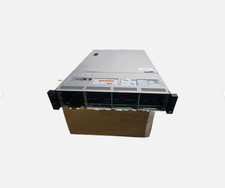
Dell Poweredge R730xd 12LFF 2*2670v3 4*1Gbe h730 2x 750W Server CTO
$488.00

DELL R640 10SFF Server 2x Gold 6152 2.1GHz =44 Cores 64GB H730p 4xRJ45
$959.00

Dell PowerEdge R530 2x E5-2630v4 H330 iDRAC8 Port Card Riser No PSU/RAM/HDD
$99.99



 Reply With Quote