

I'm running Knoppix 5.1.1 (CD version) on an IBM ThinkPad 600e laptop (192 MB RAM; 400 MHz CPU). Everything boots up okay (but I have to use nodma cheat code).
I'm trying to access an IBM Microdrive (512 MB) through the PCMCIA slot using a PCMCIA adapter. While I can eventually access the drive, and the files that it contains, the process take a very long time - so much so that it really isn't usable.
Once Knoppix has booted up, I insert the PCMCIA adapter containing the Microdrive. There are no beeps to indicate that it has been recognized and configured correctly. After about 5-10 minutes a 'PCMCIA disk [hde1]' icon appears on the desktop. Clicking on the icon to mount it opens a window with a progress bar. The window's heading is 'mounting /dev/hde1' (using source /mnt/hde1). However, the progress bar doesn't change and remains at 0% throughout the mounting process. Finally after a further 5-10 minutes the drive is mounted (indicated by the green arrow on the icon). Clicking the icon invokes Konqueror, but this takes a further 15 minutes(!) or so to display the contents of the Microdrive (hde1).
The stages described above take similar lengths of time when I issue the equivalent commands via a terminal window at the command line.
Any ideas what the problem is? Should I be entering any cheat codes at boot-up to aid PCMCIA access/configuration, or editing specific scripts? (I've noted that Knoppix starts the cardmgr at start-up and also adds an entry for hde1 to the /etc/fstab file.)
I would be extremely grateful for some help/advice.
Tallis
 Posting Permissions

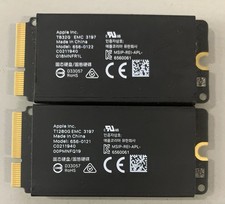
Apple Mac Pro 2019 1TB OEM SSD Kit-832GB +128GB - 656-0122/ 656-0121
$69.99

Samsung 2.5" 870 EVO SSD SATA III 250GB 500GB 1TB Internet Solid State Drive Lot
$60.00

Dell Latitude 14" Laptop Computer Intel i5 Up To 32GB RAM 1TB SSD Windows 11 Pro
$545.25

External SSD 1TB 2TB 4TB Portable Hard Drive USB 3.0 Type-C High Speed PC Mac
$19.99
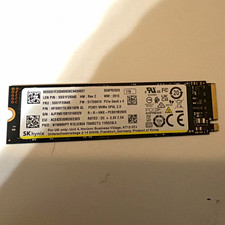
SK hynix PC801 1TB M.2 NVMe PCIe Gen4 x4 Internal SSD HFS512GDE9X081N
$90.00

SAMSUNG T7 Portable SSD 1TB Indigo Blue USB 3.2 Gen2 External MU-PC1T0H/AM
$159.99

1TB Kingston DataTraveler Max DTMAX/1TB USB Type-C Flash Drive
$86.95

Acer Predator Helios Neo 16S AI 16" i9 275HX 2S RTX 5070 Ti 32GB 1TB SSD Refurb
$1746.47

Dell Latitude 14" Laptop Computer Intel i7 Up To 32GB RAM 1TB SSD Windows 11 Pro
$330.73

EDILOCA EN880E 1TB M.2 NVMe PCIe Gen4 Internal SSD for Laptop/PC
$115.00


 Reply With Quote