

 Reply With Quote
What kind of video card? (Use scanpci or lspci to obtain PCI ids.)
KNOPPIX has known problems with particular chipsets (e.g. Neomagic). Someone needs to fix what's broken in /usr/share/hwdata/Cards.


Everything works great with Knoppix on my p3 micronpc transportGX laptop... except... my mouse shows up as a big white block about 70x70 pixels.
any thoughts on how I can fix this?
What kind of video card? (Use scanpci or lspci to obtain PCI ids.)
KNOPPIX has known problems with particular chipsets (e.g. Neomagic). Someone needs to fix what's broken in /usr/share/hwdata/Cards.
Edit /etc/X11/XF86Config-4 and uncomment the line
Option "sw_cursor"
It is in the "Device" section
If you are running from CD restart the xserver. I do it from the command line with init 3 then init 5
Good luck!
Mike
I used lspci and my VCA controller lists as: S3 Inc. 86C270-294 Savage/IX-MV (rev 13)Originally Posted by EPS
Is this considered a troublesome one?
This worked!
If I'm running from a cd, how can I get it to boot this way all the time. Restarting forces me change it all over again.
Save your configuration to a floppy there is an option off the Knoppix menu for this, then boot using the floppyconfig cheat code.
 Posting Permissions


Intel Core i7-3770K 3.5 GHz Processor
$39.00

Intel Core i7-9700 3.0 GHz Octo-Core (SRG13) Processor
$79.00
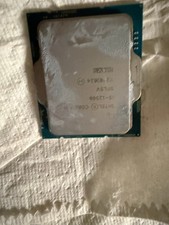
Intel Core i5-12500 3.00 GHz LGA 1700 Desktop CPU Processor SRL5V
$125.00
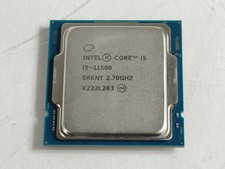
Intel Core i5-11500 2.70 GHz LGA 1200 Desktop CPU Processor SRKNY
$94.99

Intel 4th Gen Core i7-4790 SR1QF 3.60GHz (Turbo 4.00GHz) 8M 4-Core LGA-1150 CPU
$39.99

Intel Core i7-7700T 2.9GHz 8MB Socket LGA1151 Quad Core Processor SR339
$39.99

Intel i7-8700 Coffee Lake 3.2GHz 6-Core Max Turbo 4.6GHz Processor
$69.99
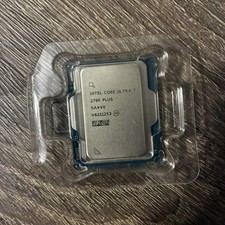
Intel Core Ultra 7 270K Plus 24 cores (8 P-cores + 16 E-cores)
$269.99
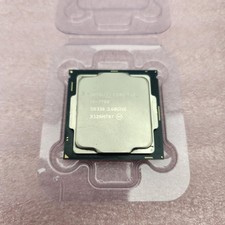
Intel Core i7-7700 SR338 3.6GHz 4-Core LGA 1151 Kaby Lake CPU Processor - Good
$39.99
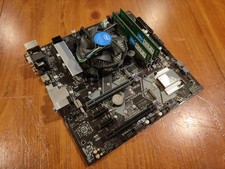
COMBO: ASUS Prime H370M-PLUS MOTHERBOARD + i5-9400F CPU /w Heatsink + 16GB DDR4
$169.95