

 Reply With Quote
Anyone?


Hello, sorry if this has been discussed before, but I'm a noob when it comes to Linux. My PC will no longer boot to windows and I'm trying to copy my system_restore files to windows\system32\config folder using Knoppix ver 5.1 When trying to boot to Windows XP, I get an error WIndows could not start because the following file is missing or corrupt: \windows\system32\config\system. When I boot into Knoppix, my hard disk is listed as "Hard disk [SDA1]" I mounted the drive and when I change read\write status, I get an error stating THe remount command failed. Maybe there is another process accessing the filesystem currently. Can someone PLEASE help?
Anyone?
Try booting the cd, right clicking on the drive icon, switching the r/w status and THEN mounting the drive. Not sure it will help but worth a try.I mounted the drive and when I change read\write status,
Rusty usually gives good advice, but if this is a NTFS file system (I don't think you said and I suspect it is, xp usually is unless there is reason for it to not be), then I would advise against doing the above. Writing to NTFS can completely corrupt it and cause you to lose all of your data, which sounds to be currently available. I would use the standard recovery techniques listed in the recovery faq, then do a fresh install and reload important data rather than take the risk.
---
Verifying of md5 checksum and burning a CD at slow speed are important.
Ok, I resolved the problem. I was not able to restore the files using Knoppix, but instead I installed the HD into a working XP machine, booted into XP, ran Chkdsk on the non-bootable xp drive, and copied the sam, system, default, security, and software files from the system restore folder to system32\config. I rebooted the drive and voila XP! I was hoping to do this without taking the hard drive out. Thanks for all the replies! Has anyone successfully changed files on a NTFS partition???
I've written files on an NTFS partition with Knoppix version 5.1.xOriginally Posted by kaptan
Like said above, you boot the CD, then Right-Click on the desktop icon, then uncheck the Read-Only checkbox on the context menu, and finally you Left-Click on the desktop icon and mount the drive.
 Posting Permissions


Samsung MLT-R116 Imaging Unit Xpress M2625 M2675 M2825 M2875 M2885 M3015 OEM NEW
$49.99

New Samsung 512GB FIT Plus USB 3.2 Gen 1 Type-A Flash Drive MUF-512AB/AM NEW
$120.00
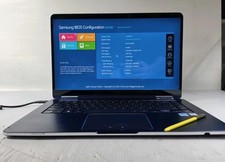
Samsung Notebook 9 Pen Touchscreen 2-in-1 Motherboard NP930SBE-K01US
$111.45

Samsung Galaxy Tab Active 3/ 64 gig/WIFI
$85.00

Samsung SCXSTP000, SCX-STP000 (Swingline Staple Cartridge - 3 Refills)
$57.99

Magnetic Leather Flip Case with Stand for Samsung Tab S9 S9+ S10+ S10 Ultra
$16.99

Kids Case for Samsung Galaxy Tab A9+/A9 plus 11 Inch 2023 Case, with Strap, Shoc
$27.99

Samsung PC4-2666V 16GB 2Rx8 RAM DDR4 2666MHz M471A2K43CB1-CTD
$59.99

QTY 100 Samsung Galaxy Tab Active 4 Pro 10.1” Case, Black
$500.00
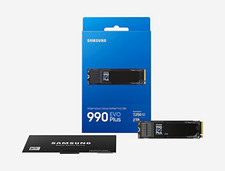
Samsung 990 EVO Plus 2TB M.2 NVMe PCIe Internal SSD 7,250MB/s
$285.00