-
Updating Knoppix 5.1.1
Good evening.
Here's my situation. I got Knoppix 5.1.1 installed on a 4 gb usb drive. I would like to:
- Have a good source list (the one that default is old)
Update all the software on the drive
Are these possible? I'm a complete n00b so please point me in the right direction.
TIA.
-
Senior Member
registered user
Since Knoppix 5.1.1 was released, Debian etch was released as the new 'stable' version, so the meanings of 'stable' 'unstable' 'testing' and so on in the /etc/apt/sources.list file have changed.
e.g. sarge, which was 'stable', is now 'oldstable'
Currently etch is 'stable' , lenny is 'testing' and sid is 'unstable'
(see the Debian website for full explanation; I recommend that you read there anyway).
1] You *might* have success just doing
Code:
apt-get update
apt-get -s upgrade
(where -s means a simulation)
which will tell you what the upgrade would do to your system. If no problems are notified then you can do
2] However to be cautious, you could simply align your system up to the latest etch (=Debian stable) issues (except for Knoppix-specific packages of course) - I have done this and it safely gives me a stable system.
To do this:
Save away your original /etc/apt/sources.list and /etc/apt/preferences files by renaming them.
Create a new /etc/apt/sources.list file containing at least :
(You can replace de by your country code to get a closer mirror - check the full address  )
)
Then do
Code:
apt-get update
apt-get -s upgrade
followed by
if OK.
3] apt-get upgrade won't upgrade the whole system at once, but it is safer, and less processing-intensive, to do that first before doing the more aggressive
Code:
apt-get [-s] dist-upgrade
4] If you're feeling a bit more adventurous you could try further upgrading to lenny or sid instead of etch.
(I've never done this from a Knoppix 5.1.1 baseline - no guarantees )
5] As you are doing a 4GB USB drive installation, why not try pure Debian etch or lenny or sid instead ? For my (admittedly mature) hardware Debian configures an excellent system without the fiddly irritations of a Knoppix hard drive installation - Knoppix is optimised as a live CD.
(I have a Debian etch workstation including full OpenOffice.org on an 8GB USB stick populated to about 3.5 GB).
Similar Threads
-
By bachinbeach in forum General Support
Replies: 0
Last Post: 05-29-2007, 01:37 PM
-
By Teh_Lex in forum Hdd Install / Debian / Apt
Replies: 9
Last Post: 01-01-2007, 06:19 PM
-
By PlatinumPlus in forum Hdd Install / Debian / Apt
Replies: 1
Last Post: 10-06-2005, 10:17 AM
-
By raid517 in forum Hdd Install / Debian / Apt
Replies: 5
Last Post: 11-29-2004, 12:40 PM
-
By lussac in forum General Support
Replies: 4
Last Post: 11-20-2003, 03:12 PM
 Posting Permissions
- You may not post new threads
- You may not post replies
- You may not post attachments
- You may not edit your posts
-
Forum Rules


Commodore 128 C128 Computer FOR PARTS / REPAIR Untested Missing Key No Cords
$149.99

Commodore VIC-20 Diagnostic Cartridge & Test Harness Set - USA seller
$39.99
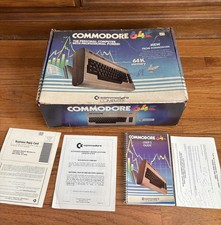
Commodore 64 Computer In Original Box w Cord & User Manual 💥
$149.99

TeensyROM+ TR+ v0.4 Cartridge for C64/128 - w/ Case & 32GB SD Preloaded
$89.50
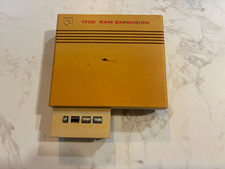
Commodore 1750 512K RAM Expansion REU for C128 / C64 – Tested & Working
$110.00

Commodore 64 Serial Cable 6PIN DIN 1541 1571 C64 128 C128 Disk Drive Printer USA
$10.49

Commodore 1541 Emulator PI1541 HAT with ROTARY, OLED screen, USA Seller
$29.99
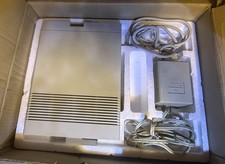
Vtg 128 / 64 Commodore 1541-II Computer Disk Drive in Box 5.25 Floppy (Working)
$89.99

Commodore 64 Dead Test & Diagnostic Cartridge & Test Harness Set - USA seller
$39.99
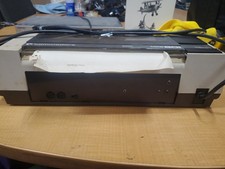
RARE Commodore MPS801 Printer - 1st printer for the 64 - powers on
$70.00



 Reply With Quote