

 Reply With Quote
Hi,
This may help; when you get the prompt
boot:
enter
knoppix vsync=60


Hi
Firstly sorry for my bad english its not my native language.
i am from Turkey a knoppix user. i tried knoppix v3.2 live cd in my intel 810 chipset mainboard with 4 mgbyte onboard graphic card and celeron 466 processor with 128 mgbyte sd ram. but when it boot it appears a blank black screen and monitor turns off with a woman sound after it saying "misconfi.... started in sequence bla bla)
is it because my graphic card.
with this hardware which knoppix distribution can i use in my pc . and how can i solve this problem
Thanks alot
BAHADIR
Hi,
This may help; when you get the prompt
boot:
enter
knoppix vsync=60
That likely is not what the woman said.
Your black screen problem may be Knoppix trying to run higher resolution or scan rates than your monitor supports. It could also be a driver issue for the hardware but with that vintage hardware that seems less likely, even with that very old version of Knoppix. Read the wiki section on cheat codes, look up what your particular monitor is capable of (either with documentation that came with it or you should be able to find the information on the Internet) and try using the cheat codes to force a resolution that your monitor accepts. Don't use hsync or vsync rates higher than your monitor is made for and force screen= to something low (like 640x480) and, if it works, start working your way up.
The cheat code xmodule=vesa may help also, but I would try the above first.
---
Verifying of md5 checksum and burning a CD at slow speed are important.
knoppix xmodule=vesa helped thanks alot
if possible i want to ask another question. my knoppix version is 3.2 it has no knoppix installer. i want to install it to harddrive. which knoppix distrubition has GUI installer?
Thanks alot
BAHADIR
Knoppix should not be installed to hard disk. There are many problems when you do. You would be much better of installing a distro intended for hard disk. If you install Debian you can then install any or all applications included with Knoppix, and you will have a much more stable sytem and be able to install other applications not included with Knoppix. If you have a high speed Internet connection, I suggest doing a net-install of Debian.
---
Verifying of md5 checksum and burning a CD at slow speed are important.
 Posting Permissions


Yealink T48S VoIP/SIP Phone, 2 x Gigabit Ports PoE 7" Color SIP-T48S | TESTED
$34.95

Cisco 8861 Gigabit IP Phone Phone 5-line business-class VoIP Wifi Bluetooth
$39.99

Ooma 2602 Office IP Desk Phones 2-Pack for Ooma Office VoIP
$153.98

Poly CCX 400 Desktop Business Media Phone VoIP 2200-49700-019
$49.99

Yealink SIP-T33G IP Phone 4-LineSpeakerphone VoIP Desk Phone Black w/ Power Sply
$25.00

Cisco CP-7841-K9 4-Line Gigabit VoIP IP Phone PoE Office Desk 3.5" Display NEW
$89.99

Grandstream WP810 Portable Cordless Wi-Fi IP Phone
$49.28

Cisco/Linksys SPA2102 VoIP Phone Adapter Router 2FXS (Unlocked)
$17.99
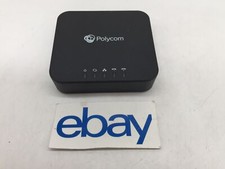
Polycom Poly ObiHai OBI302 VOIP Adapter FREE S/H
$29.99

Grandstream VoIP Phone Adapter ATA 1-Line Black Ethernet (RJ-45) Micro USB
$27.07