

 Reply With Quote
See answer #6.


I am working on a friend's Dell's desktop PC which has failure in booting up (Windows XP).
Here is where I am stuck:
Using Knoppix LIVEDCD to boot up and access the HDD, I attempt to rename and then replace the corrupted system file but get an error message saying file cannot be deleted. The error message when I attempt to rename and also replace file, states: Could not delete file...
What this looks like to me is that even though I can see the file and even copy it to a USB memory stick, there is no permission to modify/delete it.
Any reason why this is the case and what can I do to overcome this?
See answer #6.
---
Verifying of md5 checksum and burning a CD at slow speed are important.
Thx Harry!
I simply click on the drive to get the menu, then enabled write access and it worked. I fixed the Windows corrupted file and now Windows boots up.
Knoppix rock!
I don't think you read or believed all of what I wrote. For a long time Linux efforts to write to NTFS have met with disaster. I personally believe this is by Microsoft's own design. There are some vague claims that Knoppix 5.x might be able to write to NTFS, but I'm far from convinced that's it's safe and stable yet. I did not advise you to write to a NTFS partition.Originally Posted by KnoppixIsOk
Unfortunately, the corruption that has been seen sometimes ruins the partition right away, but sometimes it leaves the system apparently working for a while and then the partition self destructs later. I wish you luck, and please let us know if your system stays working in the coming months. But if I were you, I would also make sure that I have good backups of everything I needed, just in case.
---
Verifying of md5 checksum and burning a CD at slow speed are important.
I did read what you wrote. Good advise too.
If you want to verify the integrity of your Windows NTFS file system, from inside Windows you can run the Microsoft CHKDSK command from inside a Command Prompt window, or you can right-click on the drive letter in Windows Explorer and choose Properties -> Tools -> Error Checking -> Check Now
This will not tell you if the data contained inside a file is corrupt, but it will tell you if there are problems with the file system integrity and the program can even make an attempt to fix them.
 Posting Permissions


Fujinet 1.7.1 Atari 400 800 800XL 130XE 65XE XEGS Assembled, Tested, Working
$99.99

Atari 400 / 800 Computer Memory Module 16K RAM PCB CX853 - Works Perfectly
$18.95

Atari 400 Home Computer System includes Power Cord G2U
$159.99
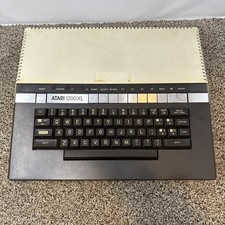
Atari 1200XL Computer Game Console Vintage Rare FOR PARTS OR REPAIR READ
$270.00

Atari 1200 XL home computer with original owners guide and power supply power on
$255.00
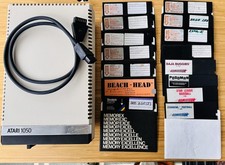
Vintage Atari 1050 Disk Drive w/ SIO Cable & 32 Games/Programs - UNTESTED
$67.76
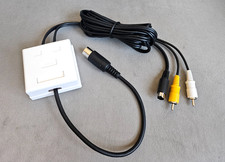
Atari 800 130XE 65XE Color S-Video, Composite Video & Audio Cable Tested
$29.78
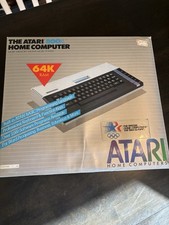
Atari 800XL Home Computer 64K RAM in Original Box 1984 Olympic Edition Untested
$149.99

GreaseWeazle v4 board USB floppy drive adapter Retro All Formats
$35.00

DEFECTIVE Atari 810 Vintage Computer Disk Drive powers on Unit Only Boo G3D
$49.29