-
Knoppix with no login screen
Hi all,
I have got a PC in the office which always boot knoppix without a login screen.
When I check what account it is using to do "auto" login, it is using "root" account.
How can I enable the login screen?
I have heard that during the initial installation of knoppix, when you choose knoppix instead of debian,
it will resulted in your system havig a single sudo-enabled knoppix user just like live environment. Is it true?
How can I check whether my knoppix installation is using which type of installation(knoppix or debian)?
Is it possible to enable the login screen if this is the case?
Many Thanks
ken39
-
Senior Member
registered user
"...Is it true? .,.."
Very 
If you dont have to login with a User name and Password then your installation is the "KNOPPIX" style.....
"...Is it possible to enable the login screen if this is the case?..."
Short answer is No.
Longer answer would involve editing /etc/rc*.d/ and removing the link for knoppix-xsession (something like that). And possibly a bunch of other ado. ... Best option is to reinstall using the Debian Option...... just make sure to save your Home Directory (/home/knoppix/) is the case that is contains data you have saved and ish to retain.
Take care,
-Justin
One Mynds Eye
-
Administrator
Site Admin-
Good news! There's a special version of Knoppix, made just for install to hard disk! This special version avoids the apt-get update problems of disc based Knoppix as well as the many things that often work on the CD but stop working after a hard disk install. And it has all of the Knoppix software available and a much larger pool of additional software too, and you can pick what to install and what not to install, saving space. Many GUI front ends are available to pick from, not just the ones included on the normal Knoppix CD (although KDE is certainly available). Software updates are available faster than waiting for a new Knoppix CD and updates don't break everything else when installed.
And, of course, it supports all the user log-ins that you want.
This special version of Knoppix is called Debian. You can get a copy of it here. I suggest getting the net-install or business card versions of the i386 version, or a 64 bit version if you have the CPU for that, and installing the rest from the Internet.
-
Hi onemyndseye and Harry,
Thanks for your reply, this will clear things up for me.
1 last question, how do I check whether my knoppix installation is using knoppix style installation or debian style installation?
okie, harry, I will check out your "special version" of debian.
Thanks again
Similar Threads
-
By lowhweekiat in forum Customising & Remastering
Replies: 4
Last Post: 12-03-2007, 05:15 PM
-
By GCMartin in forum Networking
Replies: 0
Last Post: 08-23-2005, 01:35 AM
-
By metavoid in forum General Support
Replies: 4
Last Post: 03-12-2005, 01:39 PM
-
By turbines in forum Hdd Install / Debian / Apt
Replies: 3
Last Post: 04-17-2004, 04:40 PM
-
By pankajgadhari in forum Customising & Remastering
Replies: 5
Last Post: 01-23-2004, 08:33 PM
 Posting Permissions
- You may not post new threads
- You may not post replies
- You may not post attachments
- You may not edit your posts
-
Forum Rules


(New) AMD Ryzen 7 5700X 8 Core 16 Thread AM4 Unlocked 3.4 GHz CPU OEM Tray
$174.99

SGIN 17.3" Laptop Intel Quad-Core Up to 2.4 GHZ 8GB RAM 256GB SSD HD
$229.99
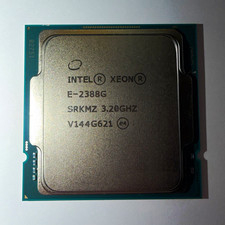
Intel Xeon E-2388G 8-Core 3.20GHz CPU Processor LGA 1151 SRKMZ
$799.99

HP ZBook Firefly 14" G8 Mobile Workstation i5 11th Gen 16GB RAM 256 GB SSD No AC
$184.99

Intel Xeon E5 - 2667V2 / SR19W 3.30GHz 25MB 8-Core CPU Socket LGA2011
$30.00

AMD FX 8350 8-CORE 4.00GHz CPU FD8350FRW8KHK SOCKET AM3+ *QTY
$39.99
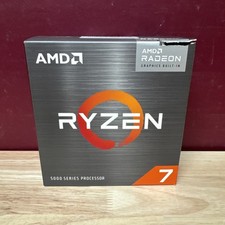
AMD Ryzen 7 5700G 8-Core 16-Thread 4.6GHz Max Boost, 3.8 GHz Base
$170.00

AMD Ryzen 7 9700X 8-Core 16-Thread 40MB Cache Socket AM5 9000 Series Processor
$245.99
acer swift air 14
$600.00

Dell T7810 Workstation 8-Core 2.40GHz E5-2630 v3 No RAM GPU HDD OS
$259.98



 Reply With Quote