-
Read Knoppix HD, write via LAN to Win HD - I'm newbie
(read standard newbie apologies as a given along with a load of thanks)
Is it possible to do the following procedure?
1) I have an old computer with Win 2000 Pro installed, it has a NTFS formatted hard drive.
2) On this W2K computer, I have successfully booted and run Knoppix Live CD ver 5.1.1. I can read (but I don’t write) the NTFS HD. And the network card works (I can access the internet).
3) I have a new computer with Vista installed. It has a NTFS formatted hard drive AND it also has an external USB hard drive that is FAT32 formatted. This USB HD is set under Windows to share for everyone on the LAN.
4/MAIN POINT) From the old W2K computer running Knoppix, can I read the files on the HD and write them over the LAN to the FAT32 USB HD on the Vista computer?
This begs the following questions that as a newbie have me stumped.
A) How to “enableâ€? the old computer running Knoppix to “seeâ€? the FAT32 USB HD on the Vista computer?
B) How to “copyâ€? files from source to destination.
C) If this can’t be done, an alternative process is to boot up Knoppix Live CD onto the new Vista computer. I won’t touch it’s NTFS HD. Then copy the files off the old/W2K computer running Knoppix over the LAN onto the USB HD that is on the new/Vista computer that is running Knoppix. But I don’t know how to set “sharesâ€? on HD under Knoppix.
FWIW **** Here is the background of my situation and what I am trying to accomplish:
I am a complete newbie. I only yesterday for the very first time successfully and on the first attempt, easily booted a Knoppix Live CD (ver 5.1.1) on my Win 2000 Pro computer. I could then easily read the files on this computer’s hard drive, which is a NTFS formatted (under W2K) hard drive. I understand NOT to write to the NTFS HD while the computer is running Knoppix.
Previously, this computer has developed a problem loading W2K o.s. When I boot W2K from the HD, I get a
STOP: 0x0000007B (0xF741B84C,0xC0000034,0x00000000,0x00000000) INACCESSIBLE_BOOT_DEVICE
error message. My work around is to load the Knoppix o.s. to access my files on the NTFS HD. But now I need to read the files off the NTFS HD and copy/write them to some other location.
This W2K computer is old and the bios does not support using external USB hard drives. My idea is to use my LAN to copy the files from this old W2K computer (while it runs Knoppix) onto a FAT32 formatted external USB hard drive that is plugged into a second computer that is running (please don’t groan) Vista.
Thanks.
Similar Threads
-
By kermitq in forum Customising & Remastering
Replies: 19
Last Post: 09-09-2006, 06:26 AM
-
By Needtoknow in forum Hdd Install / Debian / Apt
Replies: 10
Last Post: 10-22-2004, 02:27 AM
-
By Krendall in forum General Support
Replies: 3
Last Post: 10-01-2004, 01:37 AM
-
By crveni in forum General Support
Replies: 4
Last Post: 06-08-2004, 08:46 AM
-
By Markus in forum The Lounge
Replies: 0
Last Post: 01-25-2004, 04:59 PM
 Posting Permissions
- You may not post new threads
- You may not post replies
- You may not post attachments
- You may not edit your posts
-
Forum Rules


Lenovo ThinkPad L13 Yoga Touch Laptop 13.3” Core i5 8GB RAM 256GB SSD Win 11 Pro
$239.99

Lenovo ThinkPad T14 Gen 2 i5-1145G7 16GB 512GB SSD Touch Win 11 Pro Good
$261.99

Lenovo ThinkPad L15 Gen 3 15.6" 16GB, Thunder Black
$241.50

Lenovo ThinkPad E14 Gen 3 Laptop 14” FHD AMD Ryzen 5 16GB RAM 512GB SSD Win 11
$374.99

Lenovo ThinkPad E14 Gen 2 Laptop 14” HD Ryzen 5 16GB RAM 512GB SSD Win 11 Pro
$319.99

Lenovo ThinkPad L14 Gen 3 14" FHD Laptop i5 12th Gen 16GB RAM 256GB SSD Win 11
$329.99

Lenovo ThinkPad T480s | i5-8350U | 256GB NVMe | 8GB RAM | W11 Pro | W/AC Adapter
$169.99
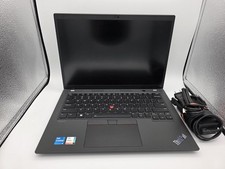
Lenovo ThinkPad T14 Gen 3 | Intel I5-1245U | 16GB RAM | 256GB NVMe | W11P | W/AC
$299.99

Lenovo ThinkPad L15 Gen 3 15.6" 16GB, Thunder Black
$241.50

Lenovo ThinkPad T14s Laptop 14” Laptop Core i5 8GB RAM 256GB SSD Windows 11 Pro
$249.99



 Reply With Quote