-
Senior Member
registered user

Originally Posted by
nitsuj
"1.2.1 With Windows explorer open, on the left panel, click on c:\windows\inf folder
1.2.2 Click the "search" button
1.2.3 Click the "All files and folders" on the left panel.
1.2.4 On the "A word of phase in the file" field, enter "bcmwl5.sys" => click "search" button
1.2.5 On the right panel, it shows c:\windows\inf\oem0.inf "
None of that works. I have no "windows\inf folder. And searching for inf files doesn't result in anything even resembling the inf file listed.
OK, that tells me you don't know much on Windows either. But that is fine. "c:\windows" is the default system directory if you install Windows XP by yourself. Anyway, some manufacturer pre-installed Windows on different drive or directory.
Microsoft calls the "c:\windows" as SystemRoot. So if you open a Command Prompt and then type in the following command
and then hit the enter key, you will be able to find where your SystemRoot is located. For example: it could be "d:\winnt". If that is the case, replace all "c:\windows" to "d:\winnt" and you will be able to find out all the directories on the FAQ.
However, there is one possibility I can think of why you won't be able to find the SystemRoot: If you are using Windows Vista, then you may need to do more digging then. The FAQ I wrote only works for XP driver. I do not have Windows Vista and I am not planning to upgrade my machines in the near future. For Microsoft OS, usually I wait until the service pack 2 coming up and then it is the good timing to think about trying it.
If you are using Windows Vista, you need to find out exactly what your hardware is. Most likely Vista still have the device manager that you can check against and find out what the hardware model name and the manufacturer's name. Then you need to go to the manufacturer's web site and download the driver for XP. And extract the XP driver out instead.
Originally Posted by
nitsuj
Next trouble section of the FAQ:
"4.1 Keep your eyes on the info shown on the screen when the autoconfigurating devices. From both of my machines, knoppix found two network cards in my machine, i.e. eth0 and eth1. However, my Compaq n600c only have eth0 detected."
When I run the disk, it doesn't detect a card at all. I have a switch on my computer to turn on wireless. When I start the CD the switch goes off and can't be turned on. This is why I think it doesn't detect my wireless device, because it's off.
Don't really know what kind of hardware you are having. I never saw a wireless device with a hard switch on it and cannot be switched on by the time you boot from the CD. Does not really make sense to me. Are you talking about a real switch on the device or just a switch shown on the screen?
Rgds,
Chip
Similar Threads
-
By dtzxdtzx1 in forum Networking
Replies: 2
Last Post: 07-31-2007, 11:20 PM
-
By rpk073 in forum Networking
Replies: 0
Last Post: 10-14-2005, 12:09 PM
-
By sparticus in forum Laptops
Replies: 9
Last Post: 10-23-2004, 12:55 AM
-
By dave52355 in forum Hardware & Booting
Replies: 0
Last Post: 05-04-2004, 09:23 PM
 Posting Permissions
- You may not post new threads
- You may not post replies
- You may not post attachments
- You may not edit your posts
-
Forum Rules

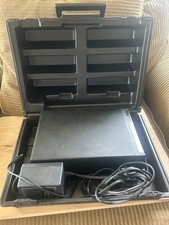
Indus GT G.T. for Atari External Floppy Disk Drive w/ Case & Power Adapter
$199.00

Atari 130 XE/Atari 1050 Bundle W/ Cords And Extras (Powered On)
$300.00

DEFECTIVE Atari 810 Vintage Computer Disk Drive powers on Unit Only Boo G3D
$49.29

Atari 800 8-bit Computer System Fully Tested Great Condition 48k READ
$350.00

INFO/soft Character Generator Manual for Atari 3000/5000/7000 NTSC
$40.00

Fujinet 1.7.1 Atari 400 800 800XL 130XE 65XE XEGS Assembled, Tested, Working
$99.99
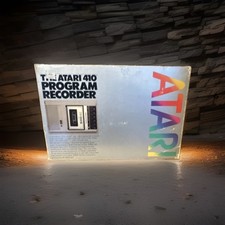
Atari 410 Program Recorder Cassette Tape Drive for Atari 400/800 Computers
$150.00

Atari XE 130XE Computer NTSC with Power Supply Powers On Untested
$159.95

UNOCART-2600 SD card Multi Rom Cartridge for ATARI 2600 with CASE
$34.25

Vintage Atari SF354 Floppy Disk Drive & Power Supply FOR PARTS OR REPAIR AS IS
$120.00



 Reply With Quote