-
How do I boot iso file from already installed grub?
My laptop doesn't boot from usb dongle (I have tried the HP tool in vain, and it does not show up in my list of bootable tiems, BUT I do have Kubuntu installed on the HD and it boots with grub so I am assuming I can use that grub entry to boot other devices but I can't get this right.
I have tried to do this so many times and I get a grub error 15 file not found. I have "linux" and minirt.gz in /boot/isolinux/ copied from the knoppix 5.1.1 CD on hda2 where my other /boot items are located to boot Kubuntu (I copied the /syslinux from /boot on the CD to /boot on /hda2 in other words). My grub entry for this currently looks like
title Knoppix
root (hd1,0)
kernel /boot/isolinux/linux ramdisk_size=100000 init=/etc/init lang=us apm=power-off vga=791 nomce bootfrom=/dev/sda1/knoppix.iso dma myconfig=scan
initrd /boot/isolinux/minirt.gz
Part of this entry does recognize my usb dongle and the hd1,0 suggests, as it spits out that it is a FAT filesystem...
I tried just copying the /boot/isolinux directory to the usb dongle as well so it is in both places. Same error
I also tried deleting the iso file, copying the knoppix directory from the cd in its place, and changed bootfrom=/dev/sda1/knoppix.iso to fromhd=/dev/sda1. Same error.
I am obviously overlooking something and either entering things incorrectly, of have files in the wrong place, or have the wrong files to work with this, so if anyone is able to advise me, and correct my grub entry, that would be great.
-
Sorry, you have to copy the entire KNOPPIX directory to the harddisk. To be able to run Knoppix from the iso, you must have a running Knoppix, and you can't get that by using only the kernel and minirt.
You are better of by booting on the CD and use the cheatcode tohd=/dev/hda2 , thus copying what you need to the harddisk. It will create the directory /KNOPPIX/ in the root of the filesystem on partition hda2. The disadvantage is that the partition will be mounted read-only. You can circumvent that by booting using the cheatcode bootfrom=/dev/sda1/knoppix.iso , but you still need the /KNOPPIX/ directory and all to boot from.
Suppose you have /KNOPPIX/ and /boot/isolinux/ on /hda2 and the iso on sda1, you should be able to boot Knoppix with
title Knoppix
root (hd1,1)
kernel /boot/isolinux/linux ramdisk_size=100000 init=/etc/init lang=us apm=power-off vga=791 nomce bootfrom=/dev/sda1/knoppix.iso dma myconfig=scan
initrd /boot/isolinux/minirt.gz
-
This actually makes complete sense to me know and now I know why I never could get this to work.
Thanks a million!
Similar Threads
-
By ryzvonusef in forum Hdd Install / Debian / Apt
Replies: 0
Last Post: 02-01-2009, 05:06 PM
-
By jena in forum Hardware & Booting
Replies: 1
Last Post: 11-19-2008, 04:12 PM
-
By param85047 in forum Hdd Install / Debian / Apt
Replies: 3
Last Post: 11-03-2006, 03:31 PM
-
By cli168 in forum Hdd Install / Debian / Apt
Replies: 3
Last Post: 06-20-2005, 03:57 AM
-
By emmbec in forum MS Windows & New to Linux
Replies: 3
Last Post: 03-21-2005, 09:52 AM
 Posting Permissions
- You may not post new threads
- You may not post replies
- You may not post attachments
- You may not edit your posts
-
Forum Rules

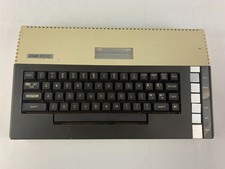
Atari 800XL Home Computer Unit Only - UNTESTED, For Parts or Repairs
$94.97

DEFECTIVE Atari 810 Vintage Computer Disk Drive powers on Unit Only Boo G3D
$55.24
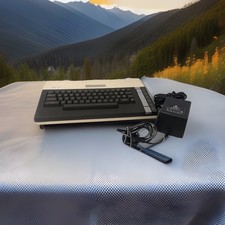
ATARI 800 XL 8-Bit Computer w/ Power Supply
$169.00

Vintage Atari 410 Program Recorder CIB Open Box Appears Unused 400 800
$194.99

Atari 410 Program Recorder Cassette Recorder Vintage Computer Parts Repair
$15.00

Vintage SWP ATR8000 CP/M Z80 Computer System Atari 800/400 + Software Manual
$499.99
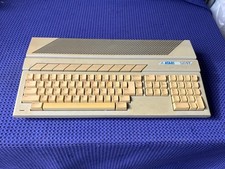
Vintage Atari 520ST Computer Untested No Power Supply
$150.00

Fujinet 1.7.1 Atari 400 800 800XL 130XE 65XE XEGS Assembled, Tested, Working
$99.99

Atari 1040ST Computer System SM124 Monitor Megafile 60 SLMC804 Bundle W/ Boxes
$849.00

UNOCART-2600 SD card Multi Rom Cartridge for ATARI 2600 with CASE
$34.25



 Reply With Quote