

 Reply With Quote
Is there something that you're failing to mention, like perhaps you "installed" Knoppix to a hard disk? I find it hard to believe that Knoppix would retain a Gnome GUI after a cold boot if it was truly run from disc.Originally Posted by HatGuy


I'm running Knoppix 5.1.1 and KDE. Just to see what GNOME was like, I switched to it from the Knoppix menu.
I may use GNOME again, but how do I get back to KDE?
I tried booting with desktop=kde and desktop=fluxbox and got . . . GNOME! Several times!
Thanks in advance.
HatGuy
Is there something that you're failing to mention, like perhaps you "installed" Knoppix to a hard disk? I find it hard to believe that Knoppix would retain a Gnome GUI after a cold boot if it was truly run from disc.
---
Verifying of md5 checksum and burning a CD at slow speed are important.
Thanks for getting back so quickly.
I'm booting from a dvd, but I do have a persistent home directory. I have not saved the configuration since switching to GNOME.
HatGuy
Well, why not try deleting, renaming or otherwise hiding that persistant home from your installed system and then booting the DVD again? That will prove or disprove if it's related.
---
Verifying of md5 checksum and burning a CD at slow speed are important.
Thanks for the suggestion; I will follow it as soon as I post this note and hope you have time to clarify some more newbie confusion.
It seems that I don't understand how the cheat codes work relative to the persistant home (knoppix.img) and saved configuration (knoppix.sh and knoppix.tbz) files. I thought at least three things that are apparently not true.
First, I thought cheat codes override whatever might be in the default knoppix setup scripts AND those three files, so I could adapt to different situations or try different settings. How do desktop settings (like those GNOME apparently set) override cheat codes? What is (are) the name(s) of the script(s) I could edit to reverse those settings? Is it possible to override settings like those GNOME's from the command line? If so, how?
Second, a higher level misunderstanding, I thought the desktop was part of the system, so its settings would be stored in knoppix.sk or knoppix.tbz. Thus, I thought, desktop settings existed only during the session they were made unless I explicitly saved my configuration. It seems that desktop settings are stored in knoppix.img as part of my persistant home, which its date stamp suggests is saved automatically. Is there a list somewhere of configurations, settings, whatever that are stored in each of the three files?
Third, I thought the Knoppix menu would be available in all desktops, but I haven't found it in GNOME. If I missed it, would you mind pointing to it? If I didn't how can I make a suggestion for that feature to be added to a future version of KNOPPIX?
Thanks again for your help.
KNOPPIX 3.4 worked straight from the "KNOPPIX Hacks" disk and I've come a long way from my first attempt to upgrade to 5.1. Someday, I hope, I'll understand what's going on well enough to help someone else.
I know from my work life how frustrating it can be to have endless newbies ask questions I/you think I've answered.
I try to remind myself that parents see their kids in time series, different every time they turn around, while I see their kids as a repeating cross section, different kids having the same problems and making the same mistakes, year after year.
HatGuy
 Posting Permissions


NETGEAR GS308EP Essential Series 8-Port Gigabit PoE+ Unmanaged Switch
$39.99

NETGEAR 5-Port Gigabit Ethernet Unmanaged Switch (Gs305) - Desktop Quiet Fanless
$25.99

D-Link DGS-1210-28P 28-Port PoE Gigabit Web Smart Switch With Cord
$49.99

10-Port Gigabit PoE Network Switch with 8 PoE+ Ports with 2 Combo SFP Slots 125W
$39.99

TP-Link TL-SG105 5-Port Gigabit Ethernet Unmanaged Metal Desktop Network Switch
$19.99

TP-Link TL-SG105, 5 Port Gigabit Unmanaged Ethernet Switch, Network Hub, Ethern
$15.25
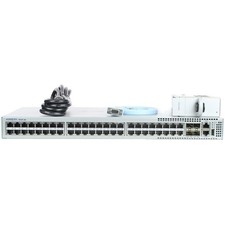
Arista DCS-7010T-48-R 48P 1GbE 4P 10GbE SFP+ RA Switch with rack mounts
$69.00

Cisco Catalyst 2960-48TT-L 48-Port Fast Ethernet Managed Rackmount Switch
$46.99

TP-Link TL-SG1048 48-Port Gigabit Rackmount Switch New Factory Sealed
$199.99

Cisco WS-C3650-12X48UR-L 48-Port Stackable Layer 3 8x10G SFP+ Port Switch
$129.99