-
Junior Member
registered user
I appreciate the detail in your post. One thing I'm not clear on is the last bit where you were having trouble changing it to be writable with the "remount command failed" thing. This could possibly be due to some error encountered as a result of changes you or Knoppix has made in the current session rather than a persistent problem. Did you try completely rebooting, then immediately mounting sdc1 (without any intermediary steps like you described in your post), then changing the read/write mode? I have had very similar errors crop up, and this often turned out to be the problem. Perhaps trying to change the read/write mode on an unmounted drive made some process hang without relinquishing control of it. You seem pretty knowledgeable from your post, so I don't mean to patronize you, but it's a simple step you might've missed.
If that didn't work, I've had a great deal of problems trying to mount/umount or otherwise manage devices just based on how I try to do it. For example, using the desktop icons that are automatically created for each of your devices sometimes fails to register changes I make to it, or they return errors very much like yours. Sometimes adding and using the "Storage Media" applet to the KDE Panel (the equivalent of the windows start menu/taskbar) will circumvent this problem or may have that trouble itself. Sometimes opening a console and using the text command "(u)mount /dev/sdc1" works for me, other times i must use "(u)mount /media/sdc1". I have the most success using one of these console commands rather than relying on the GUI. Like I said, this doesn't sound like a persistent problem that must be solved before you can move forward with your data recovery; it sounds like a fairly common error that I often encounter that is technically "your fault". If you've already tried the methods I've listed here or they end up not working, try opening a console and typing ps -aux. From this list try to identify anything that might be hanging or that should not be running/should have been closed. Use the "kill" command on the corresponding PID(s) and then try again.
Just as a rather recent example, I tried to unmount my second flash drive partition after I finished watching a video, but I ran into the same problem you had. It turned out that when I closed Kaffeine (a media player) normally, it didn't actually fully shut down. When I noticed that and killed the process, it allowed me to unmount/otherwise change that partition again.
Similar Threads
-
By Joma in forum MS Windows & New to Linux
Replies: 3
Last Post: 11-21-2007, 03:59 PM
-
By tycopolis in forum General Support
Replies: 3
Last Post: 04-22-2007, 11:38 AM
-
By rossi in forum Hardware & Booting
Replies: 2
Last Post: 06-06-2006, 03:42 PM
-
By deetramm in forum MS Windows & New to Linux
Replies: 7
Last Post: 01-19-2006, 07:53 PM
-
By kjjaeger in forum Hardware & Booting
Replies: 1
Last Post: 09-01-2005, 07:37 PM
 Posting Permissions
- You may not post new threads
- You may not post replies
- You may not post attachments
- You may not edit your posts
-
Forum Rules


Intel Core i7-3770K 3.5 GHz Processor
$39.00

INTEL CORE I9-10940X X-SERIES PROCESSOR | 3.30GHZ | SRGSH
$179.99

INTEL CORE I7-870 SLBJG 2.93GHZ LGA1156 4 CORE CPU PROCESSOR
$23.00
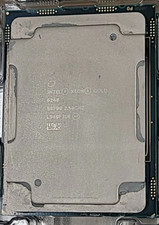
Intel SRF90 Xeon Gold 6248 2.50GHz 20 Core LGA 3647 Server CPU Processor
$55.99

Intel Core i5-12500T SRL5W 2GHz 18MB 6 Core Socket LGA1700 Desktop CPU Processor
$114.99

Intel i7-8700 Coffee Lake 3.2GHz 6-Core Max Turbo 4.6GHz Processor
$67.99

AMD Ryzen 5 PRO 4650GE 100-000000153 6-Core 3.30GHz 8MB AM4 CPU Processor
$59.99
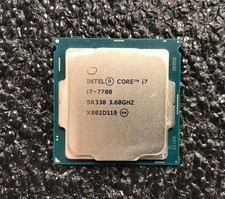
Intel Core i7-7700 Kaby Lake Quad-Core 3.6 GHz Processor LGA 1151
$39.99

INTEL CORE I9-10980XE PROCESSOR | 3.00GHZ | SRGSG
$299.99

LAST BATCH *Brand New-Sealed* AMD Ryzen 9 9950X3D2 Dual Ed. 4.3GHz 16Core AM5
$768.00



 Reply With Quote