

 Reply With Quote
Hello,
I am not an expert but I think that you must build a package debian and install it in Knoppix.
(build a package Debian is not a simple task for a newbie ...)
Good luck


Hello everybody
I am a newbie here, and wanted to try to remaster some knoppix dvd, or cd i got.
I read that you can add some deb packages to your baby , but how to add something that doesn't exist (or as an older version only) as a package?I have got the sources of course.
Is it possible? difficult task?
Hello,
I am not an expert but I think that you must build a package debian and install it in Knoppix.
(build a package Debian is not a simple task for a newbie ...)
Good luck
First of all, you don't need to make a Debian package and install it, at least not for all programs. I've downloaded source code, assembled and run it fine with Knoppix. It only required having a place to write the result (I had made a FAT partition on my disk so that I could write safely) and knowing how to assemble the program. Of course, not all programs will be assembled, some will be compiled. In my case I found the particular command line that I needed in comments right inside the source code itself. I would suggest looking there. If that isn't fruitful, I would look for help at the site that you downloaded the code from. someone likely documented what assembler or compiler the code is writen for, any command line switches needed, any required link libraries, and any other related information.
Remastering Knoppix to include the programs is a whole different can of worms, but maybe all you need is a small flash drive to hold the execuitable programs that you want to run from Knoppix.
---
Verifying of md5 checksum and burning a CD at slow speed are important.
I have done this for a few programs. Just compile from source as you normally would under a HD installation of Linux. Be careful where you put the executables, if in /home//knoppix I suppose they will only be available to user knoppix (and root), not to other users you might create. You do not need to remaster: make a persistent image (maybe you already have) and they will be availaable next time you boot. You can modify the kde menu to include them, too.
 Posting Permissions


OPNsense pfSense 8-Core Atom C3758 2.2GHz 8GB DDR4 64GB SSD 8x NIC QAT AES VPN
$145.00

OPNsense Firewall 8-Core Atom C3758 4GB DDR4 RAM 64GB SSD 8x 1Gbe QAT AES-NI VPN
$95.00
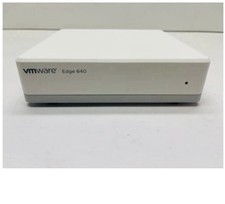
VMware SD-WAN Edge 640N VeloCloud Dell E42W EnterpriseFirewall 32GB
$127.50

Barracuda NextGen CloudGen Cloud Based Firewall F280 BNGF280a w/ 8.3.1 Firmware
$89.99

HP 2x 10GB OPNsense Quad Core i5-8500 8GB RAM 3Port Gigabit Firewall AES-NI SSD
$199.95

Fortinet FortiGate 60F FG-60F UTM UTP License Until 2027 Network Security FW VPN
$219.99

OPNsense pfSense 16-Core Atom C3958 16GB ECC RAM 512GB SSD 8-Port QAT AES-NI VPN
$298.00

Palo Alto PA-220 Next-Gen Firewall 520-000309-00J
$40.00

SonicWall TZ280 Firewall 03-SSC-6933 Advanced Edition 3YR NEW SEALED
$999.99

Zero Trace Pen: All-in-one Tor Network Anonymous Drive + Cryptocurrency Wallet
$147.00