-
Results:
mount -t vfat /dev/hdf1 /mnt/hdf1
mount: wrong fs type, bad option, bad superblock on /dev/hdf1,
or too many mounted file systems
mount -t auto /dev/hdf1 /mnt/hdf1
mount: you must specify the filesystem type
woah! I like that ls command...
It shows the 2 drives (working on hdf1) in a dark color and current mounts in light blue... cool!
tried: mount -t vfat /dev/hdf1
result: gives help info as if I typed mount -h
a couple of tidbits more on info:
I !think! that the partition/drive (hdf1) is on my secondary (promice) controler... however that thought doesn't pan out because hdf5 (same drive, different partition) works fine.
Thanks for the information so far (that ls command is realy neato) but it still wont mount...
Similar Threads
-
By kuser123 in forum Networking
Replies: 3
Last Post: 08-27-2004, 11:49 PM
-
By robk in forum Hardware & Booting
Replies: 2
Last Post: 10-05-2003, 10:15 PM
-
By chief in forum General Support
Replies: 0
Last Post: 09-22-2003, 08:48 PM
-
By NASAce in forum Hdd Install / Debian / Apt
Replies: 1
Last Post: 08-25-2003, 09:04 PM
-
By pc_dev in forum General Support
Replies: 1
Last Post: 02-21-2003, 04:08 PM
 Posting Permissions
- You may not post new threads
- You may not post replies
- You may not post attachments
- You may not edit your posts
-
Forum Rules


Samsung DVI to DVI Cable 6 ft Digital Video Interface Audio Video NEW
$30.89
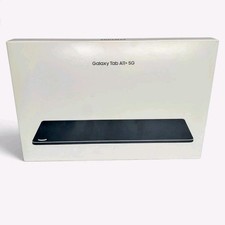
Samsung Galaxy Tab A11+ 5G 128GB SM-X238U Android Tablet New Sealed
$150.00

Samsung Galaxy View Tablet 18.4 SM-T670/677A Digitizer 100% Original Oem
$152.99
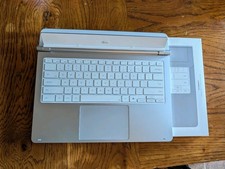
Samsung - Galaxy Tab S12 Ultra/S11 Ultra Pro Keyboard - Silver
$229.99

Kids Case for Samsung Galaxy Tab A9+/A9 plus 11 Inch 2023 Case, with Strap, Shoc
$27.99

Samsung SCXSTP000, SCX-STP000 (Swingline Staple Cartridge - 3 Refills)
$57.99

Samsung JC95-01514A Cover-Side Roller T2 Compatible
$39.00

Samsung JC93-01078A Transfer Roller T2
$89.00
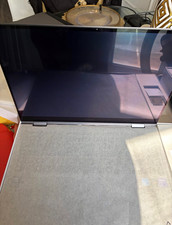
Samsung Galaxy Book5 Pro 360 16in Core Ultra 7 16GB 1TB SSD Arc Gray
$1500.00

Samsung 24" S3 Essential IPS 100Hz Monitor | Sealed | Fast shipping
$55.00



 Reply With Quote