-
Use WPA Supplicant
Try wpa_supplicant -c /etc/wpa_supplicant.conf -i wlan0 -D wext -dd where wlan0 is the wireless card. There seems to be an issue with calling ndiswrapper, as I used, but I got it to work with wext. It might help. Also, make sure that your wpa_supplicant.conf file is configured correctly. I am using WPA AES. For that to work I had to set up pairwise and group as CCMP only. Plus, make sure that the password is entered in hex format and without quotes. Here's what I have:
ctrl_interface=/var/run/wpa_supplicant
#COFFEE SHOP - Using simple WEP
network={
ssid="COFFESHOP"
key_mgmt=NONE
wep_tx_keyidx=0
wep_key0=6644565378
}
#HOME - Using WPA AES
network={
ssid="HOME"
proto=WPA
key_mgmt=WPA-PSK
pairwise=CCMP
group=CCMP
#psk="willubethere4ever"
psk=365342f8362524e1834abbd953edaf8979c4de38d7601f abb30a84d769953bb3
priority=2
}
Obviously the ESSID and PSK are not what I actually use, but these are to demonstrate my setup. Let me know if it helps.
Similar Threads
-
By ebazz in forum Networking
Replies: 2
Last Post: 02-16-2007, 11:57 PM
-
By DukeXC in forum Networking
Replies: 2
Last Post: 03-08-2006, 03:07 PM
-
By thellamafarm in forum Networking
Replies: 2
Last Post: 10-31-2005, 08:42 PM
-
Replies: 0
Last Post: 10-07-2005, 04:18 AM
-
By Mike UK in forum Networking
Replies: 2
Last Post: 04-15-2004, 09:04 AM
 Posting Permissions
- You may not post new threads
- You may not post replies
- You may not post attachments
- You may not edit your posts
-
Forum Rules


Cisco Nexus N9K-C92160YC-X 48P 25GbE SFP28 6P QSFP+/QSFP28 PE Switch
$439.00

Cisco WS-C3650-12X48UR-L 48-Port Stackable Layer 3 8x10G SFP+ Port Switch
$129.99

Cisco Catalyst C9130AXI-B WiFi 6 802.11ax Wireless Access Point Brand New
$101.99

Cisco Acacia DP04QSDD-E25-840 400G QSFP-DD Coherent DCO Transceiver Module
$699.99

Cisco Catalyst WS-C2960X-48FPD-L 48-Port Gigabit Managed PoE+ Ethernet Switch
$69.99

Cisco | N3K-C3232C | 32-Port 100G QSFP Network Switch W/ 2x PSU, 2x Power Cords
$205.00

Genuine Cisco SFP-10G-SR 0-2415-03 10 Gigabit Transceiver
$5.40
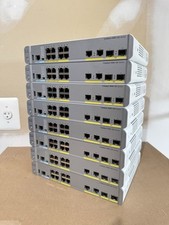
Cisco Catalyst WS-C3560CX-8PC-S Managed Switch 8 PoE+ Port | Quantity Available
$97.49
CISCO INDUSTRIAL SWITCH IE-3100-8T2C-E New
$1049.00

Cisco Catalyst WS-C2960+24TC-S 24-Port Gigabit Managed SFP Switch
$39.99



 Reply With Quote