

 Reply With Quote
Urgent? When is your homework assignment due?


extracted from knoppix-autoconfig:
<<START>>
# Try to mount this filesystem read-only, without or with encryption
# trymount device|file mountpoint
trymount(){
# Check if already mounted
case "$(cat /proc/mounts)" in *\ $2\ *) return 0;; esac
# Create target directory if it doesn't exist yet
[ -d "$2" ] || mkdir -p "$2"
RC=""
# Apparently, mount-aes DOES autodetect AES loopback files.
[ -b "$1" ] && { mount -t auto -o ro "$1" "$2" 2>/dev/null; RC="$?"; }
# We need to mount crypto-loop files with initial rw support
[ -f "$1" ] && { mount -t auto -o loop,rw "$1" "$2" 2>/dev/null; RC="$?"; }
# Mount succeeded?
[ "$RC" = "0" ] && return 0
echo ""
echo "${CYAN}Filesystem not autodetected, trying to mount $1 with AES256 encryption${NORMAL}"
sleep 2
a="y"
while [ "$a" != "n" -a "$a" != "N" ]; do
# We need to mount crypto-loop files with initial rw support
PW="$(dialog --title "Encrypted Partition?" --stdout --insecure --passwordbox "Please enter decryption password:" 8 40)"
[ "$?" != "0" ] && break
mount -p0 -t auto -o loop,rw,encryption=AES256 "$1" "$2" <<EOT
$PW
EOT
[ "$?" = "0" ] && { unset PW; return 0; }
unset PW
echo -n "${RED}Mount failed, retry? [Y/n] ${NORMAL}"
read a
done
return 1
}
<<END>>
<<START>>
# Try to mount this filesystem read-only, without or with encryption
# trymount device|file mountpoint
trymount(){
# Check if already mounted
case "$(cat /proc/mounts)" in *\ $2\ *) return 0;; esac
# Create target directory if it doesn't exist yet
[ -d "$2" ] || mkdir -p "$2"
RC=""
# Apparently, mount-aes DOES autodetect AES loopback files.
[ -b "$1" ] && { mount -t auto -o ro "$1" "$2" 2>/dev/null; RC="$?"; }
# We need to mount crypto-loop files with initial rw support
[ -f "$1" ] && { mount -t auto -o loop,rw "$1" "$2" 2>/dev/null; RC="$?"; }
# Mount succeeded?
[ "$RC" = "0" ] && return 0
echo ""
echo "${CYAN}Filesystem not autodetected, trying to mount $1 with AES256 encryption${NORMAL}"
sleep 2
a="y"
while [ "$a" != "n" -a "$a" != "N" ]; do
# We need to mount crypto-loop files with initial rw support
PW="$(dialog --title "Encrypted Partition?" --stdout --insecure --passwordbox "Please enter decryption password:" 8 40)"
[ "$?" != "0" ] && break
mount -p0 -t auto -o loop,rw,encryption=AES256 "$1" "$2" <<EOT
$PW
EOT
[ "$?" = "0" ] && { unset PW; return 0; }
unset PW
echo -n "${RED}Mount failed, retry? [Y/n] ${NORMAL}"
read a
done
return 1
}
<<END>>
<<START>>
# Try to mount this filesystem read-only, without or with encryption
# trymount device|file mountpoint
trymount(){
# Check if already mounted
case "$(cat /proc/mounts)" in *\ $2\ *) return 0;; esac
# Create target directory if it doesn't exist yet
[ -d "$2" ] || mkdir -p "$2"
RC=""
# Apparently, mount-aes DOES autodetect AES loopback files.
[ -b "$1" ] && { mount -t auto -o ro "$1" "$2" 2>/dev/null; RC="$?"; }
# We need to mount crypto-loop files with initial rw support
[ -f "$1" ] && { mount -t auto -o loop,rw "$1" "$2" 2>/dev/null; RC="$?"; }
# Mount succeeded?
[ "$RC" = "0" ] && return 0
echo ""
echo "${CYAN}Filesystem not autodetected, trying to mount $1 with AES256 encryption${NORMAL}"
sleep 2
a="y"
while [ "$a" != "n" -a "$a" != "N" ]; do
# We need to mount crypto-loop files with initial rw support
PW="$(dialog --title "Encrypted Partition?" --stdout --insecure --passwordbox "Please enter decryption password:" 8 40)"
[ "$?" != "0" ] && break
mount -p0 -t auto -o loop,rw,encryption=AES256 "$1" "$2" <<EOT
$PW
EOT
[ "$?" = "0" ] && { unset PW; return 0; }
unset PW
echo -n "${RED}Mount failed, retry? [Y/n] ${NORMAL}"
read a
done
return 1
}
<<END>>
Urgent? When is your homework assignment due?
By 22th of Oct
 Posting Permissions


(New) AMD Ryzen 7 5700X 8 Core 16 Thread AM4 Unlocked 3.4 GHz CPU OEM Tray
$174.99

OPNsense Firewall 8-Core Atom C3758 4GB DDR4 RAM 64GB SSD 8x 1Gbe QAT AES-NI VPN
$95.00
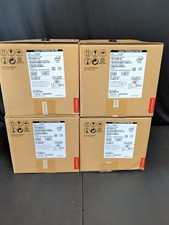
Lenovo ThinkSmart Hub 500 10V50000US All-in-One i5 8GB 128GB Win10 NEW SEALED
$259.00
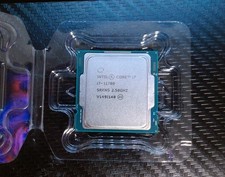
Intel Core i7-11700 11th Gen 8-Core 16-Thread LGA1200 CPU *CANADA*
$150.80
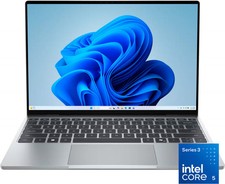
Dell - XPS 13.4" 3K Touchscreen Laptop - Intel Core 5 Series 3 320 2026 - 8GB...
$599.99

AMD Ryzen 7 9800X3D 8-Core 16-Thread AM5 Zen 5 Desktop Processor NEW
$395.00
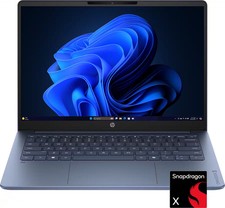
HP - OmniBook 3 - 14" 2K OLED Laptop - Snapdragon X (8-Core CPU) - 8GB Memory...
$399.99
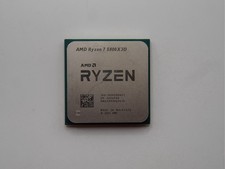
AMD Ryzen 7 5800X3D 8-Core 3.4GHz Socket AM4 CPU Processor….
$309.99
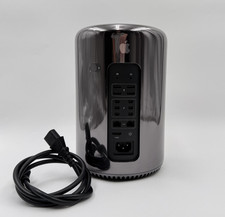
Apple Mac Pro Late 2013 A1481 3.0GHz 8-Core Xeon 32GB RAM 251GB SSD Dual FirePro
$269.00

Apple MacBook Air 2019 13.3” Retina Intel Core i5 8GB RAM 128GB SSD Gold
$200.00