-
Senior Member
registered user
With a bit of luck, a new icon should popup on your desktop when connecting the drive, and you can then mount by right-clicking. If this doesn't work, try booting with the drive already active, knoppix should then notice it and create an entry for it in /etc/fstab (and a corresponding desktop icon). If you insist on using "mount", see "man mount" (or "#mount" in the konqueror address bar). Hint: you need to provide the device entry and mount point; the filesystem type is usually guessed correctly. Something like
$ sudo mount /dev/sda1 /media/sda1
The mount point (/mnt/sda1 in older releases) should have been created for you but there's a slight chance you'd need to md it yourself.
Note that only with the most recent KNOPPIX releases has it become safe to write to ntfs; you'd then use
$ sudo mount -t ntfs-3g /dev/sda1 /media/sda1
Similar Threads
-
By manfronix in forum Hdd Install / Debian / Apt
Replies: 0
Last Post: 03-24-2009, 07:23 AM
-
By HugoRune in forum Other Live CDs
Replies: 1
Last Post: 10-15-2008, 09:45 PM
-
By pubo in forum Hardware & Booting
Replies: 0
Last Post: 06-15-2005, 12:27 PM
-
By vinayjain in forum Hdd Install / Debian / Apt
Replies: 1
Last Post: 12-13-2004, 01:33 AM
-
By clinthammer in forum Hardware & Booting
Replies: 1
Last Post: 06-14-2004, 04:58 AM
 Posting Permissions
- You may not post new threads
- You may not post replies
- You may not post attachments
- You may not edit your posts
-
Forum Rules

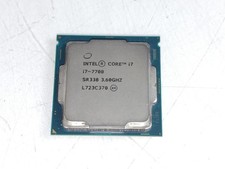
Intel Core i7-7700 3.6 GHz 8 GT/s LGA 1151 Desktop CPU Processor SR338
$39.99
Intel Core I7-3770 Processor (3.40GHz, 4 Cores, Socket H2 LGA-1155) - SR0PK
$40.00
LOT OF 4 Intel Core i5-10505 6-Core 3.2GHz SRH38 CPU Processor
$349.95
READ Intel Core Ultra 9 285 Processor LGA 1851
$449.99
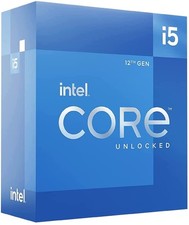
Intel Core i5-12600 3.30 GHz Processor CPU
$119.99
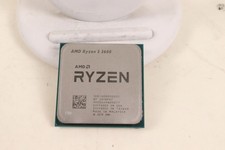
AMD RYZEN 5 3600 PROCESSOR | 3.60GHZ | 100-000000031
$59.99

AMD Ryzen 5 5600X Desktop Processor (3.7GHz, 6 Cores, AM4 CPU) 100-100000065
$135.00

Intel Core i9-9900 3.10GHz CPU Processor SRG18
$165.00
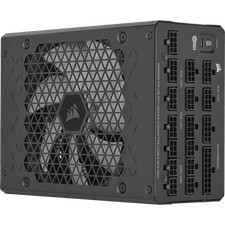
Corsair HX1500i 1500W 80+ Platinum Fully Modular ATX 3.1 PSU Certified Refurb
$207.99

INTEL CORE I7-870 SLBJG 2.93GHZ LGA1156 4 CORE CPU PROCESSOR
$23.00



 Reply With Quote