-
connected to net yet cant surf
plz help me i am first time user ,iam using knoppix 4.0 live cd and tried everything from other posts of this forum.my problem is knoppix has this software which shows iam connected to internet,i.e this ppp status software shows iam connected to net .as well as my isp also shows(when i log from my win xp) that i was connected to net during the time iam using knoppix.i connect to net using command pon dsl-provider then that ppp status software shows iam connected to net.ifconfig even shows ip address alloted to my comp then why cant i surf and visit websites?
iam uploading photos showing result of ifconfig and ppp status software's window.
snapshot1.png - 0.32MB
snapshot2.png - 0.25MB
-
Administrator
Site Admin-
Re: CONNECTED TO NET YET CANT SURF

Originally Posted by
tekas007
.... i am first time user ,iam using knoppix 4.0 live cd ....
Really? The German version given away at a trade show? Or might you be running 4.02, the version officially released on the Internet?
Originally Posted by
tekas007
....and tried everything from other posts of this forum.....
Strong doubt expressed in response to this claim.
Originally Posted by
tekas007
....my problem is knoppix has this software which shows iam connected to internet,i.e this ppp status software shows iam connected to net .as well as my isp also shows(when i log from my win xp) that i was connected to net during the time iam using knoppix.i connect to net using command pon dsl-provider then that ppp status software shows iam connected to net.ifconfig even shows ip address alloted to my comp then why cant i surf and visit websites?

...
OK. You don't give a lot of information about your hardware configuration or about what exactly that you are trying to do. But from the first screen shot that you posted, it is cleat that you are on a local NAT network behind a router. In such a network the router should take care of all PPPoE issues for you and you should not be trying to start any pppoe services on your local system. I'm not sure if you are actually running pppoe software or not, but if you are, cut it out. pppoe is only included in Knoppix for those foolish enough to run a DSL connection without a router.
Next, boot knoppix fresh, open a console and type ping 72.232.180.133
I you get a successful ping then you are on the Internet
Next, at the console prompt, type ping knoppix.net
If you get a sucessful ping then DNS is working. I'll leave it to you to determine the negative corollary.
If both of the above work, open a browser and put www.knoppix.net into the address bar. Hit Enter. What happens?
Originally Posted by
tekas007
plz help me........
plz help.
It hardly seems necessary to keep saying this. If someone is taking the time to read your post and can help, do you really expect that repeating the plea will improve your chances that they will respond? And, just a hint, all caps in your subject line are another thing that tend to make experienced users skip by a post.
-
thanx
i got the cd from my computer magazine 'chip' . i tried to ping the address you stated above but there was no response nothing came as output no error, same for ping knoppix.net.i will try again though.by the way i opened ethereal as you had mentioned in some other posts.it was showing
192.168.1.2 as source
then
192.168.1.1 as destination
and some comment like cant detect network.let me boot again and try what you have suggested.and yes i got connected using pppoe software in knoppix
-
Administrator
Site Admin-
With a local NAT network address in the 192.168 range you should not need any pppoe software. The router does the pppoe for you.
I don't expect that this would be a problem with using 4.0 rather than 4.02 or some newer version of the software, but 4.0 was produced and released under a deadline, it does have bugs that were corrected in later versions (by corrected I mean replaced by newer bugs).
If you can't ping the IP address that I gave in the previous post, can you ping the router itself (likely 192.168.1.1)?
I'm at a loss why the ip address ping that I gave you didn't work. Something is very fundamentally wrong with the network. If it is still failing I would suggest powering down everything including the modem and router, then power up the modem, then the router (if they are two different devices) and finally powering up the computer and booting Knoppix. Can you browse to the router setup page (often at 192.168.1.1 although some routers will use a different IP address)? Does it show the Internet status as connected?
-
i booted freshly didnt ran pppEo software the typed ping 72.232.180.133 and got no response then typed ping knoppix.net got no response again,the ran ethreal software and captured some data packets.then stopped it.and captured the screen.its below-
ping.png - 0.31MB
ethereal after ping.png - 0.25MB
ethereal after ping1 and google in konqueror.png - 0.25MB
my modem is huawei mt841.
-
yes i can browse modem/router page which is at 192.168.1.1,another question in my mind is my isp asks for username and password which i provided with pppEo software then how i will connect to net directly without pppEo since it doesnt require password and username,i am sorry if i have asked anything wrong.
-
Administrator
Site Admin-
Originally Posted by
tekas007
yes i can browse modem/router page which is at 192.168.1.1,another question in my mind is my isp asks for username and password which i provided with pppEo software then how i will connect to net directly without pppEo since it doesnt require password and username,i am sorry if i have asked anything wrong.
I don't know your hardware, but all DSL routers that I have seen have some place on the setup screens to specify what the user name and password are. It then saves this information (in flash or cmos memory) and uses it to log into the DSL service. It logs in as the public IP address (59.95.xxx.xxx in your case) and creates a private NAT network on the local side of the router (usually in a 192.168.xxx.xxx range although occasionally 10.xxx.xxx.xxx or the 172.16.xxx to 172.31.xxx.xxx ranges are used). I suggest that you might want to do some google searching on NAT, and read over all of the information that you can find on the router to see if you can't configure it to log in. If for some very strange reason you can't then you might indeed need pppoe, but I would then consider disabling the modem's router and using a stand alone router that will do the pppoe login.
-
i am able to get connected to the net using pppEo software but problem is still i cant download surf or do anything.you havent replied to my ethereal images which i have uploaded.it says destination unreachable network unreachable.
-
going to get sleep now its 4.00 a.m here.will come back later
-
Administrator
Site Admin-
Originally Posted by
tekas007
i am able to get connected to the net using pppEo software but problem is still i cant download surf or do anything.you havent replied to my ethereal images which i have uploaded.it says destination unreachable network unreachable.
I've looked at your ethereal screen shots, but they don't tell me much other than the router is responding that the destinations are unreachable. I don't know much about the pppoe software in Knoppix, since I never use it. I use DSL, but I've tried at least 7 different routers on my network, and every one of them allowed me to enter the user/password into the router and it would log in, so I don't think I have ever done pppoe under Knoppix. I have bypassed my touter and used pppoe under Debian just as a test, and it worked (although the net install wouldn't work that way). But if what I have already posted doesn't lead you to a fix, I think you'll need to wait until a pppoe user responds.
Similar Threads
-
By spottyrover in forum Hdd Install / Debian / Apt
Replies: 2
Last Post: 03-21-2005, 12:06 AM
-
By hal8000 in forum Hdd Install / Debian / Apt
Replies: 3
Last Post: 03-18-2005, 07:44 PM
-
By WolfBLN in forum Networking
Replies: 2
Last Post: 05-11-2004, 06:25 AM
-
By DavidTempler in forum Hardware & Booting
Replies: 7
Last Post: 01-19-2004, 11:18 PM
-
By katrina1 in forum General Support
Replies: 1
Last Post: 03-22-2003, 02:55 PM
 Posting Permissions
- You may not post new threads
- You may not post replies
- You may not post attachments
- You may not edit your posts
-
Forum Rules


OEM Genuine 42Wh WDX0R For DELL Inspiron WDXOR Battery 15 5567 5568 13 5368 7368
$22.99

OEM 68Wh 3HWPP Battery For Dell Latitude 5401 5501 5410 5510 E5411 E5511
$28.99
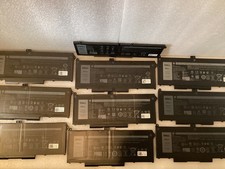
Lot of 10OEM Dell Latitude 5420 5520 63WH Battery RJ40G M033W - Excellent
$175.00
OEM Genuine 62WH 6MT4T Battery For Dell Latitude E5470 E5570 6MT4T 07V69Y 7V69Y
$36.66

OEM Genuine 86WH 69KF2 Battery For Dell XPS 15 9500 Precision 5550 M59JH M15 M17
$45.49

OEM 68Wh 3HWPP Battery For Dell Latitude 5401 5411 15 5501 5511 Precision 3541
$35.78
Lot of 5 Dell OEM 65W 7.4mm 19.5V 3.34A AC Adapters Mixed Models B Grade
$36.99

OEM 74WH 357F9 Battery For Dell Inspiron 15 7559 i7559 7557 i7557 5577 7567 5576
$26.99
Genuine OEM 6GTPY 97Wh Battery for Dell XPS 15 7590, 9550 Series 5XJ28 GPM03 New
$33.50
New Genuine OEM Dell Latitude 5420 5520 3560 4 Cell Laptop Battery RJ40G M033W
$49.95



 Reply With Quote