-

Originally Posted by
tekas007
going to get sleep now its 4.00 a.m here.will come back later
I can`t really help you much. But let`s establish a few things.
Because really, your original question of you can connect to the internet but not surf. Should be answered with a joke, that you need a surfing machine.
When you connect up with windows. Areyou connected automatically, or do you log into your ISP through windows?
It seems that you are not connected to the internet. And your router is one that logs in automatically. Has its independent power source(unlike a PCI DSL or USB DSL one). Accepts a user/pass when you http to it.
Has a few ports on it. Try connecting another machine to it. A windows machine. Does that have internet access?
Funnily enough. I just booted a knoppix CD and found no internet access! (I am not too bothered by that right now though. i can ssh to a linux box. I don`t really want linux for browsing the web). I have LAN access. Another machine running windows connects to the router and accesses the internet. So the router is connected to the internet.
This is the test you should do. See if the router is connected to the internet. Go to something like http://192.168.0.1 and see if it says connected to the internet. disconnect, connect. may have to refresh the screen.
or easier, connect another machine to the router. Or try without the knoppix cd. see if you can browse the web.
-
Junior Member
registered user
DNS inside router
Some routers, typically the common windows/mac-centric soho types, are reputed to play a little loose with the real internet dns specifications.
One way to ensure that the router doesn't mess around with dns is to place your isp's primary and backup dns nameservers in the router's setup page. If you don't know your isp's dns addresses, there are alternates like those seen at the bottom of opendns.com
After you put your addresses into the router itself, just restart networking, or reboot your computer.
I tore my hair out for years manually configuring dhclient.conf, dhcp3.conf, resolv.conf etc, to force the use of a real dns address, and not to the little one inside the router. Placing the addresses inside the router's setup page has left me with a few hairs left, and now ALL the boxes on the lans I setup don't have any dns issues.
Similar Threads
-
By spottyrover in forum Hdd Install / Debian / Apt
Replies: 2
Last Post: 03-21-2005, 12:06 AM
-
By hal8000 in forum Hdd Install / Debian / Apt
Replies: 3
Last Post: 03-18-2005, 07:44 PM
-
By WolfBLN in forum Networking
Replies: 2
Last Post: 05-11-2004, 06:25 AM
-
By DavidTempler in forum Hardware & Booting
Replies: 7
Last Post: 01-19-2004, 11:18 PM
-
By katrina1 in forum General Support
Replies: 1
Last Post: 03-22-2003, 02:55 PM
 Posting Permissions
- You may not post new threads
- You may not post replies
- You may not post attachments
- You may not edit your posts
-
Forum Rules


INTEL XEON E5-2680V4 SR2N7 2.40GHZ CPU
$11.00

Dell Precision Tower 7810 Xeon E5-2630 v3 @ 2.40GHz , 32GB Ram, NO HDD, NO OS
$239.99

Dell EMC PowerEdge R440 Xeon silver 4215 2.5GHz 16 GB ram 2x 550W PSU No HDD
$275.00

Dell Precision T7820 2x Xeon Silver 4114 2.20GHz 950W No RAM GPU HDD 4x SATA
$350.48

Dell Precision T5820 Workstation 3.70GHz W-2135 No RAM/ GPU/ HDD/ OS
$179.98

Intel Xeon E5-2699 V4 2.20GHz 55M 22-CORES LGA2011-3 Server Processor 145W SR2JS
$84.49
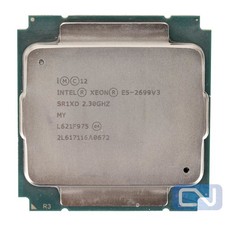
Intel Xeon E5-2699 v3 18 Core 2.3 GHz 45MB SR1XD LGA 2011-3 B Grade
$15.95

Intel Xeon E5-2690 v4 SR2N2 14 Core 2.6GHz 35MB LGA2011-3 CPU *km
$15.99
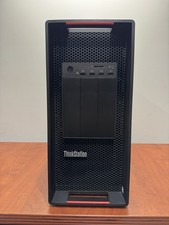
LENOVO THINKSTATION P920 XEON GOLD 6128 3.4GHz 32GB RAM 1TB SSD Windows 11 Pro
$1550.00

Intel Xeon Phi 5110P 60-Core 1.053GHz Coprocessor
$50.00



 Reply With Quote