-
Senior Member
registered user
Alternate: Use the Windows CD
You could also try this:
Boot up the computer using the Windows install CD.
You'll get an option to repair (Press R)
That will get you to the Command Console.
Once you have opened the Console -- and assuming a Windows installation/drive is found ---
use this command CHKDSK /R
Don't give up!
sakiZ
Similar Threads
-
By brass in forum MS Windows & New to Linux
Replies: 1
Last Post: 05-02-2006, 11:47 AM
-
By Zeddicus in forum General Support
Replies: 4
Last Post: 01-08-2005, 12:46 AM
-
By Kosko in forum MS Windows & New to Linux
Replies: 2
Last Post: 11-24-2004, 11:29 PM
-
By Garibaldi in forum General Support
Replies: 6
Last Post: 10-02-2004, 04:33 AM
-
By sand_pu in forum Hdd Install / Debian / Apt
Replies: 2
Last Post: 05-11-2004, 02:55 PM
 Posting Permissions
- You may not post new threads
- You may not post replies
- You may not post attachments
- You may not edit your posts
-
Forum Rules


Original Vintage Old Style STANDARD Black CD Jewel Case (Heavy Duty) 90g Lot
$316.95

Vintage Computer Keyboard Northgate OMNIKEY Ultra
$120.00

Lot of 2 Vintage Plextor PX-43CS SCSI CD-ROM Caddy Drives + 4 Caddies Used
$55.99

Vintage HP 21MX 1000 M-Series Minicomputer Chassis Backplane Parts AS-IS
$325.99
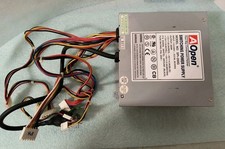
VINTAGE AOPEN MODEL SPI-200 200W AT POWER SUPPLY WITH SWITCH DS-PS-8
$34.95
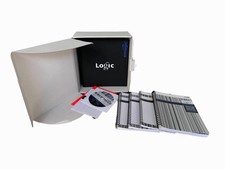
Vintage Emagic Logic 5 / Logic Audio 4.0 Studio Software Box Manuals Serial
$89.99

VINTAGE ESS ES1868 16 BIT ISA SOUND CARD COMPAQ 247428-001 - USA SELLER RM2-SC
$24.95
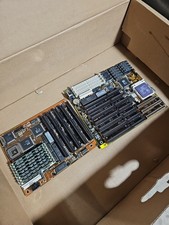
Vintage Motherboard Lot: MSI MS-4138 VLB 486 DX4-120 + Macronix 386DX Combo RAM
$175.00

VINTAGE COLLECTIBLE Comp USA Maxtor 20 GB 3.5 Inch EIDE Hard Drive NEW SEALED
$500.00
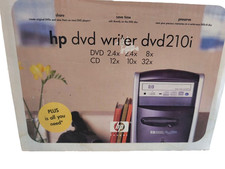
Vintage HP DVD Writer dvd210i Internal IDE Drive Q2116A BRAND NEW FACTORY SEALED
$58.85



 Reply With Quote