

I've been experimenting with booting USB keys in superfloppy format.
What is superfloppy format? It's also known as partitionless format.
Instead of bothering to partition the drive first, you just slap a filesystem across the entire surface of the drive, starting at sector 0, where the partition table usually is. It boots directly into the PBR of the filesystem, skipping the MBR and partition table entirely, as there is no partition table at all on the disk.
This seemed to work well for me, in fact, I'm typing this from a freshly-made USB key that booted into Knoppix just now.
Observations:
It is much easier to set up. There's no need to worry about getting the size right, since basically you pass the entire disk to mkdosfs and let it deal with making a filesystem of the correct size to span the disk:The command above is to format the disk in FAT16 format. FAT16 format worked. FAT32 format did not work. When booting with FAT32, SYSLINUX failed to find the "linux" boot image. I don't think it's a BIOS problem, because it worked just fine with FAT16. Maybe SYSLINUX got confused as to where the sectors are. Unfortunately, there's not much troubleshooting that can be done at the SYSLINUX prompt, because essentially nothing has been loaded yet.Code:mkdosfs -v -F 16 -I /dev/sdz
Using superfloppy format completely blows USB-ZIP compatibility, but since this has only made a difference in a small fraction of BIOS's out there, I'm dropping my recommendation that people use USB-ZIP format. Instead, use whatever's easiest.
Booting a USB key in superfloppy format can change how the BIOS sees it. My BIOS went from seeing it as a hard disk (when using a conventional partition table), to seeing it as a "removable" device! Strange. It seemed to still work just fine, though.
USB keys somehow communicate their own recommended cylinder/head/sector information to the computer. I zeroed out the USB key, so there would be no partition information on it at all, and removed it, and put it back in. It still came up consistent. My 1GB key came out to 1011 cylinders, 32 heads, and 62 sectors. That's a weird number for sectors, as usually it's 32 or 63, not 62. I'm guessing this information is what hdparm returns when you give this command:Using superfloppy format seems to be the most efficient at getting the most usable sectors out of the USB key. There seems to be no need to form an exact "cube" of cylinders/heads/sectors, as there is with a normal partition table. In addition, there's no gap between sector 0 and the start of the first partition, as there also is with a normal partition table.Code:hdparm /dev/sdz
When a freshly booted USB key is inserted into a Windows machine, Windows will offer to format it. This format is done in superfloppy format, which the user isn't allowed to change, although the user can choose FAT (aka FAT16) or FAT32. So, it seems that superfloppy format is the way to go, for maximum compatibility with what Windows does (always a good rule to follow when trying to get the BIOS to work).
And, finally, you need superfloppy format if you are going to update a Stern pinball machine
Here's the page I started, with instructions on how to set up a bootable USB key:
http://knoppix.net/wiki/Bootable_USB_Key
When using my instructions when superfloppy format, skip the mkdiskimage step entirely. Replace it with the mkisofs command. After zeroing the USB key, use this mkisofs command, instead of the mkdiskimage step. The next step after mkisofs should be the syslinux step. In this and all later steps, replace all occurrences of /dev/sdz4 with just /dev/sdz which will represent the entire disk, using no partitions. Here's the mkisofs command to use for FAT16:Or, try experimenting with using FAT32 instead of FAT16. I had worse results with this command, so don't recommend it. For very large USB keys, though, it might be necessary to use FAT32 to work at all. That's one of the advantages of using a partition table: you can slice a large USB key into two partitions, 1GB to boot reliably and still have the rest for data, but you can't do that with superfloppy format (it's all or nothing). Here's the command for FAT32:Code:mkdosfs -v -F 16 -I /dev/sdzI don't want to change it to recommend superfloppy formatting for everybody just yet, until I'm sure it will work better than what's there already. For those who have tried it both ways, with the conventional partition table and also with superfloppy format, which has worked better? Are there any BIOS's out there that will successfully boot in superfloppy but not conventional, and vice versa?Code:mkdosfs -v -F 32 -I /dev/sdz
 Posting Permissions

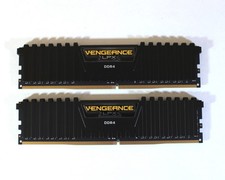
Corsair Vengeance LPX 16GB (2x8GB) CMK16GX4M2B3000C15 DDR4 Memory
$69.99

DDR4 Laptop RAM 4GB 8GB 16GB 32GB 2400 2666 3200 Samsung Hynix
$66.00

TeamGroup T-Force Vulcan 32GB (2x16GB) RAM DDR4 3200MHz TLZGD416G3200HC16FBK
$135.00

RAMAXEL Lenovo 32GB LPDDR5X CAMM2 7500MHz Laptop RAM | UNTESTED
$445.00

Crucial DDR3L 16GB 2 x 8GB 1600 MHz PC3L-12800 Laptop RAM Sodimm Memory 1.35V
$41.00

A-Tech 8GB DDR3 1600 PC3-12800 Laptop SODIMM 204-Pin Memory RAM PC3L DDR3L 1x 8G
$21.68

Major Brand 16GB (2x8GB) PC3-12800U DDR3-1600MHz DDR3-12800 DESKTOP RAM NON-ECC
$29.99

Intel Optane NMA1XXD128GPS DDR4 2666 4Rx4 ECC 128GB Server Ram
$80.00

Corsair Vengeance RGB Pro DDR4 16GB (2 X 8GB) 3200MHz CMW16GX4M2C3200C16W White
$99.99
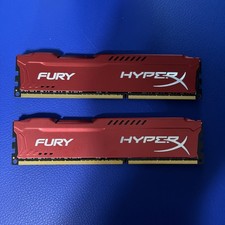
Kingston HyperX Fury 16GB (2x8GB) DDR3-1866 HX318C10FRK2/16
$33.00



 Reply With Quote