-
Just tried Knoppix - cannot mount hard drive - HELP!
I am trying to copy the SAM and SYSTEM files from my XP NTFS HD. Someone suggested Knoppix. When I click on the icon for HDA1 I get Could not mount device. Mount: I could not determine the filesystem type and none was specified.
I have NO idea what to do next!
Please can someone help a real novice.
-
Junior Member
registered user
haha, i had the same problem but i could not unmount my harddrive.
the way you install knoppix is very important. the best tutorial you can find is here:
http://www.irongeek.com/i.php?page=videos/knoppix1
keep in mind that if you don't have a linux swap file, you may get nothing but a black box on a background. if you do, start the kernal by typing in order:
"sudo -s"
"knoppix-installer"
this will fire up qtparted,which you can use to partition and fix your hardrive, then setup your installation.
if worst comes to worst on your hardrive, download killdisk on another computer, save it to a bootable floppy, and run it in your computer. you can start from scratch and you should have no problems then.
-
Administrator
Site Admin-

Originally Posted by
cypher
haha, i had the same problem but i could not unmount my harddrive.
the way you install knoppix is very important......
Why assume he was foolish enough to "install" Knoppix at all instead of just running from the CD? It seems much more likely that the hard disk partition has been ruined by windows bad enough that Knoppix can't mount it.
---
Verifying of md5 checksum and burning a CD at slow speed are important.
-
Originally Posted by
Harry Kuhman
Originally Posted by
cypher
haha, i had the same problem but i could not unmount my harddrive.
the way you install knoppix is very important......
Why assume he was foolish enough to
"install" Knoppix at all instead of just running from the CD? It seems much more likely that the hard disk partition has been ruined by windows bad enough that Knoppix can't mount it.
I am running Knoppix from the CD so can you tell me how to mount the drive please?
-
Administrator
Site Admin-
Originally Posted by
Harry Kuhman
... It seems much more likely that the hard disk partition has been ruined by windows bad enough that Knoppix can't mount it.
Originally Posted by
The Living Legend
I am running Knoppix from the CD so can you tell me how to mount the drive please?
You mount partitions in Knoppix exactly the way that you would expect. By clicking on the desktop partition icon (which mounts them read only by default). Or from a command shell with the mount command. But sometimes windows can muck up a partition so badly that Knoppix can't mount it. Other times windows may have only mucked up the partition table, in which case gpart or testdisk may be able to recover it for you. See man gpart or man testdisk for details.
Similar Threads
-
By Johnny Colson in forum Hdd Install / Debian / Apt
Replies: 1
Last Post: 10-31-2007, 11:53 PM
-
By mjfowler in forum Hdd Install / Debian / Apt
Replies: 14
Last Post: 09-18-2006, 07:54 PM
-
By flowergardener in forum Hardware & Booting
Replies: 5
Last Post: 01-08-2006, 02:47 AM
-
By Racer88 in forum General Support
Replies: 6
Last Post: 03-08-2005, 12:09 PM
-
By fourthirtysix in forum General Support
Replies: 0
Last Post: 05-24-2004, 03:24 AM
 Posting Permissions
- You may not post new threads
- You may not post replies
- You may not post attachments
- You may not edit your posts
-
Forum Rules


Dell EMC PowerEdge R740 8 Bay Server w/ 32GB RAM 2x GOLD 6132 2x 1600W PSU H730p
$499.88

Dell EMC PowerEdge R440 Xeon silver 4215 2.5GHz 16 GB ram 2x 550W PSU No HDD
$275.00

Dell Poweredge R630 2x Xeon E5-2680 v3 2.5ghz 24-Cores / 64gb / Raid / 2x 1Tb
$374.99

Dell PowerEdge R730XD 28 Core Server 2X Xeon E5-2680 V4 H730 32GB RAM No HDD
$378.93

Dell PowerEdge C4130 1U AI GPU Server | 2x E5-2680 v3 | 32gb Ram | 2x 1600W
$409.99

Dell Poweredge R810 4x Xeon X7560 2.26ghz 32-Cores | 256GB | 3x Trays | H700
$289.99

Dell PowerEdge R640 8xSFF Server Barebone 2 x Heat Sink w / 2x 1100W PSU
$315.00
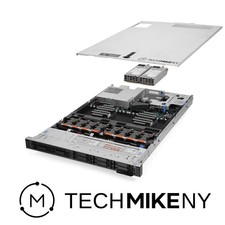
Dell PowerEdge R640 Server 2.10Ghz 32-Core 64GB RAM Startup
$763.95

Dell Poweredge R620 10x 2.5" bay with 256GB (16x16gb) DDR3, 2x E5-2690v2, H710
$349.99

Dell Poweredge C4130 2x LGA2011-3 1U 4x GPU Rackmount Server CTO (NO CPU/NO RAM)
$299.95



 Reply With Quote