

 Reply With Quote
I have no additional help to offer that you seem ready to accept.Originally Posted by Fog_Watch


I thought I would use Knoppix to boot my old Proliant DL380. The Knoppix (5.1.1) is able to boot an ordinary white box, but not the Proliant. The kernel loads and then very early in the hardware detection it returns the error:
insmod: error inserting '/cdrom/KNOPPIX/modules/cloop.ko': -
The problem is very similar to this, only I can't see how it can be a problem with the disk when it can be used to boot other computers. Any clues?
Thanks for reading.
Regards
Fog_Watch.
PS. This beast usually needs a cpqarray module loaded. I don't know if that is an issue.
I have no additional help to offer that you seem ready to accept.
Fog_Watch
You may very well have found the problem and answer, but you seem to refuse to accept the solution. Many disks that are burned at higher speeds may simply not work well in ALL optical drives. This may be the issue you encountered, especially with older hardware. Higher burn speeds seem to create some drive compatibility issues. It is encountered quite often with Audio CDs that don't play well, or at all in some CD players, but play well in others. Burning the disc at a slow speed usually resolves the compatability issue. Like it or not, it's a common problem.
Another issue could be that the drive/hardware is unable to work well with DMA acceleration or without it. The "knoppix nodma" cheatcode may help by disabling it, or "knoppix dma" to enable DMA acceleration. I'm not sure if 5.1.1 is enabled or disabled by default. You can try one or the other to see if that solves your problem.
I accept the possibility of writing speed being the cause of the problem. I, however, found a different solution.
This did not alter the error
The solution was to use KNOPPIX_V4.0.2. This booted the machine fine. A small problem was it not having lvm v2, but I get this off a floppy (after modprobe dm_mod) to solve that problem. This solution did not surprise me as a Gentoo 2007 disk does not boot the machine but a 2006 does.
Harry Kuhman and ckamin, thank you both for your replies.
Regards
Fog_Watch
In many ways I find 4.02 to be superior to any of the 5.x discs. But the fact that a different disc, even a 4.02 one, does boot just reinforces the belief that the failing disc was likely made at high speed and that another one burnt at slower speed would likely boot as well. Of course, there can be other differences such as media quality, but speed of burn is the most common issue that we see here.
---
Verifying of md5 checksum and burning a CD at slow speed are important.
I experienced the same error while booting a Knoppix ISO within Virtualbox. The burning speed suggestion isn't very helpful on this issue now.Any ideas?
Thanks for any help,
falken
 Posting Permissions

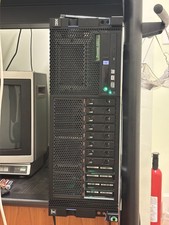
IBM POWER8 8286-42A S824 8-Core 128GB RAM 4.8TB SAS Fedora Linux Server PowerVM
$750.00

Lot of 2 IBM blade center Type H chassis 8852
$559.00

IBM 7915 AC1 M4 E27R704 Server Intel 2650V2 32GB RAM NO HDD w/ 2x 750w PSU
$200.00

IBM QRadar xx29 2x Xeon E5-2650v4 2x 900W PSU M5120 12x 3.5" Bay Server No RAM
$149.99

IBM Power S822 POWER8 1x CPU 32GB DDR4 RAM 2U Rack Server No HDD.
$629.99

IBM Power S922 9009-22A Power9 DDR4 10GbE 6X SFF Barebone Server
$999.95

IBM Power 8 S822L Server 8247-22L POWER8 Enterprise 256GB RAM 2x 00KV626 CPU
$999.99

IBM SYSTEM X3500 M3 SERVER 7380AC1 TOWER Server XEON E5620 8GB RAID SEE NOTES
$108.92

IBM System X3650 M3 Server Xeon E5620 2.4 GHz 16 GB Ram Raid M5015 No OS No HDD
$87.96

IBM QRadar xx29 M4 2x Xeon E5-2670 2.6GHz 16-Cores | 64gb | M5120 RAID
$349.99